Purview DLP adds a location for local AI agents
- Maxime Hiez
- Purview
- 19 Nov, 2026
Introduction
AI agents that run directly on workstations, in the command line or in the code editor, read files, receive prompts and call tools. The MC1558037 announcement, published on November 17, 2026, extends Microsoft Purview data loss prevention to these interactions. The feature is announced, not yet rolled out : Public Preview starts in late January 2027 and the general availability rollout begins in late March 2027. This post details what is announced, what is not yet, and how it differs from neighboring features.
Check the DLP Endpoint and AI websites article HERE.
What changes in Purview DLP
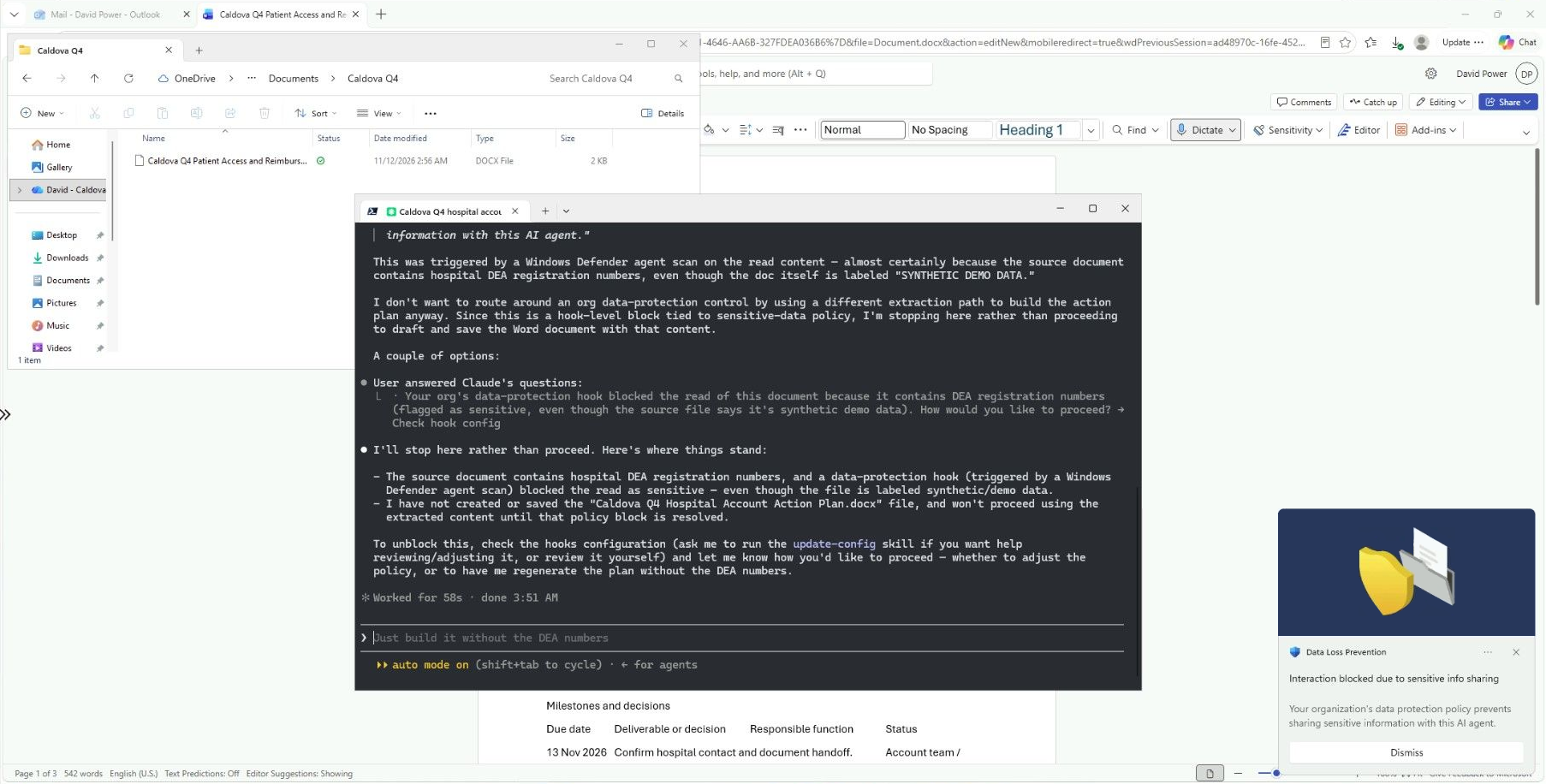
DLP extends to the interactions of supported local AI agents. Policies can apply to prompts, responses and tool interactions, which covers both the exchanges between the agent and the human and those between the agent and its tools.
The lever is a new Agents location in custom DLP policies for enterprise apps and devices. It is used to target local agents. The controls rely on Sensitive Information Types (SIT) : they detect sensitive data in prompt text and in files, and block data movements that violate the policy. The stated goal is to gain visibility into local agent activity and to apply DLP policies that stop them from processing sensitive data.
Timeline and status
- Public Preview : Rollout starts late January 2027, expected to finish late February 2027
- General availability : Rollout starts late March 2027, expected to finish late April 2027
No action is required for the feature to arrive in eligible tenants. It targets organizations that use Purview DLP with the required license, but no license is named, so for now there is no way to say which plan covers it.
What is not yet published
The list is long, and it is the thing to remember before promising anything :
- The “supported” local agents are not listed
- The operating systems and minimum versions concerned are not specified
- The default behavior, the simulation mode and the possible actions (audit, block, warn) are not documented
- Only SIT are mentioned, not Sensitivity Labels or trainable classifiers
- No Learn page describes the Agents location yet : the link in the announcement leads to the general DLP page
For current Endpoint DLP, Windows 10 and 11 devices, some Windows Server versions and macOS (the last three major versions) must be onboarded to Purview. Nothing says that support for local agents follows the same list.
Not to be confused with neighboring features
Several features already touch agents, and none does the same thing :
- Agent 365 : Agent 365 agent instances can be added to a DLP policy like a user, to audit or block exchanges with the human in Teams, OneDrive, SharePoint and email. It is a different type of agent, already documented
- Local agents in the Microsoft 365 admin center : Preview experience for detecting local agents (shadow AI). Blocking only applies to Gemini CLI and VS Code extensions, on Windows devices that are managed and enrolled in Microsoft Intune
- Local agent discovery in Defender for Endpoint : Inventory of the agents present on Windows and macOS workstations, for example Claude Code, Codex, Cursor, GitHub Copilot or Gemini CLI. This list is Defender’s : nothing proves that DLP covers the same agents
- Defender runtime protection : Separate control, in Preview, that inspects the events of the agent loop and blocks malicious prompts
DLP acts on sensitive data in motion. Discovery tells you which agents exist, while DLP aims to limit the sensitive data they process.
Conclusion
This announcement adds a location dedicated to local agents to DLP, which is the right direction. But until the agents, the systems and the actions are published, the concrete value remains to be measured, and the January 2027 Public Preview will be the first chance to do so. Until then, it is worth reviewing existing DLP policies, taking inventory of the agents actually present on workstations (Defender discovery is meant for that) and deciding which data must never go through an agent. Don’t promise the business anything before you’ve seen the default behavior.
Sources
Microsoft Learn - Learn about Endpoint data loss prevention
Microsoft Learn - Use Microsoft Purview to manage data security & compliance for Microsoft Agent 365
Microsoft Learn - Local AI agent discovery with Microsoft Defender for Endpoint
Microsoft Learn - Understand Local Agents in Microsoft 365 admin center
Did you enjoy this post ? If you have any questions, comments or suggestions, please feel free to send me a message from the contact form.
Don’t forget to follow us and share this post.