Type something to search...
How to block Teams calls and chats with Purview IB

How to block Teams calls and chats with Purview IB


Introduction

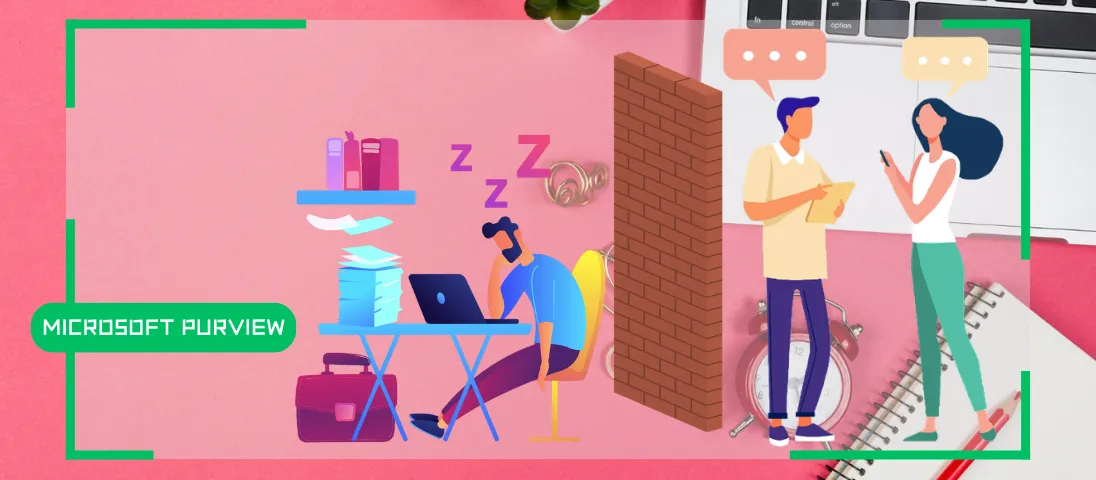
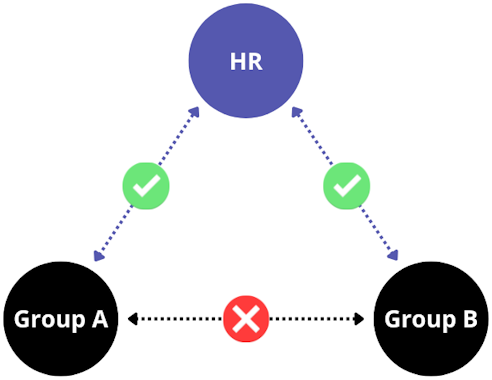
Microsoft Purview’s Information Barriers allow you to restrict communication and collaboration between specific user groups within a Microsoft 365 environment. Their primary purpose is to prevent conflicts of interest or leaks of sensitive information between teams that should not interact directly.

This feature is particularly useful in highly regulated sectors, such as finance, law, and consulting firms, where it is necessary to compartmentalize certain information between departments (for example, between trading and analysis teams).
image


Prerequisites

Required licenses

  • Microsoft 365 E5.
  • Microsoft Purview Suite in addition to another license (E3, Business, …).

Administrator role

  • An account with the Global Administrator or Compliance Administrator role to access the Microsoft Purview Portal.

Step 1 : Sign in to the Microsoft Purview Portal

Sign in to the Microsoft Purview Portal by opening your web browser to https://purview.microsoft.com.


Step 2 : Create the segments to block

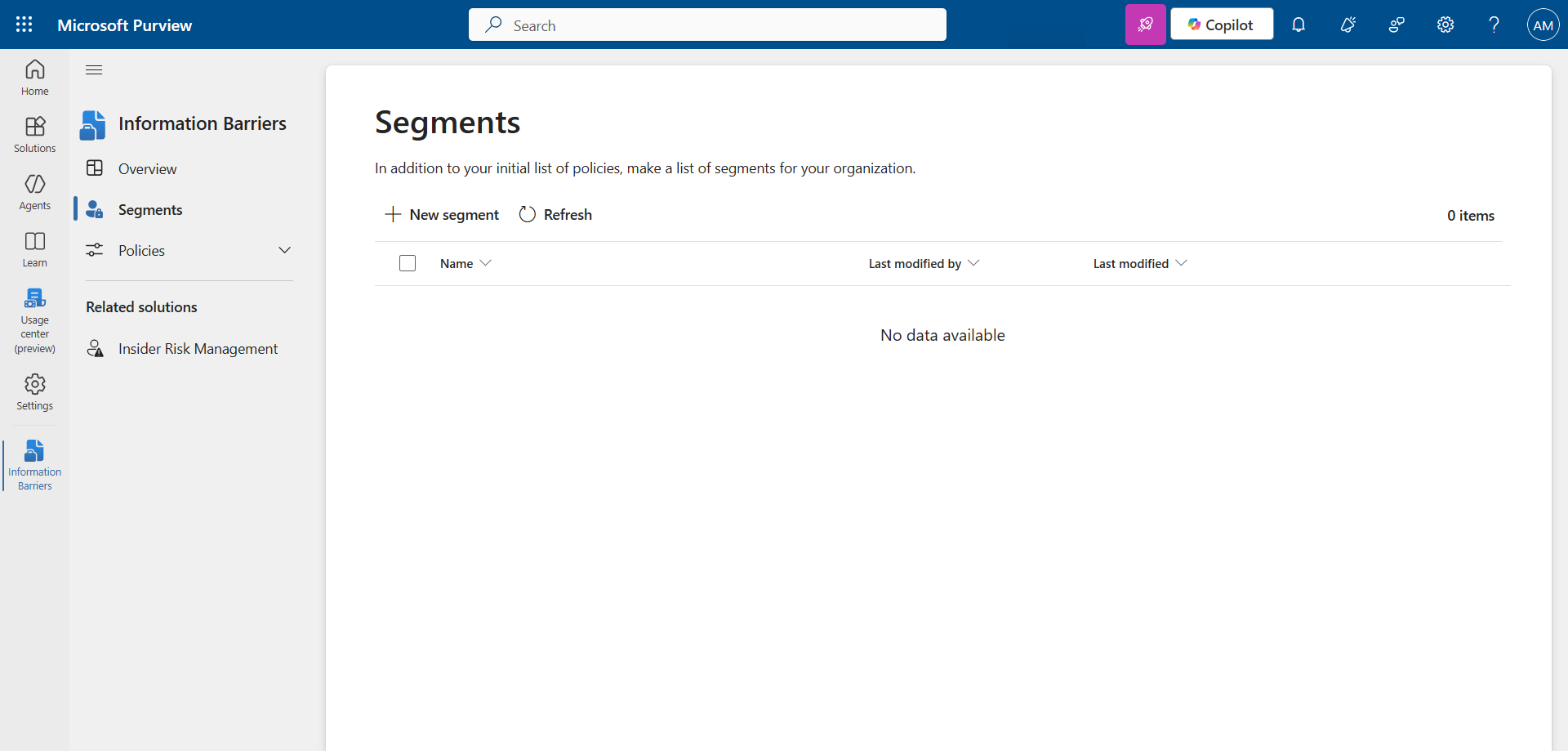
In the left menu, click Solutions, then Information Barriers, and Segments.

Click New segment to create the first segment.
image

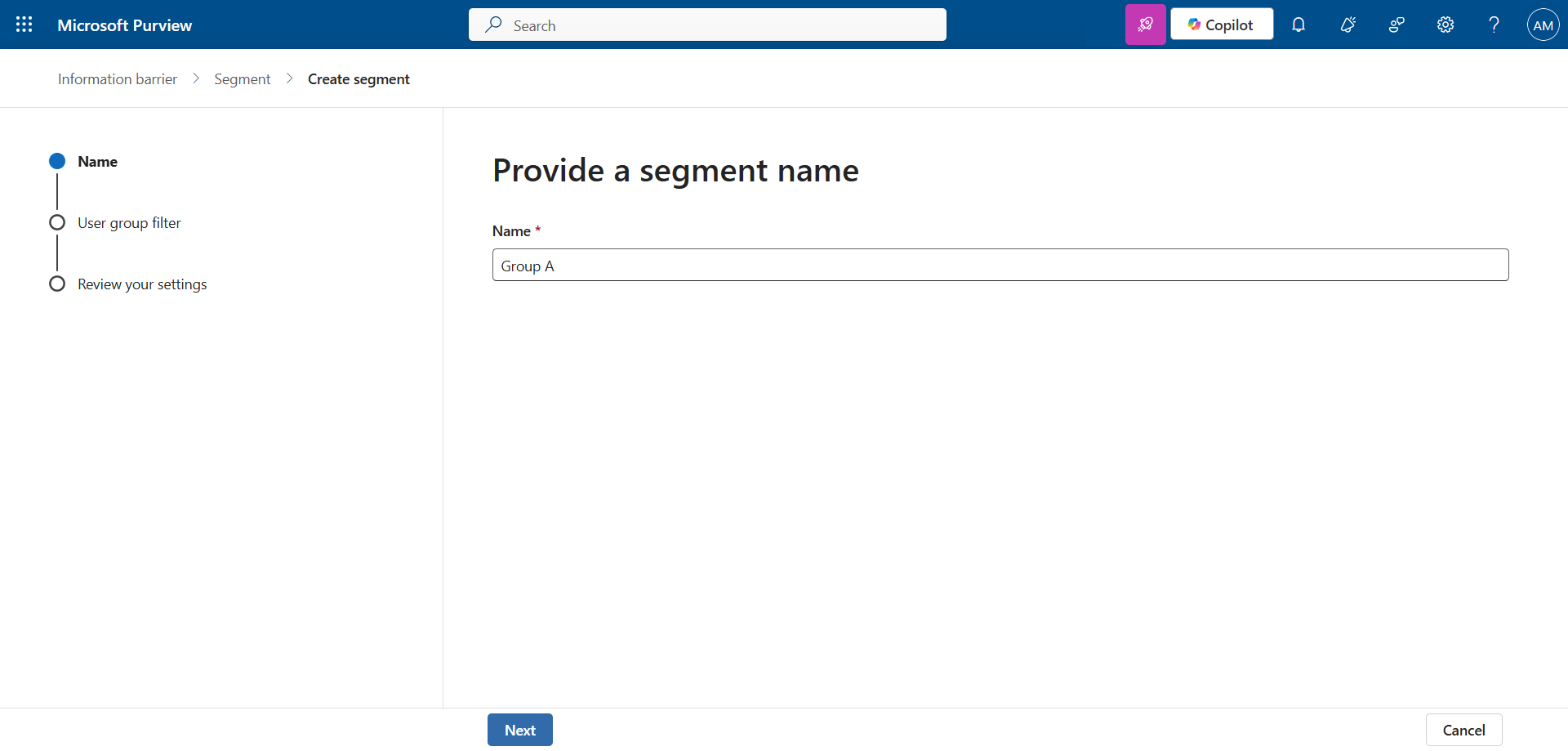
Set a name.

image

Choose which attribute to filter on. In my case, I decide to filter by the department to which the users belong.
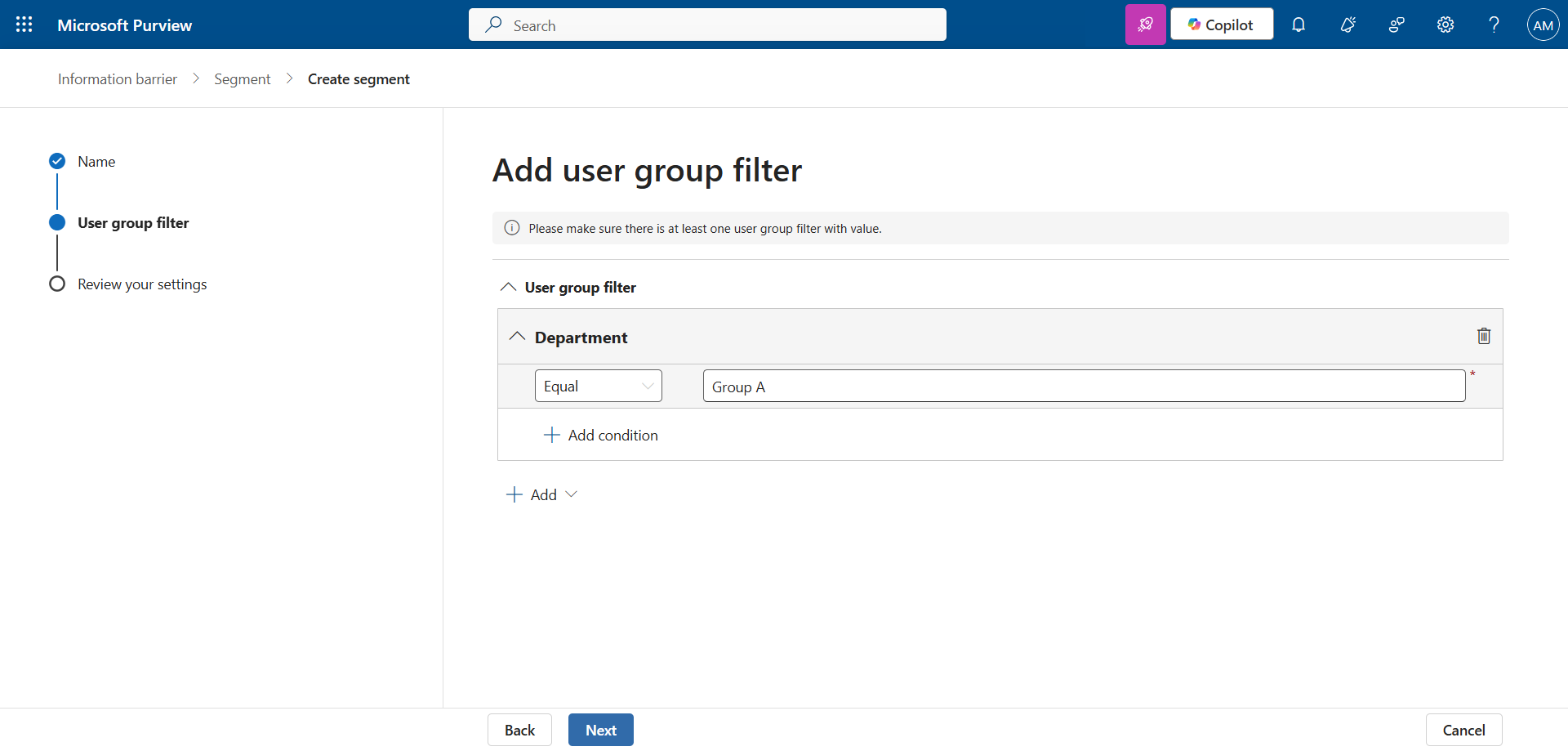
image

Create the 2nd segment following the same logic.
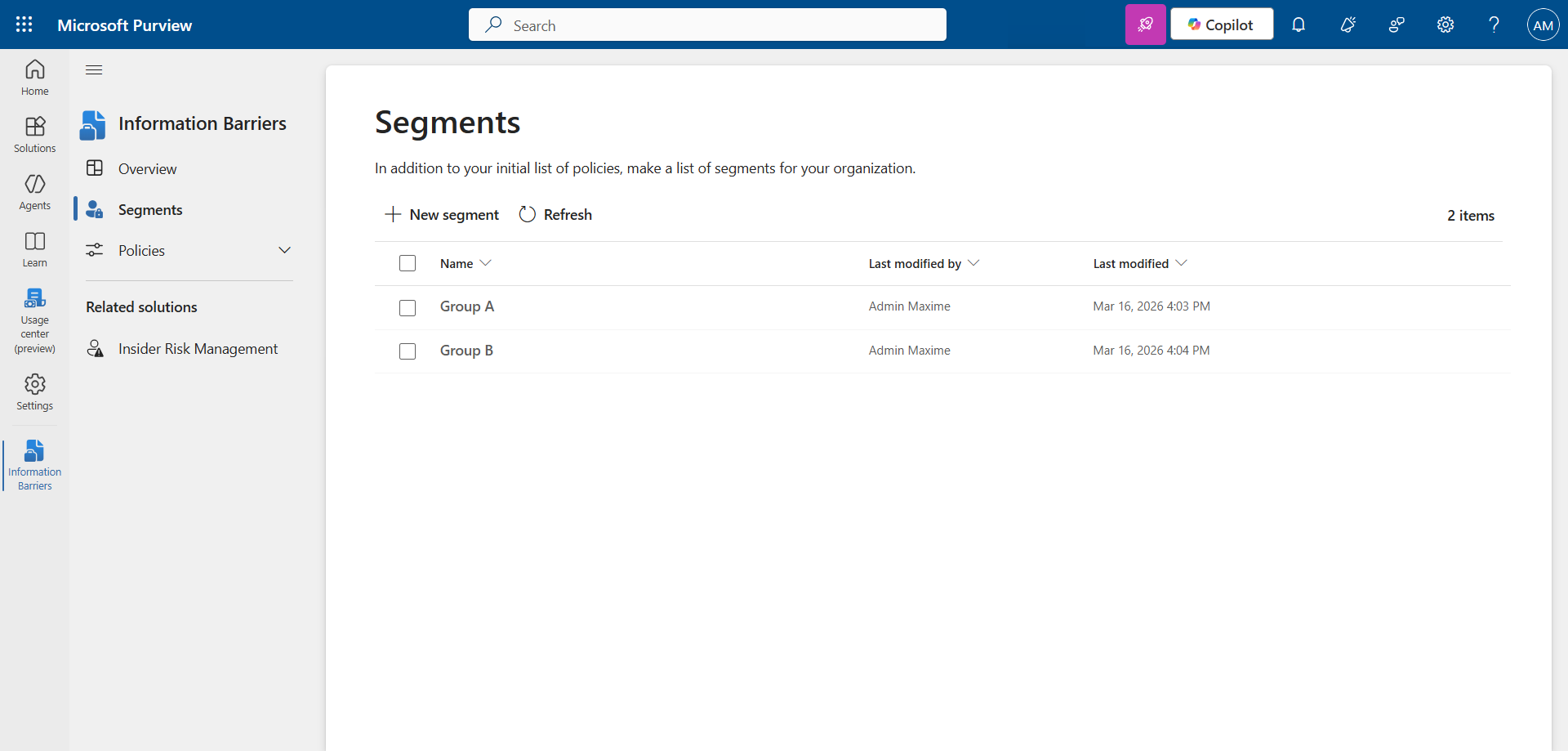
image


Step 3 : Create the Information Barriers policies

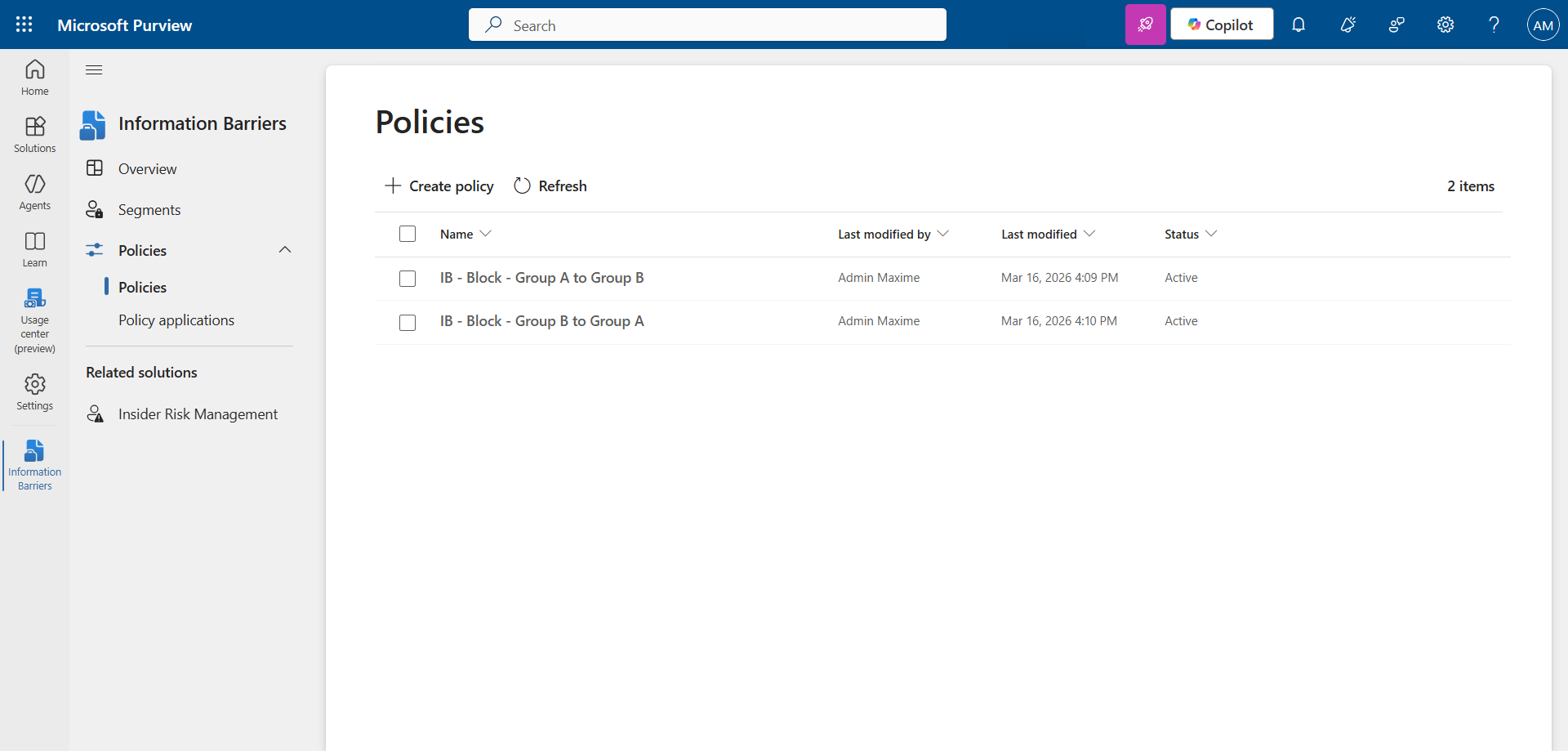
In the left menu, click Policies, then Create policy to create the policy in one direction.
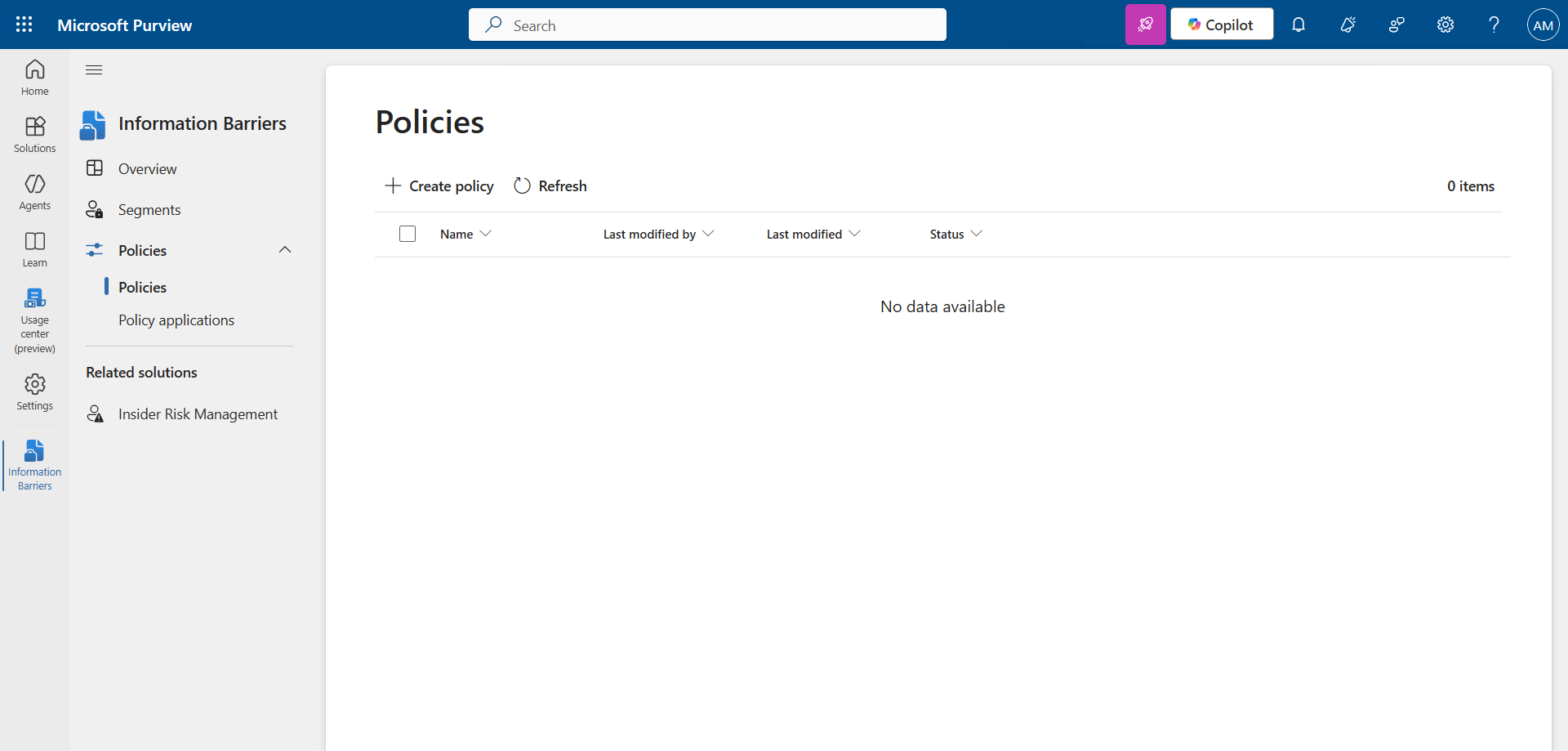
image

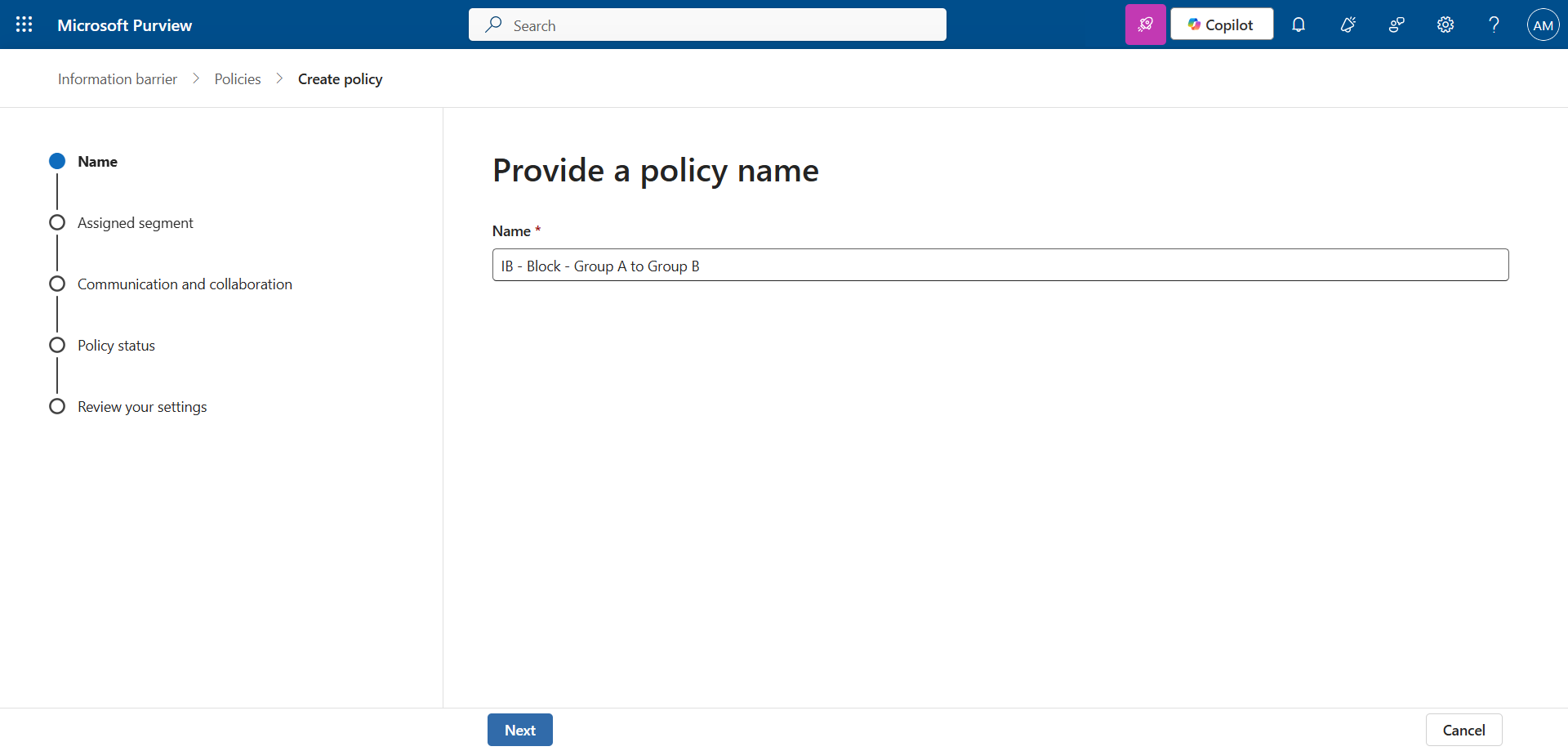
Set a name.

image

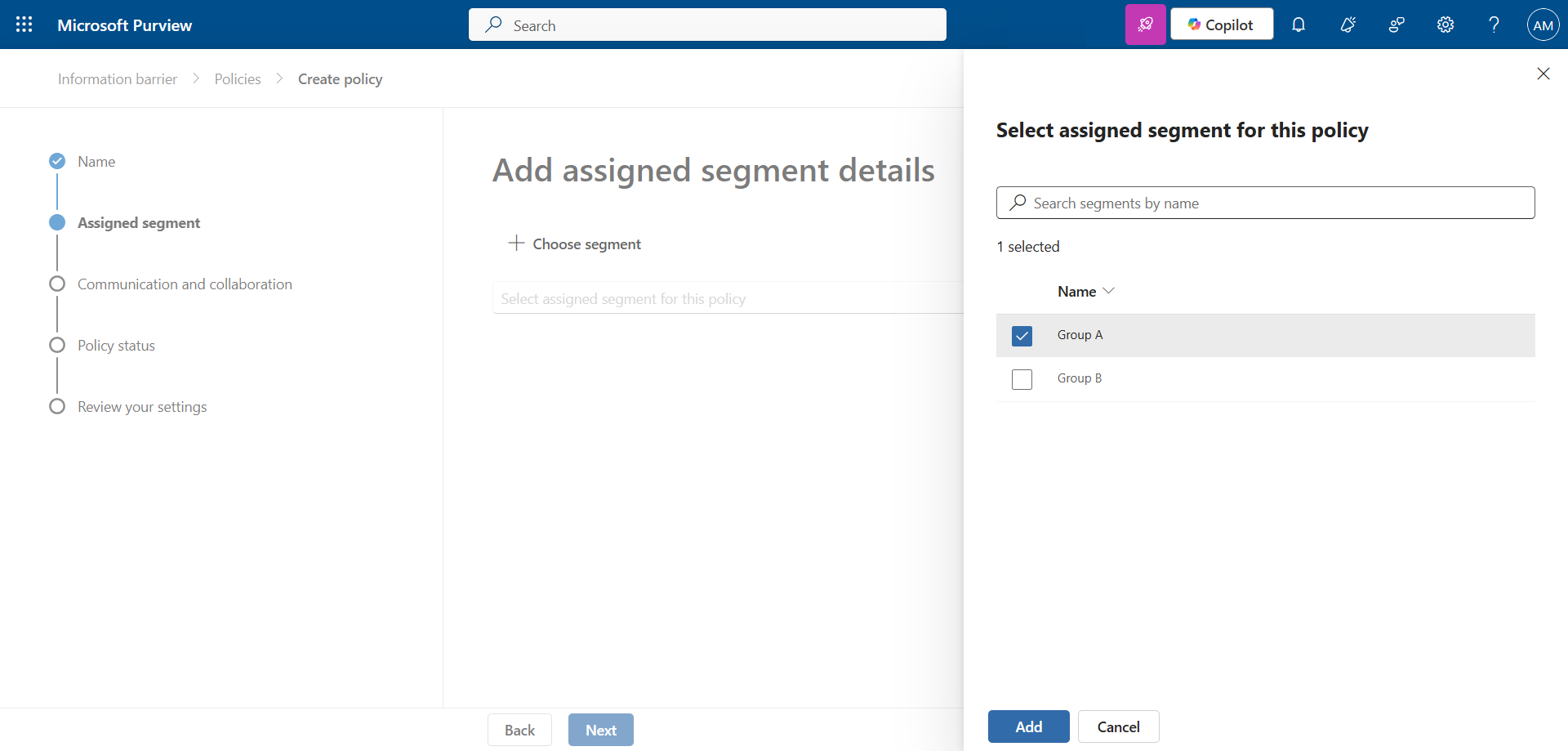
Choose the original group …

image

… then the action and the destination group.
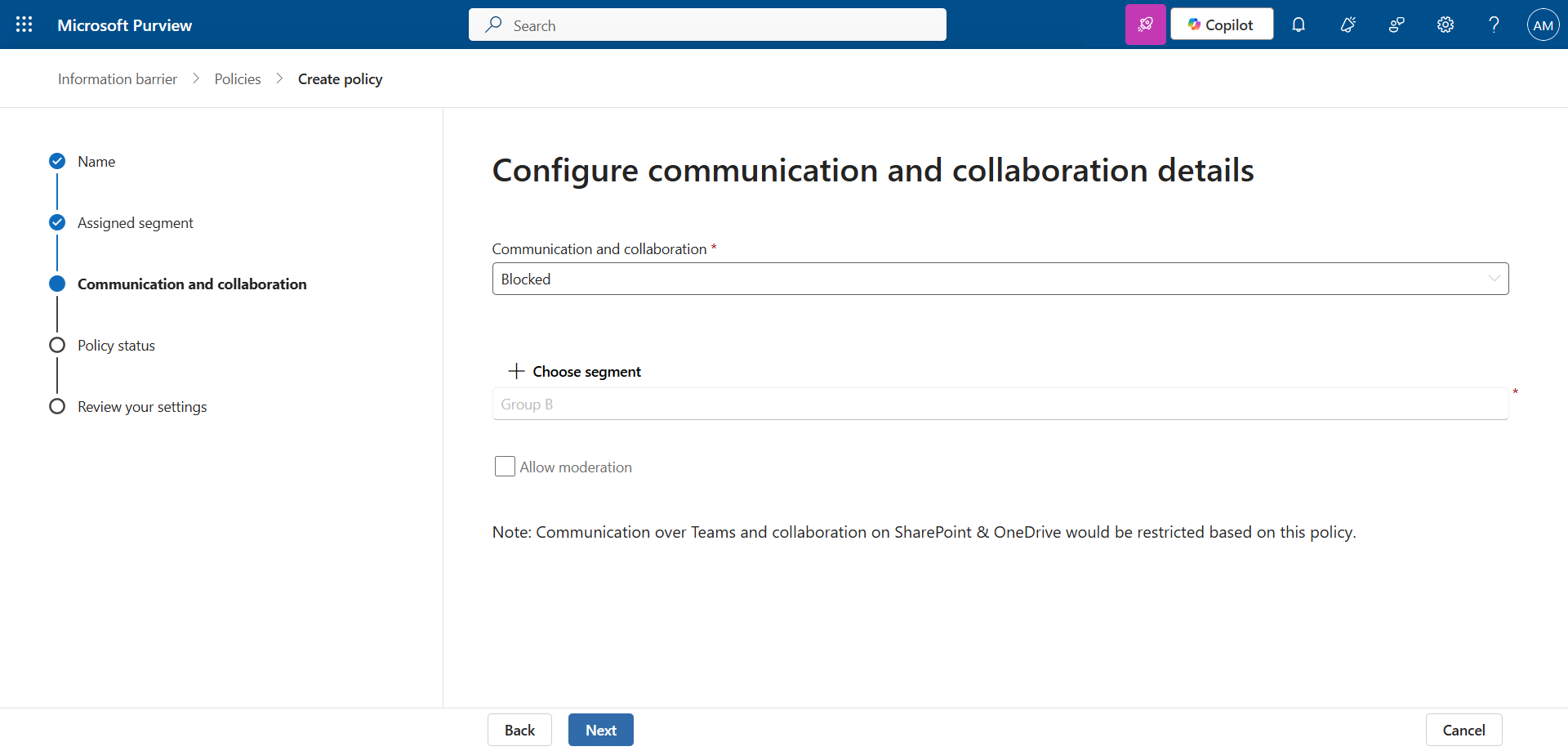
image

Create the policy in the opposite direction, following the same logic.
image


Step 4 : Activate the Information Barriers policies

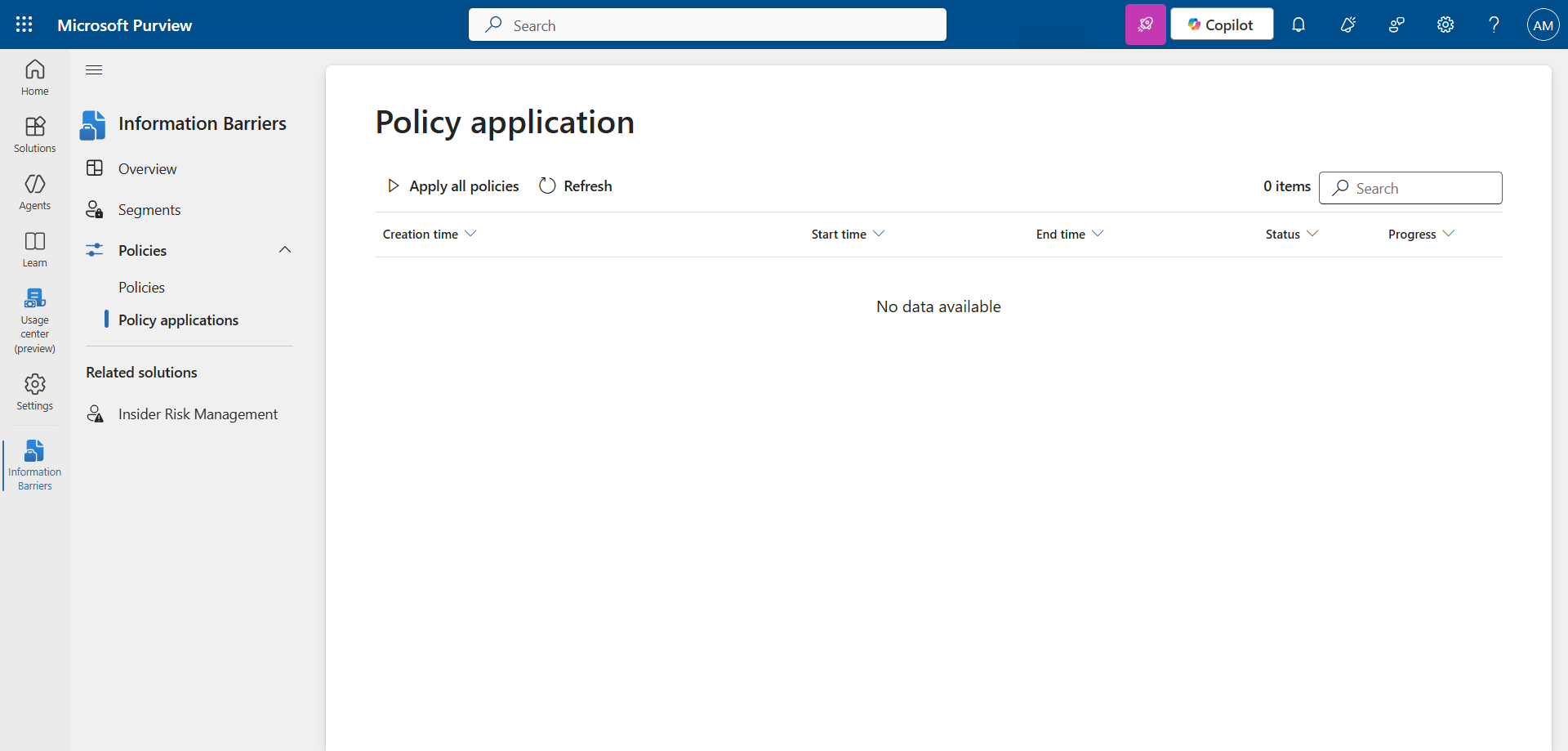
In the left menu, click Policy applications.

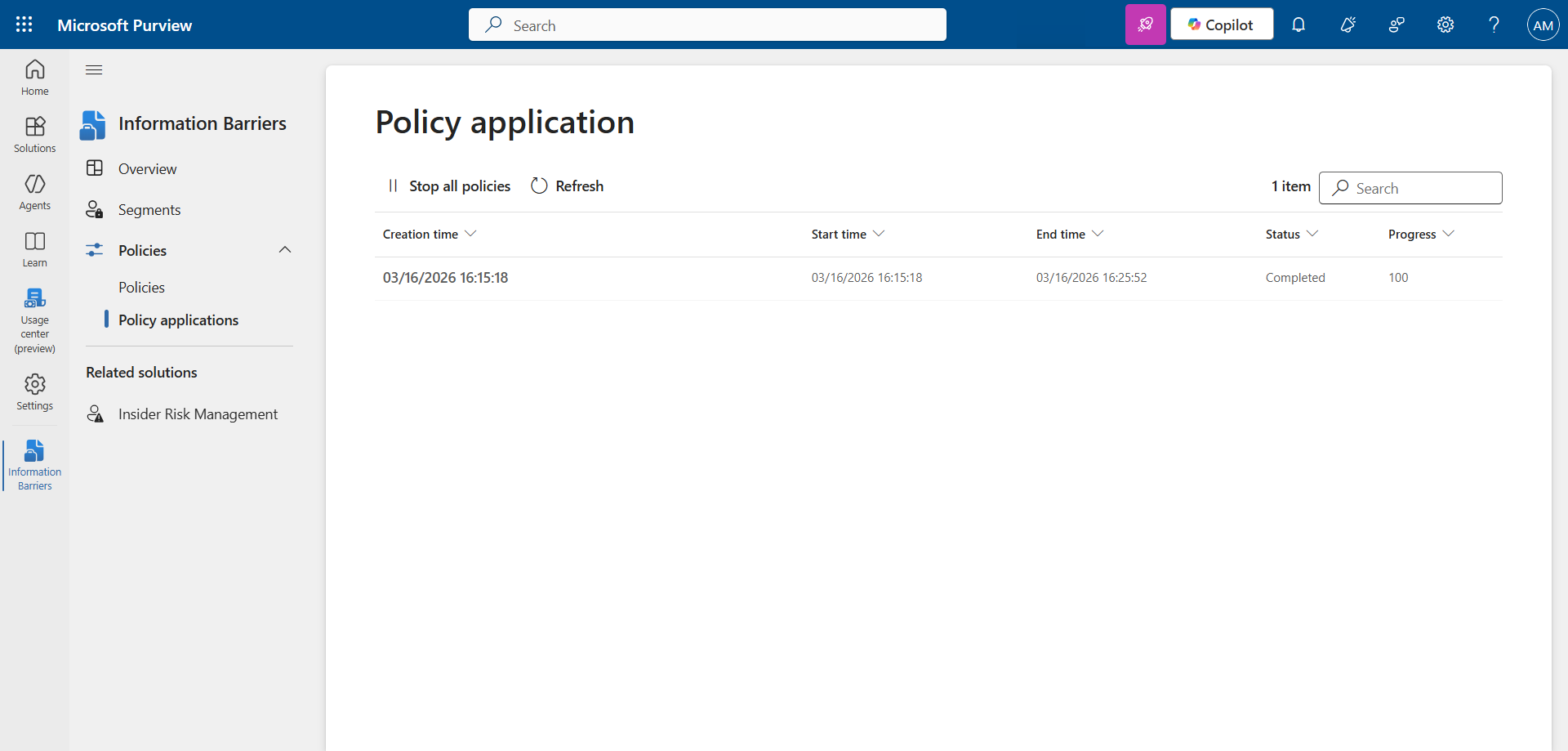
Click Apply all policies

image

… and wait a few minutes for the status to be 100% complete.
image

note

The policy can take up to 24 hours to take effect.

Step 4 : Validate the result

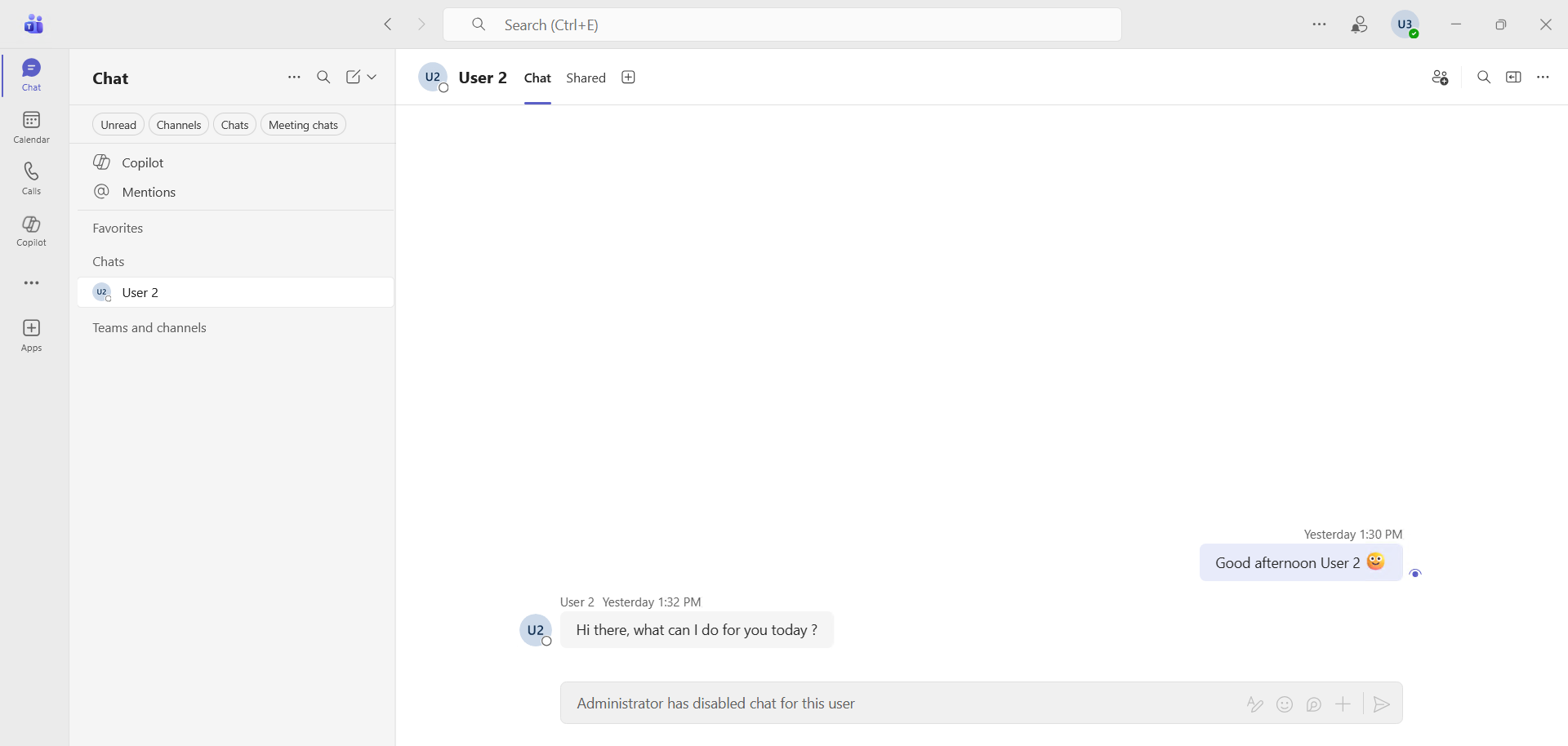
Try getting 2 people to communicate in Teams via chat or call … it’s impossible.

Here you can see that my two users were able to talk yesterday, but the chat is now disabled, and the call button has disappeared.
image


What will be blocked

Users included in a Purview Information Barriers policy will have the following Teams actions blocked :

  • Searching for a user
  • Adding a member to a team
  • Starting a chat session with someone
  • Starting a group chat
  • Inviting someone to join a meeting
  • Sharing a screen
  • Placing a call
  • Sharing a file with another user
  • Accessing a file through a sharing link

And also in SharePoint and OneDrive :

  • Adding a member to a site
  • Accessing site or content by a user
  • Sharing site or content with another user
  • Searching a site

What won’t be blocked

Information Barriers will not block the sending of emails. If your organization needs to define and control these communications, you can consider using Exchange mail flow rules.


Conclusion

You now know how to block Teams communications (audio, video and chat) between 2 groups with Purview Information Barriers.


Sources

Microsoft Learn - Information Barriers


Avez-vous apprécié cet article ? Vous avez des questions, commentaires ou suggestions, n’hésitez pas à m’envoyer un message depuis le formulaire de contact.

N’oubliez pas de nous suivre et de partager cet article.
Related Posts

Email verification of external Teams participants

Email verification of external Teams participants

Introduction Microsoft Teams Premium introduces a new feature to enhance the security and reliability of your meetings: email verification for external participants. This feature allows mee

Read More
How to activate Microsoft 365 Passkey in Entra ID

How to activate Microsoft 365 Passkey in Entra ID

Introduction Microsoft 365 Passkey is an authentication method that replaces passwords with more secure options like facial recognition, fingerprint, or a PIN.Prerequisites **<

Read More
How to sign in with Passkey to Microsoft 365

How to sign in with Passkey to Microsoft 365

Introduction Microsoft 365 Passkey is an authentication method that replaces passwords with more secure options like facial recognition, fingerprint, or a PIN.Prerequisites **<

Read More
How to enable LAPS on the MTR Admin account via Intune

How to enable LAPS on the MTR Admin account via Intune

Introduction Microsoft's LAPS (Local Administrator Password Solution) is a free tool designed to improve password security for local administrator accounts on workstations, servers and

Read More
Microsoft Purview for Azure Data Lake and Blob Storage

Microsoft Purview for Azure Data Lake and Blob Storage

Introduction Microsoft announced that Microsoft Purview protection policies for Azure Data Lake and Blob Storage are now available in all regions. This advancement allows organization

Read More
Impact analysis of Entra ID conditional access policies

Impact analysis of Entra ID conditional access policies

Introduction Conditional access in Entra is a security policy that allows administrators to control access to applications and resources based on specific conditions. These conditions can i

Read More
How to create a Windows local admin account via Intune LAPS

How to create a Windows local admin account via Intune LAPS

Introduction I wrote an article last February on how to replace the password of your MTR's local account using LAPS (Local Administrator Password Solution) in Intune. I concluded my article
Read More
New security approach for non-compliant emails

New security approach for non-compliant emails

Introduction Microsoft has announced a major update to Defender for Office 365 that strengthens email security by improving the handling of non-RFC compliant emails. This initiative is
Read More
Blocking screenshots during Teams meetings

Blocking screenshots during Teams meetings

Introduction Microsoft Teams continues to strengthen the privacy and security of online meetings. Starting in July 2025, a new feature will be rolled out to prevent screenshots during meeti

Read More
"Anti-Tampering" certification for Defender for Endpoint (2025)

"Anti-Tampering" certification for Defender for Endpoint (2025)

Introduction Microsoft recently announced that Microsoft Defender for Endpoint has successfully passed the 2025 anti-tampering tests conducted by AV-Comparatives, a recognized independe

Read More
How to enable DLP for Teams with Purview

How to enable DLP for Teams with Purview

Introduction In a context where sensitive data, particularly banking information, is increasingly circulating in collaborative tools, businesses must be extra vigilant to avoid accidental o

Read More
How to enable DLP for Outlook with Purview

How to enable DLP for Outlook with Purview

Introduction Last week, I showed you how to enable DLP for Teams with Microsoft Purview to prevent accidental or malicious data leaks (Data Loss Prevention). Purview is a comprehensive

Read More
Entra Private Access for Domain Controllers

Entra Private Access for Domain Controllers

Introduction Microsoft has announced the Public Preview of Microsoft Entra Private Access for Active Directory Domain Controllers, a major step forward in strengthening the security of

Read More
Sensitive content detection in Teams meetings

Sensitive content detection in Teams meetings

Introduction In a world where business interactions increasingly take place via video conferencing, the security of information shared in meetings is becoming a major issue. Microsoft is ad

Read More
How to activate Defender EDR in "Block Mode"

How to activate Defender EDR in "Block Mode"

Introduction In a context of constantly evolving cyber threats, antivirus solutions are no longer sufficient to effectively protect workstations. Microsoft Defender for Endpoint's *Block

Read More
How to enable DSPM for AI with Purview

How to enable DSPM for AI with Purview

Introduction With the rise of generative AI models, the phenomenon of Shadow AI (the use of artificial intelligence tools and services not approved or controlled by organizations) is incr

Read More
How to block a website URL in Edge with Defender

How to block a website URL in Edge with Defender

Introduction Web browsing is one of the most common attack vectors in business environments. To strengthen security, Microsoft Defender for Endpoint offers a powerful feature : blocking m

Read More
How to enable DLP for cloud storage with Purview

How to enable DLP for cloud storage with Purview

Introduction A few months ago, I showed you how to enable DLP for Outlook with Microsoft Purview to prevent accidental or malicious data leaks (Data Loss Prevention). Purview is a com

Read More
Blocking screen captures in Teams meetings

Blocking screen captures in Teams meetings

Introduction In a world where business interactions increasingly take place via video conferencing, the security of information shared in meetings is becoming a major issue. A simple screen

Read More
Extend Zero Trust to AI agent identities in Entra ID

Extend Zero Trust to AI agent identities in Entra ID

Introduction AI agents are becoming increasingly widespread in businesses (incident summaries, log analysis, flow execution, etc.), and it is crucial that their access is continuously evalu

Read More
How to enable DLP for printing with Purview

How to enable DLP for printing with Purview

Introduction A few weeks ago, I showed you how to enable DLP to prevent the copying of financial data to an external cloud storage solution using Microsoft Purview, in order to prevent

Read More
How to enable DLP for AI websites with Purview

How to enable DLP for AI websites with Purview

Introduction Last week, I showed you how to enable DLP to prevent printing of financial data using Microsoft Purview, in order to prevent accidental or malicious data leaks (*Data Loss

Read More
How to enable DLP for copy/paste with Purview

How to enable DLP for copy/paste with Purview

Introduction Last month, I showed you how to enable DLP to prevent financial data from being sent to an AI website using Microsoft Purview, in order to prevent accidental or malicious d

Read More
Purview Sensitivity Labels are coming to OneNote

Purview Sensitivity Labels are coming to OneNote

Introduction Good news for security and compliance teams, Sensitivity Labels are now General Availability in OneNote. This update finally allows you to apply the same classification a

Read More
External MFA is now available in Entra ID

External MFA is now available in Entra ID

Introduction Microsoft has announced the General Availability of External MFA, in Microsoft Entra ID, formerly known as External Authentication Methods. This feature allows the use

Read More
How to create Sensitivity Labels for emails in Purview

How to create Sensitivity Labels for emails in Purview

Introduction Emails remain one of the primary vectors for information leaks in businesses. Whether it's a message sent to the wrong recipient, an attachment forwarded without proper oversig

Read More