Type something to search...
Status update on restoring a destroyed Microsoft 365 tenant

Status update on restoring a destroyed Microsoft 365 tenant


Introduction

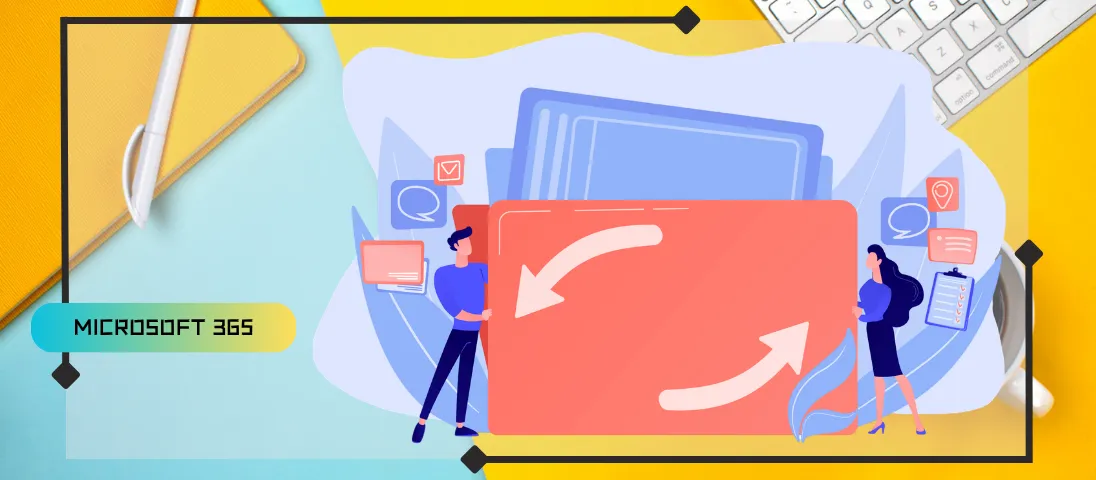
Backing up a single Microsoft 365 workload is a solved problem. Restoring a complete tenant after an attack that destroys both data and configuration is not. The question is no longer whether a restore is possible, but how long it would take an organization to rebuild a usable tenant.


What has improved since 2020

Several developments have improved the Microsoft 365 backup landscape in recent years :

  • Scheduled retirement of Exchange Web Services : Many backup vendors used EWS, never designed for this purpose, to extract data from Exchange mailboxes. The retirement planned for 2027 is pushing these vendors toward the Graph Mailbox Import-Export API.
  • Teams Export API : Removes the need to back up Teams compliance records stored in mailboxes instead of real message data, a practice several vendors wrongly presented as a genuine backup.
  • Microsoft’s entry into the backup market : Microsoft 365 Backup for SharePoint Online and Exchange Online, along with a limited backup capability for Entra ID introduced this year.
  • Unified Tenant Configuration Management (UTCM) : In preview since early 2026, a first attempt at addressing configuration backup, without yet covering everything a tenant contains.

Backup or export APIs remain absent for several parts of a tenant, including apps like Planner or Power BI, as well as numerous configuration settings spread across workloads. Backup remains designed workload by workload, with no real attempt to stitch everything together.


The scenario of a destructive attack

Imagine an attacker who compromises an application with elevated permissions, Files.ReadWrite.All, Sites.ReadWrite.All, Mail.ReadWrite, or directory management permissions, exfiltrates the data, then uses the same permissions for a large-scale, malicious deletion. With the right permissions, a malicious app can remove every user account, every group, every administrative unit, every registered app, and every conditional access policy, while also deleting mailboxes, OneDrive accounts, and SharePoint Online sites. It could also remove sensitivity label configuration, which further complicates recovering encrypted files and messages.

warning

This scenario isn’t theoretical ; it matches already-documented “wiperware” attacks. The alarms meant to flag this kind of activity are often missed, especially at night.

Handcrafted recovery, the only option today

No product on the market restores a complete Microsoft 365 tenant today. In the event of a catastrophic incident, the only method available remains handcrafted recovery, where administrators rebuild the tenant workload by workload with whatever data and settings are still available.

Priority goes to Entra ID : user accounts, groups, apps, service principals, and other objects must be restored first, since mailboxes and OneDrive accounts can only be reconnected to their owners once accounts are fully provisioned. Microsoft 365 groups must exist for their SharePoint sites and teams to be rebuilt. Getting accounts and groups back up is only a starting point, most of the reconstruction work begins once that foundation is laid.

Even with a plan in hand, handcrafted recovery takes time. A lot of time. Some organizations prioritize critical accounts and sites to get the business running again, others aim for complete workloads. It’s not out of the question that an organization could still be recovering some parts of its tenant several weeks after the incident began, at a considerable cost and disruption.


The Maersk precedent

In 2017, Maersk took months to recover from the attack against its on-premises Windows Server infrastructure. The company was only saved because a systems administrator in Nigeria had a backup of a domain controller, enough to rebuild Active Directory. A Microsoft 365 tenant is significantly more complex than an Active Directory forest.


What’s still missing : automated reconstruction

If organizations are serious about resilience against catastrophic attacks, recovering data is no longer enough. The next challenge for the backup industry is automated reconstruction of a fully functional Microsoft 365 tenant from trustworthy backup data, not a simple minimum viable restore.

Artificial intelligence could play a role in this effort, by determining recovery dependencies, establishing the correct sequence for workload restoration, and rebuilding the links between interconnected applications like Teams, SharePoint Online, OneDrive, and Exchange Online. It could also help reconstruct configuration settings from the surviving data and metadata after an attack.


Conclusion

The vendor that manages to automate end-to-end recovery of a Microsoft 365 tenant will find a very receptive market. Simply putting data back into a few workloads is no longer enough : tenant administrators should seriously examine how long it would take them to rebuild a usable tenant, and require backup vendors to explain how their products restore a fully functional tenant rather than simply recovering isolated workloads.


Sources

Microsoft - Techcommunity


Did you enjoy this post ? If you have any questions, comments or suggestions, please feel free to send me a message from the contact form.

Don’t forget to follow us and share this post.
Related Posts

Email verification of external Teams participants

Email verification of external Teams participants

Introduction Microsoft Teams Premium introduces a new feature to enhance the security and reliability of your meetings: email verification for external participants. This feature allows m

Read More
How to activate Microsoft 365 Passkey in Entra ID

How to activate Microsoft 365 Passkey in Entra ID

Introduction Microsoft 365 Passkey is an authentication method that replaces passwords with more secure options like facial recognition, fingerprint, or a PIN.Prerequisites **<

Read More
How to sign in with Passkey to Microsoft 365

How to sign in with Passkey to Microsoft 365

Introduction Microsoft 365 Passkey is an authentication method that replaces passwords with more secure options like facial recognition, fingerprint, or a PIN.Prerequisites **<

Read More
How to enable LAPS on the MTR Admin account via Intune

How to enable LAPS on the MTR Admin account via Intune

Introduction Microsoft's LAPS (Local Administrator Password Solution) is a free tool designed to improve password security for local administrator accounts on workstations, servers and

Read More
Microsoft Purview for Azure Data Lake and Blob Storage

Microsoft Purview for Azure Data Lake and Blob Storage

Introduction Microsoft announced that Microsoft Purview protection policies for Azure Data Lake and Blob Storage are now available in all regions. This advancement allows organization

Read More
Impact analysis of Entra ID conditional access policies

Impact analysis of Entra ID conditional access policies

Introduction Conditional access in Entra is a security policy that allows administrators to control access to applications and resources based on specific conditions. These conditions can i

Read More
How to create a Windows local admin account via Intune LAPS

How to create a Windows local admin account via Intune LAPS

Introduction I wrote an article last February on how to replace the password of your MTR's local account using LAPS (Local Administrator Password Solution) in Intune. I concluded my article

Read More
New security approach for non-compliant emails

New security approach for non-compliant emails

Introduction Microsoft has announced a major update to Defender for Office 365 that strengthens email security by improving the handling of non-RFC compliant emails. This initiative is

Read More
Blocking screenshots during Teams meetings

Blocking screenshots during Teams meetings

Introduction Microsoft Teams continues to strengthen the privacy and security of online meetings. Starting in July 2025, a new feature will be rolled out to prevent screenshots during meeti

Read More
"Anti-Tampering" certification for Defender for Endpoint (2025)

"Anti-Tampering" certification for Defender for Endpoint (2025)

Introduction Microsoft recently announced that Microsoft Defender for Endpoint has successfully passed the 2025 anti-tampering tests conducted by AV-Comparatives, a recognized independe

Read More
How to enable DLP for Teams with Purview

How to enable DLP for Teams with Purview

Introduction In a context where sensitive data, particularly banking information, is increasingly circulating in collaborative tools, businesses must be extra vigilant to avoid accidental o

Read More
How to enable DLP for Outlook with Purview

How to enable DLP for Outlook with Purview

Introduction Last week, I showed you how to enable DLP for Teams with Microsoft Purview to prevent accidental or malicious data leaks (Data Loss Prevention). Purview is a comprehensive

Read More
Entra Private Access for Domain Controllers

Entra Private Access for Domain Controllers

Introduction Microsoft has announced the Public Preview of Microsoft Entra Private Access for Active Directory Domain Controllers, a major step forward in strengthening the security of

Read More
Sensitive content detection in Teams meetings

Sensitive content detection in Teams meetings

Introduction In a world where business interactions increasingly take place via video conferencing, the security of information shared in meetings is becoming a major issue. Microsoft is ad

Read More
How to activate Defender EDR in "Block Mode"

How to activate Defender EDR in "Block Mode"

Introduction In a context of constantly evolving cyber threats, antivirus solutions are no longer sufficient to effectively protect workstations. Microsoft Defender for Endpoint's *Block

Read More
How to enable DSPM for AI with Purview

How to enable DSPM for AI with Purview

Introduction With the rise of generative AI models, the phenomenon of Shadow AI (the use of artificial intelligence tools and services not approved or controlled by organizations) is incr

Read More
How to block a website URL in Edge with Defender

How to block a website URL in Edge with Defender

Introduction Web browsing is one of the most common attack vectors in business environments. To strengthen security, Microsoft Defender for Endpoint offers a powerful feature : blocking m

Read More
How to enable DLP for cloud storage with Purview

How to enable DLP for cloud storage with Purview

Introduction A few months ago, I showed you how to enable DLP for Outlook with Microsoft Purview to prevent accidental or malicious data leaks (Data Loss Prevention). Purview is a com

Read More
Blocking screen captures in Teams meetings

Blocking screen captures in Teams meetings

Introduction In a world where business interactions increasingly take place via video conferencing, the security of information shared in meetings is becoming a major issue. A simple screen

Read More
Extend Zero Trust to AI agent identities in Entra ID

Extend Zero Trust to AI agent identities in Entra ID

Introduction AI agents are becoming increasingly widespread in businesses (incident summaries, log analysis, flow execution, etc.), and it is crucial that their access is continuously evalu

Read More
How to enable DLP for printing with Purview

How to enable DLP for printing with Purview

Introduction A few weeks ago, I showed you how to enable DLP to prevent the copying of financial data to an external cloud storage solution using Microsoft Purview, in order to prevent

Read More
How to enable DLP for AI websites with Purview

How to enable DLP for AI websites with Purview

Introduction Last week, I showed you how to enable DLP to prevent printing of financial data using Microsoft Purview, in order to prevent accidental or malicious data leaks (*Data Loss

Read More
How to enable DLP for copy/paste with Purview

How to enable DLP for copy/paste with Purview

Introduction Last month, I showed you how to enable DLP to prevent financial data from being sent to an AI website using Microsoft Purview, in order to prevent accidental or malicious d

Read More
Purview Sensitivity Labels are coming to OneNote

Purview Sensitivity Labels are coming to OneNote

Introduction Good news for security and compliance teams, Sensitivity Labels are now General Availability in OneNote. This update finally allows you to apply the same classification a

Read More
How to block Teams calls and chats with Purview IB

How to block Teams calls and chats with Purview IB

Introduction Microsoft Purview's Information Barriers allow you to restrict communication and collaboration between specific user groups within a Microsoft 365 environment. Their prim

Read More
External MFA is now available in Entra ID

External MFA is now available in Entra ID

Introduction Microsoft has announced the General Availability of External MFA, in Microsoft Entra ID, formerly known as External Authentication Methods. This feature allows the use
Read More
How to create Sensitivity Labels for emails in Purview

How to create Sensitivity Labels for emails in Purview

Introduction Emails remain one of the primary vectors for information leaks in businesses. Whether it's a message sent to the wrong recipient, an attachment forwarded without proper oversig

Read More
How to secure your emails with Sensitivity Labels

How to secure your emails with Sensitivity Labels

Introduction Last week, I showed you how to create Sensitivity Labels to secure your emails, without explaining how they work. Today I'll talk about how to use them and what results you g

Read More
Detect exposed passwords in plain text with Purview

Detect exposed passwords in plain text with Purview

Introduction In a Microsoft 365 environment, data breaches aren't limited to credit card numbers or personal information. A frequently underestimated risk is the sharing of passwords in p

Read More
Microsoft raises the conditional access policy limit

Microsoft raises the conditional access policy limit

Introduction Microsoft quietly raises the limit of conditional access policies per tenant, from 195 to 244. This limit applies to all policies, whether active, disabled, or in *report-onl

Read More
How to create Sensitive Information Types in Purview

How to create Sensitive Information Types in Purview

Introduction In previous articles, we examined how Microsoft Purview can protect sensitive data through DLP (Data Loss Prevention) policies and Sensitivity Labels. However, all thes

Read More
Purview Sensitivity Labels now support security groups

Purview Sensitivity Labels now support security groups

Introduction Microsoft has updated the scoping of Sensitivity Labels policies in Microsoft Purview, now generally available. Administrators can now include non-mail-enabled security

Read More
Bot protection in Microsoft Teams meetings

Bot protection in Microsoft Teams meetings

Introduction AI note-taking tools like Read.ai, Fireflies.ai or Otter.ai join meetings as external participants. For organizers, this raises a real control challenge : when the lobby

Read More
Microsoft Entra Backup and Recovery finally available

Microsoft Entra Backup and Recovery finally available

Introduction Accidentally deleting a user account, a conditional access policy, or a service principal assignment can quickly paralyze a Microsoft Entra ID tenant. Until now, no native me

Read More
How to migrate SMS and voice users to Passkey

How to migrate SMS and voice users to Passkey

Introduction In many Microsoft 365 tenants, SMS and voice call remain the last MFA safety net for a portion of the accounts. They are also the weakest methods against SIM swap, *interce

Read More
How to configure role expiration in Purview

How to configure role expiration in Purview

Introduction In most tenants, Microsoft Purview permissions pile up. An external auditor is granted eDiscovery access for three weeks, a consultant gets the Compliance Administrator r

Read More
Shieldstral, the multimodal safety classifier from Mistral AI

Shieldstral, the multimodal safety classifier from Mistral AI

Introduction Mistral AI announced on August 4, 2026 Shieldstral, a multimodal safety classifier meant to moderate the inputs and the outputs of a language model. The model sits before a

Read More
Reporting security concerns in Teams meetings

Reporting security concerns in Teams meetings

Introduction Microsoft Teams already allows a suspicious message or call to be reported. Reporting now extends to meetings and group calls, with the MC1446794 announcement. The rollout

Read More
Vishing and synthetic media detection in Teams

Vishing and synthetic media detection in Teams

Introduction The Teams PowerShell 7.9.0 module introduced two parameters that were not the subject of a dedicated announcement : VoicePhishingDetection in the calling policy and *Synthe

Read More
How to launch an email attack simulation with Defender

How to launch an email attack simulation with Defender

Introduction Training your users to recognize a phishing email cannot be limited to an annual awareness session, it is a reflex that is maintained, tested and measured under realistic con

Read More
Teams tightens the rules for onmicrosoft.com tenants

Teams tightens the rules for onmicrosoft.com tenants

Introduction Microsoft is introducing an outbound external messaging limit in Teams for tenants that only use their default onmicrosoft.com domain (MOERA). The rollout begins mid-Se

Read More
Entra Connect Sync update required before September 30, 2026

Entra Connect Sync update required before September 30, 2026

Introduction All synchronization services in Microsoft Entra Connect Sync will stop working on September 30, 2026 for tenants not on at least version 2.5.79.0. This version, released in

Read More
How to enforce email confidentiality in Exchange

How to enforce email confidentiality in Exchange

Introduction The "Private" sensitivity level in Outlook is a property of the message. In transit, it is represented by the SMTP header "Sensitivity: Private", which Exchange maps to the

Read More
Why a Purview DLP policy takes days to activate

Why a Purview DLP policy takes days to activate

Introduction A DLP (Data Loss Prevention) policy that shows "sync complete" in the Purview portal can still take several days before it actually blocks anything. The lag isn't an is

Read More
Mandatory consent before joining a Teams meeting

Mandatory consent before joining a Teams meeting

Introduction Microsoft Teams is introducing mandatory consent before entering a meeting, with the announcement MC1454114. Administrators can now require every participant to accept cust

Read More
Teams limits transcript access via Graph

Teams limits transcript access via Graph

Introduction Microsoft introduced a control that limits Microsoft Graph applications' and agents' access to Teams meeting transcripts, with the announcement MC1393806. This control

Read More
Microsoft launches the plugin registry for Copilot

Microsoft launches the plugin registry for Copilot

Introduction Microsoft announced, on September 30, 2026, the rollout of the plugin registry for Copilot, a single entry point to discover, publish, manage, and govern plugins across s

Read More