Type something to search...
Blocking screen captures in Teams meetings

Blocking screen captures in Teams meetings


Introduction

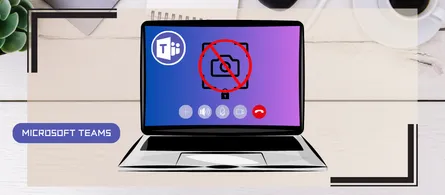
In a world where business interactions increasingly take place via video conferencing, the security of information shared in meetings is becoming a major issue. A simple screenshot can be enough to leak confidential information discussed during a meeting (strategy, customer data, finances). Microsoft is introducing, in its Teams Premium license, an option that blocks screen captures during meetings — a true safety net to limit unintentional leaks.


What exactly does the feature do
  • Blocking native captures and most third-party apps when the option is enabled by the organizer / co-organizer
  • Behavior per platform :
    • Application (Windows) : Screenshots display a black rectangle instead of the Teams window
    • Android : Screenshots and recordings are blocked, a screen capture restricted message is displayed
    • Teams Rooms (Windows)
    • iOS/macOS, Teams Rooms (Android), Teams web, etc. : Platforms not supported, participants will have audio-only mode

info

Like any software protection technology, nothing prevents an external photo of the screen.

How does it work ?

This feature is available to customers with a Microsoft Teams Premium license.

Users can enable the Prevent screen captures feature for new or existing meetings.
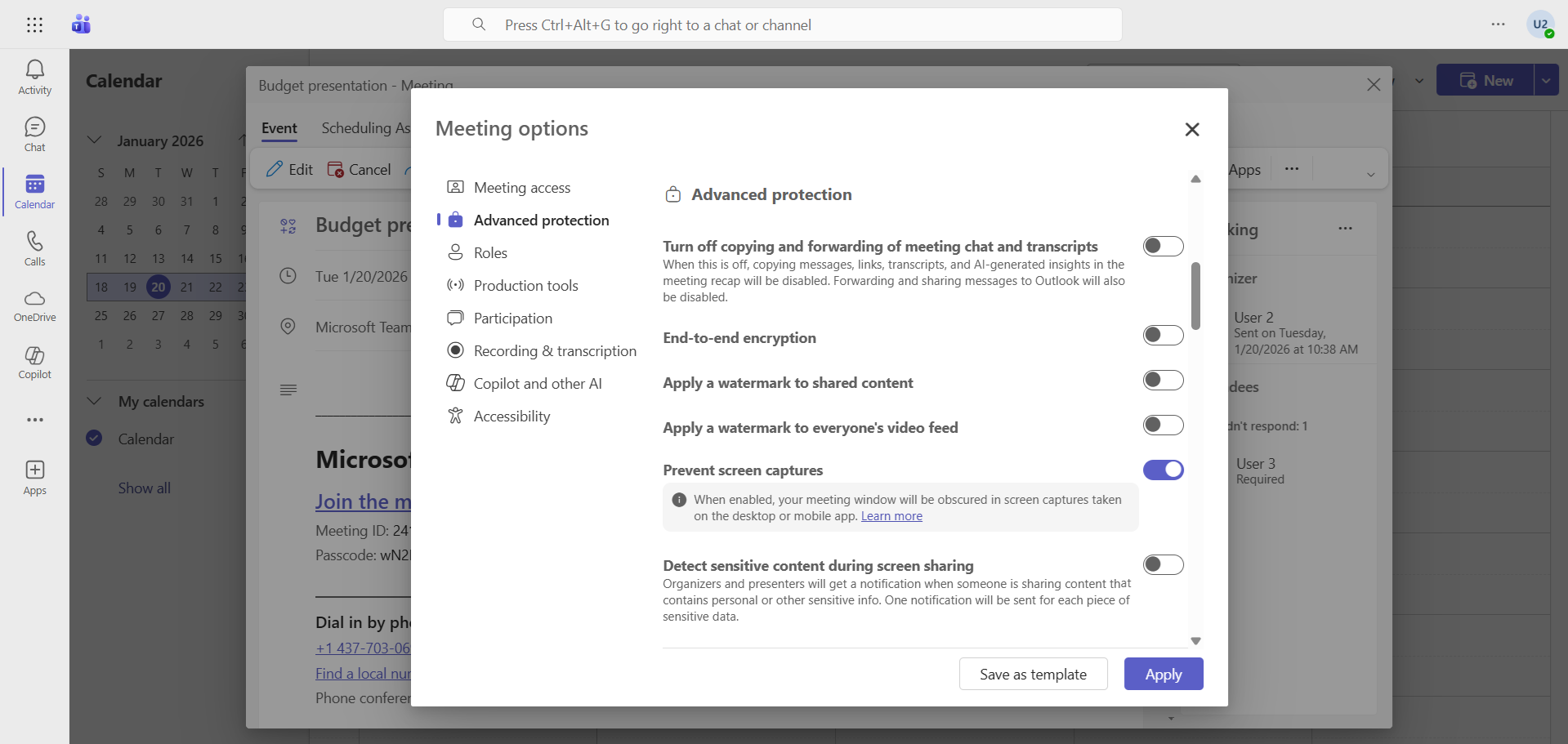
image

The screen appears when sharing content …
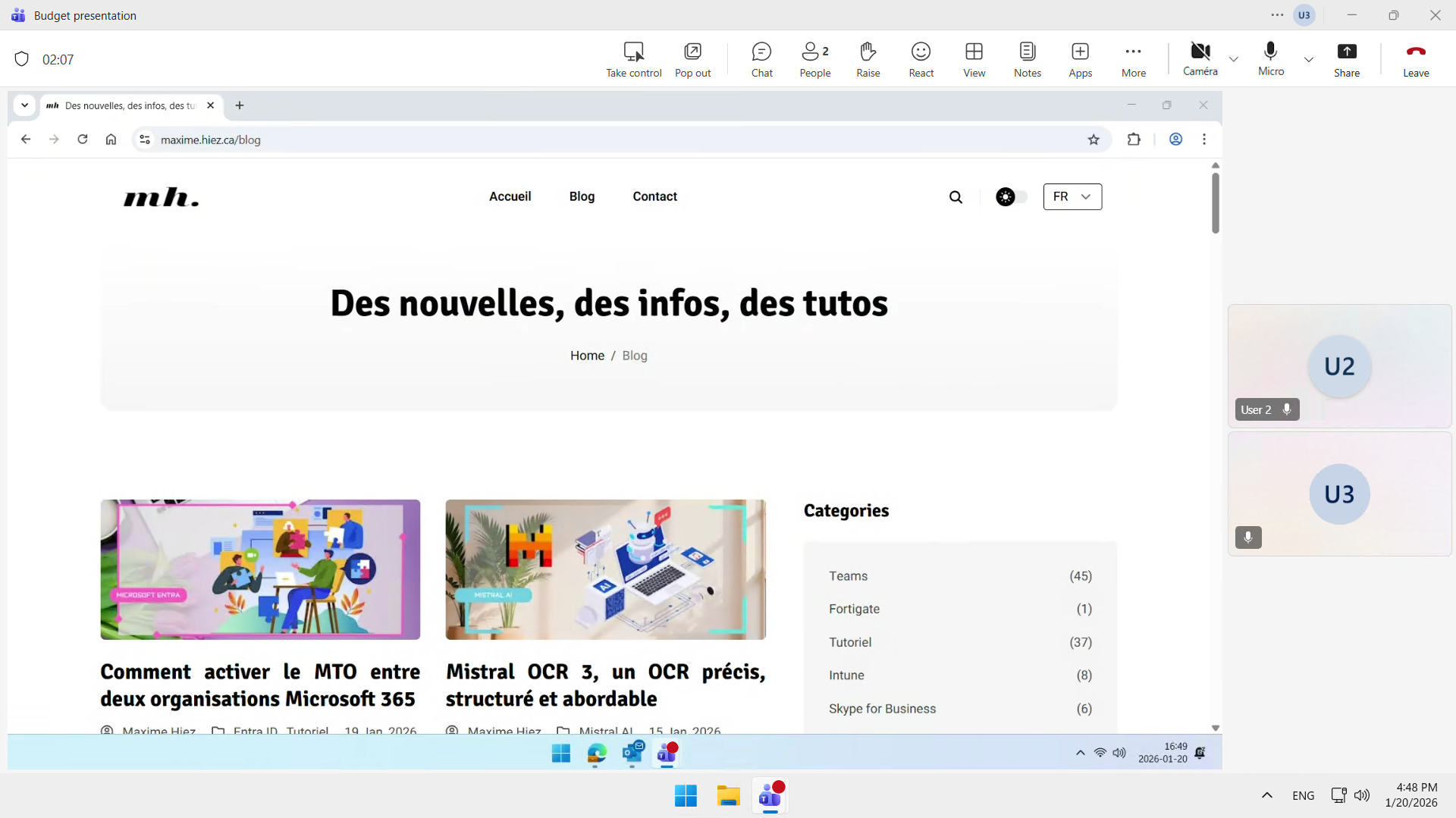
image

… but results in a black screen when a screenshot is taken.

image


Conclusion

Preventing screenshots in Teams is a simple yet effective way to reduce the risk of information leaks during meetings. By integrating this feature, Microsoft enables organizations to prevent data leaks and strengthen compliance without compromising seamless communication. It’s an essential feature for demanding professional environments.


Sources

Microsoft - Support


Did you enjoy this post ? If you have any questions, comments or suggestions, please feel free to send me a message from the contact form.

Don’t forget to follow us and share this post.
Related Posts

Email verification of external Teams participants

Email verification of external Teams participants

Introduction Microsoft Teams Premium introduces a new feature to enhance the security and reliability of your meetings: email verification for external participants. This feature allows mee

Read More
Microsoft Purview for Azure Data Lake and Blob Storage

Microsoft Purview for Azure Data Lake and Blob Storage

Introduction Microsoft announced that Microsoft Purview protection policies for Azure Data Lake and Blob Storage are now available in all regions. This advancement allows organization

Read More
Blocking screenshots during Teams meetings

Blocking screenshots during Teams meetings

Introduction Microsoft Teams continues to strengthen the privacy and security of online meetings. Starting in July 2025, a new feature will be rolled out to prevent screenshots during meeti

Read More
Displaying a countdown timer during Teams meetings

Displaying a countdown timer during Teams meetings

Introduction Microsoft Teams continues to evolve to offer ever-more advanced communication and collaboration solutions. Among the new features coming soon is the integration of a countdown

Read More
How to enable DLP for Teams with Purview

How to enable DLP for Teams with Purview

Introduction In a context where sensitive data, particularly banking information, is increasingly circulating in collaborative tools, businesses must be extra vigilant to avoid accidental o

Read More
Mercedes-Benz, your car becomes a rolling office

Mercedes-Benz, your car becomes a rolling office

Introduction In an automotive market increasingly focused on smart and connected mobility, Mercedes-Benz is taking a giant leap forward. With the new generation of the CLA model, the Ge

Read More
How to enable DLP for Outlook with Purview

How to enable DLP for Outlook with Purview

Introduction Last week, I showed you how to enable DLP for Teams with Microsoft Purview to prevent accidental or malicious data leaks (Data Loss Prevention). Purview is a comprehensive

Read More
Enabling sign language in Teams meetings

Enabling sign language in Teams meetings

Introduction In its effort to make collaboration tools more accessible to everyone, Microsoft has announced the arrival of Sign Language mode in Microsoft Teams. This new feature aims to

Read More
Sensitive content detection in Teams meetings

Sensitive content detection in Teams meetings

Introduction In a world where business interactions increasingly take place via video conferencing, the security of information shared in meetings is becoming a major issue. Microsoft is ad

Read More
Record only audio in Teams meetings

Record only audio in Teams meetings

Introduction Microsoft is expanding its offering with a long-awaited option : audio-only recording for meetings and calls. This new feature allows users to capture the audio of a meeting wh

Read More
How to enable DLP for cloud storage with Purview

How to enable DLP for cloud storage with Purview

Introduction A few months ago, I showed you how to enable DLP for Outlook with Microsoft Purview to prevent accidental or malicious data leaks (Data Loss Prevention). Purview is a compr

Read More
How to enable DLP for printing with Purview

How to enable DLP for printing with Purview

Introduction A few weeks ago, I showed you how to enable DLP to prevent the copying of financial data to an external cloud storage solution using Microsoft Purview, thus preventing accide

Read More