How to enable DLP for printing with Purview
- Maxime Hiez
- Purview , Tutorial
- 02 Feb, 2026
Introduction
A few weeks ago, I showed you how to enable DLP to prevent the copying of financial data to an external cloud storage solution using Microsoft Purview, in order to prevent accidental or malicious data leaks (Data Loss Prevention). Continuing with the idea of talking to you about DLP, here this time is how to protect the printing of financial data.
Check the article from January 2026 HERE.
Prerequisites
Required licenses
- Microsoft 365 E5.
- Microsoft Purview Suite in addition to another license (E3, Business, …).
Administrator role
- An account with the Global Administrator or Compliance Administrator role to access the Microsoft Purview Portal.
Step 1 : Sign in to the Microsoft Purview Portal
Sign in to the Microsoft Purview Portal by opening your web browser to https://purview.microsoft.com.
Step 2 : Create a DLP policy for devices
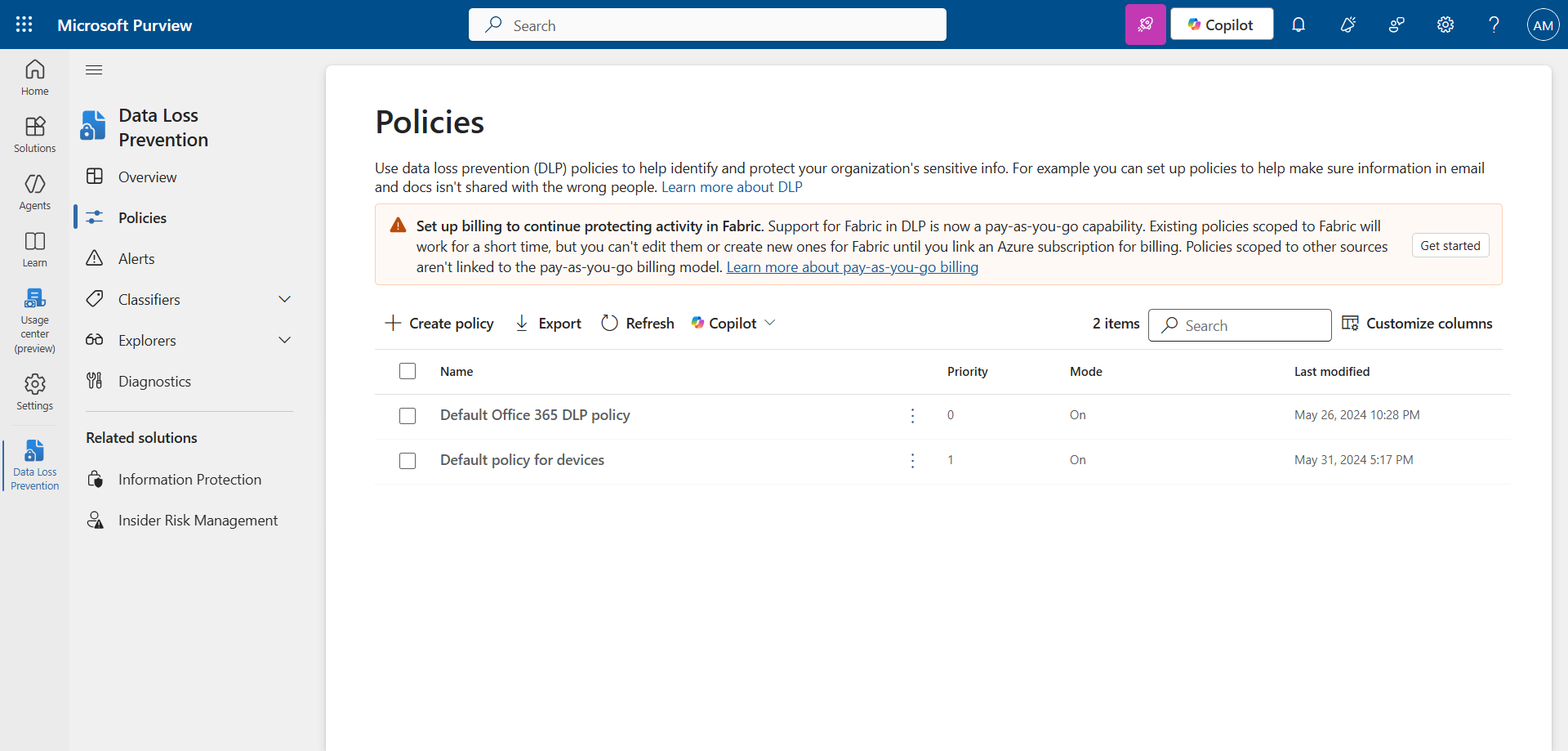
In the left menu, click Solutions, then Data Loss Prevention.
Click Create policy.
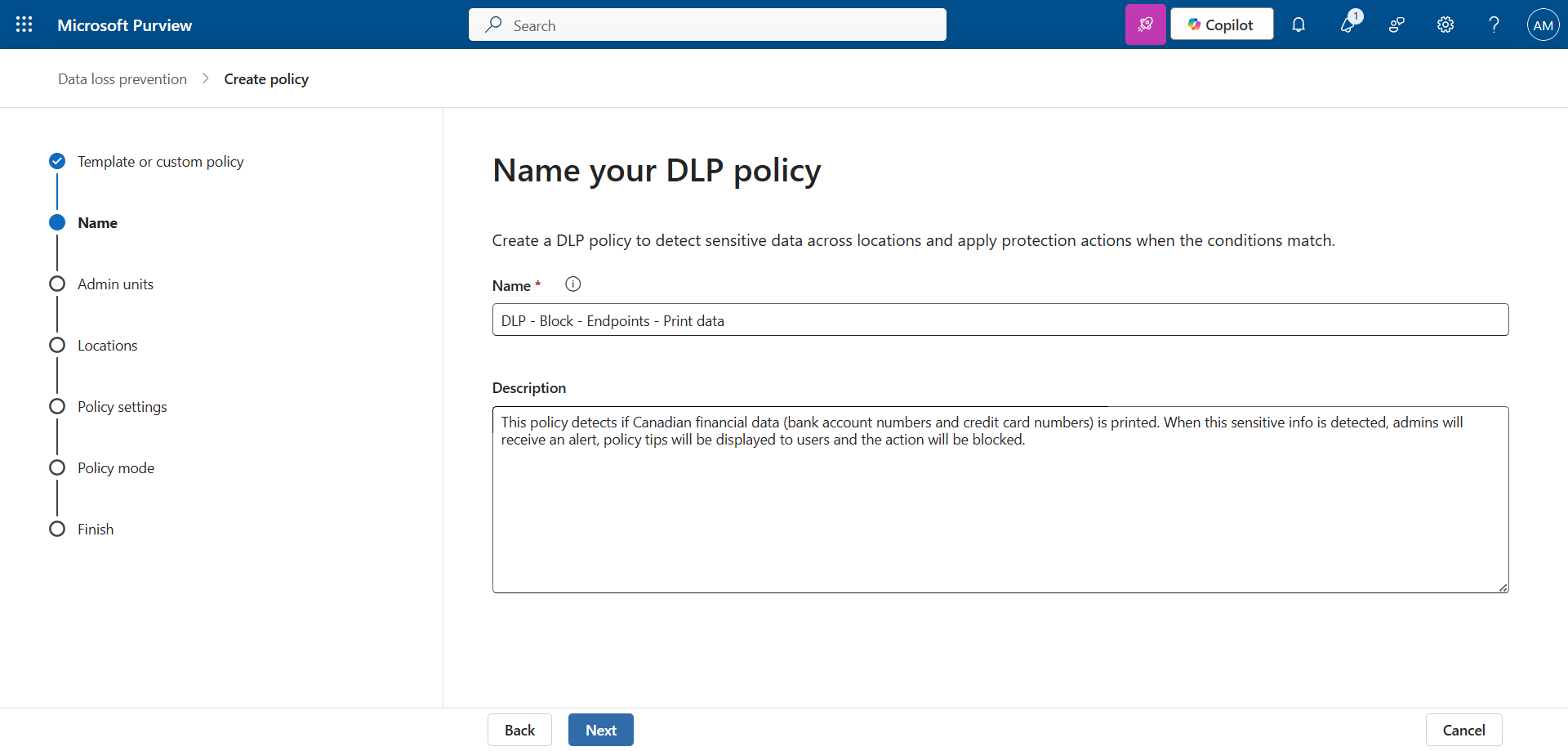
Set a name and description.
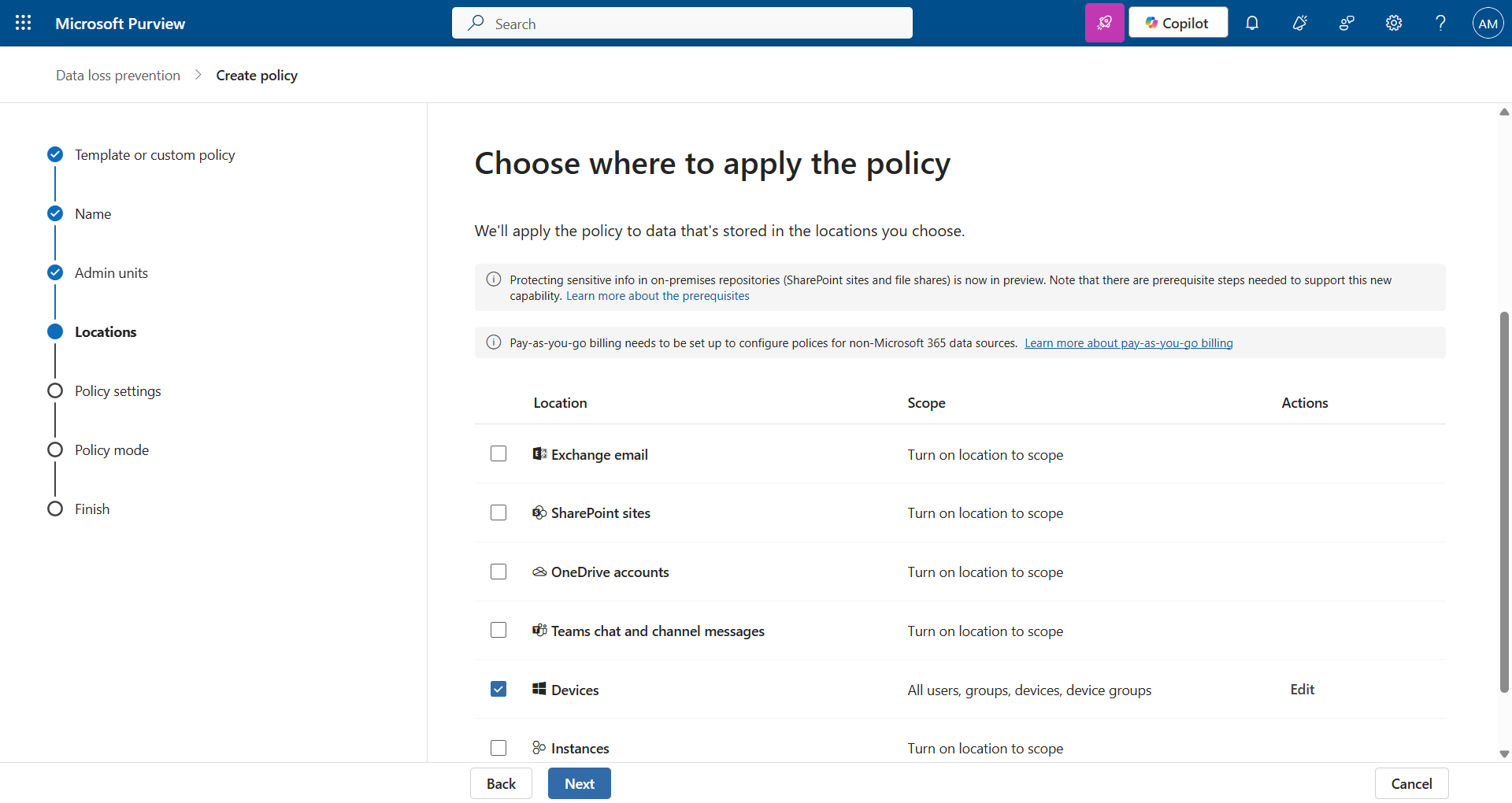
Apply this policy for devices.
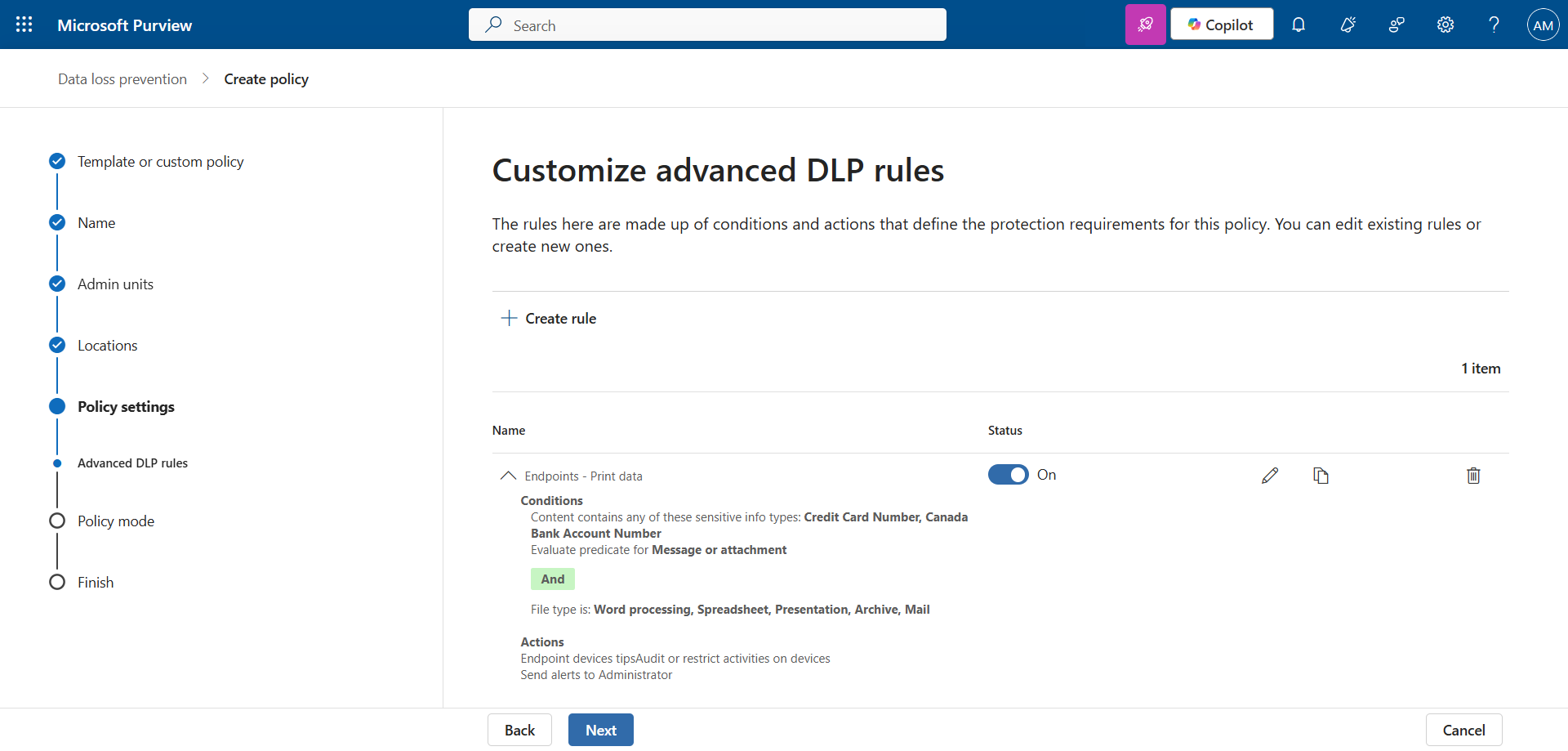
Configure the various data type attributes and notifications. In my example, I chose an existing type (Canadian financial data).
Enable the policy to put it into production.
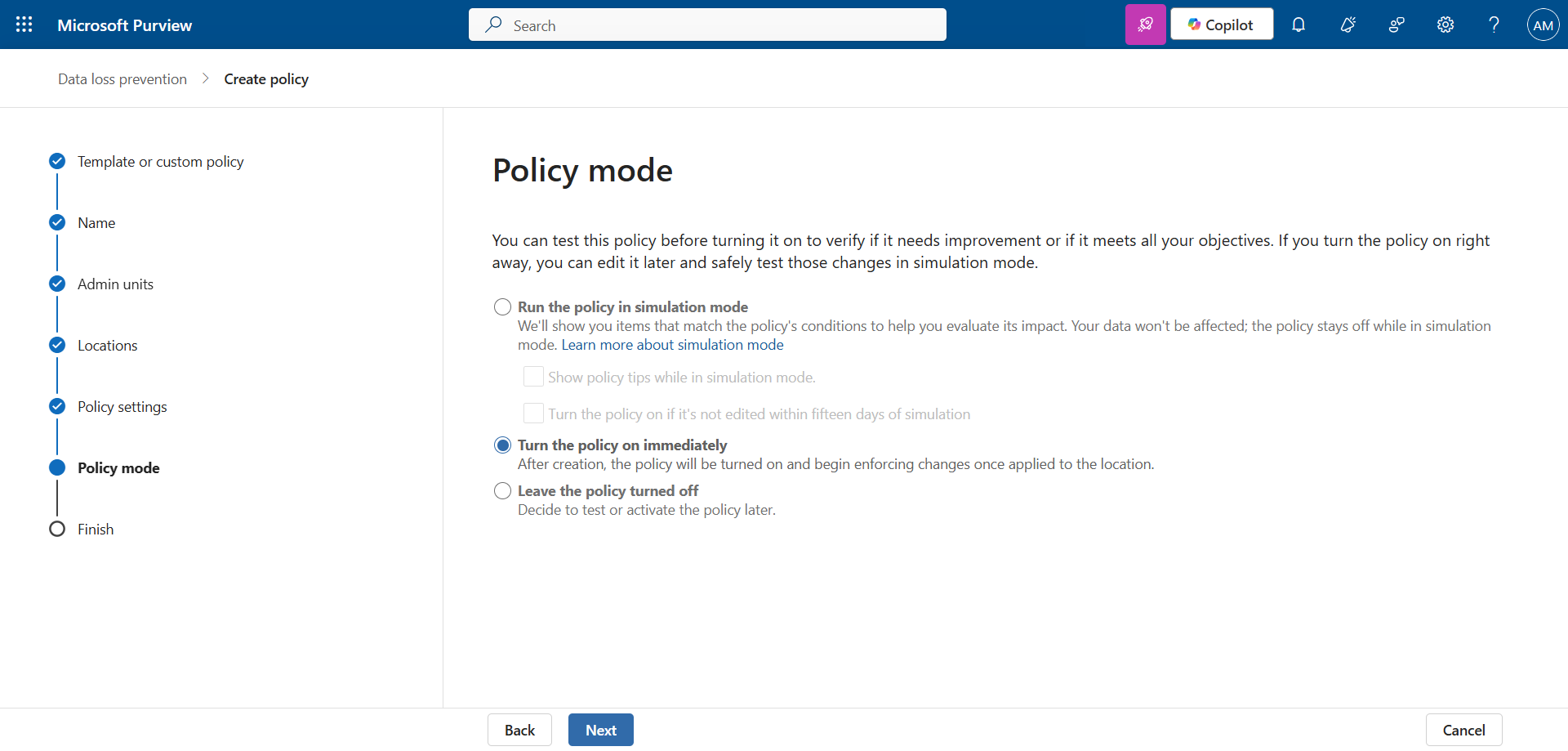
note
Step 3 : Print financial data to validate the policy
I’m reusing the Word file Cards.docx containing a (fake) credit card, created for my previous articles.
I don’t have a printer, but I’m printing it to PDF and …
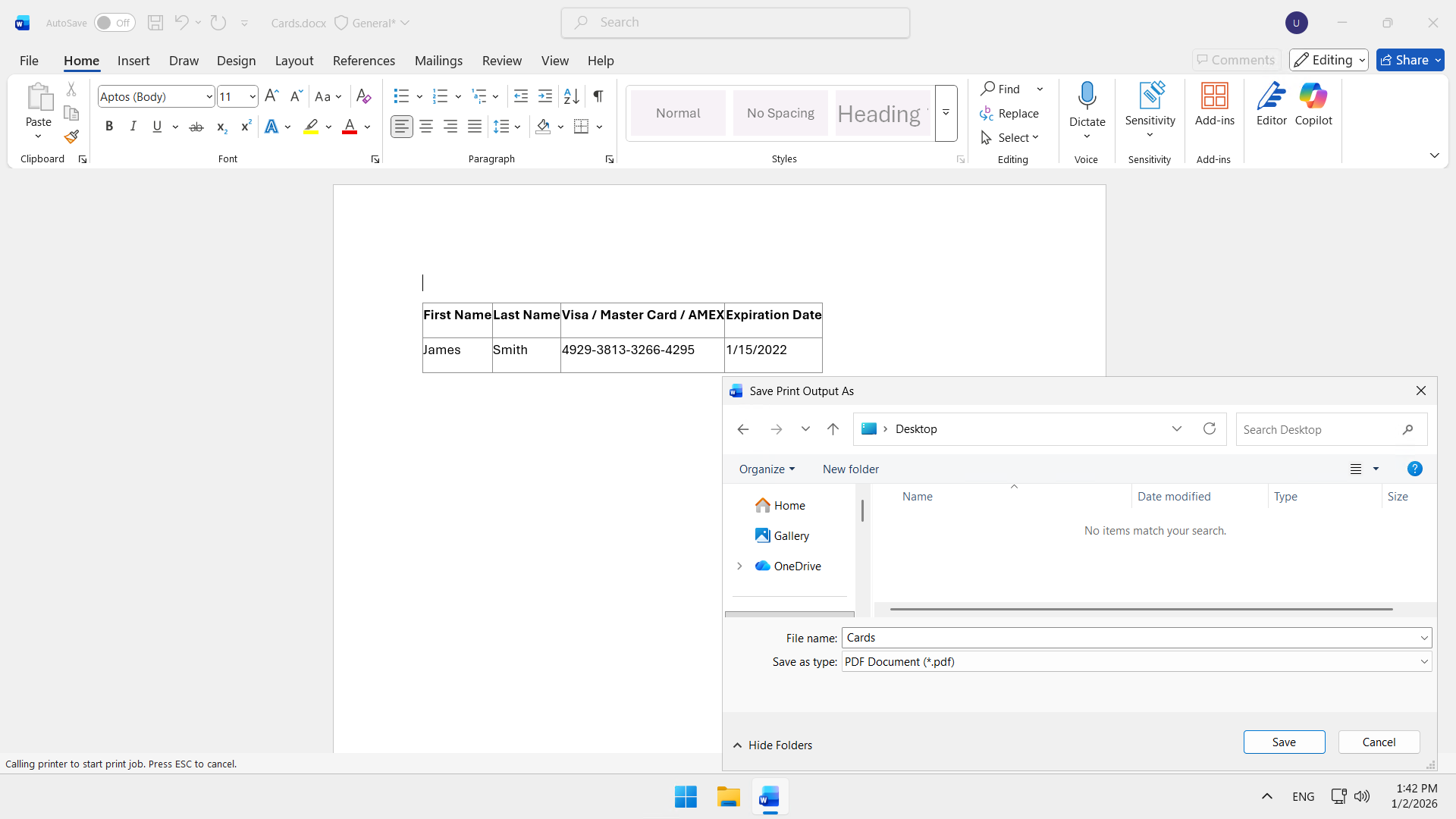
… the attempt is blocked. The popup configured in the policy appears warning that this is data that cannot be printed.
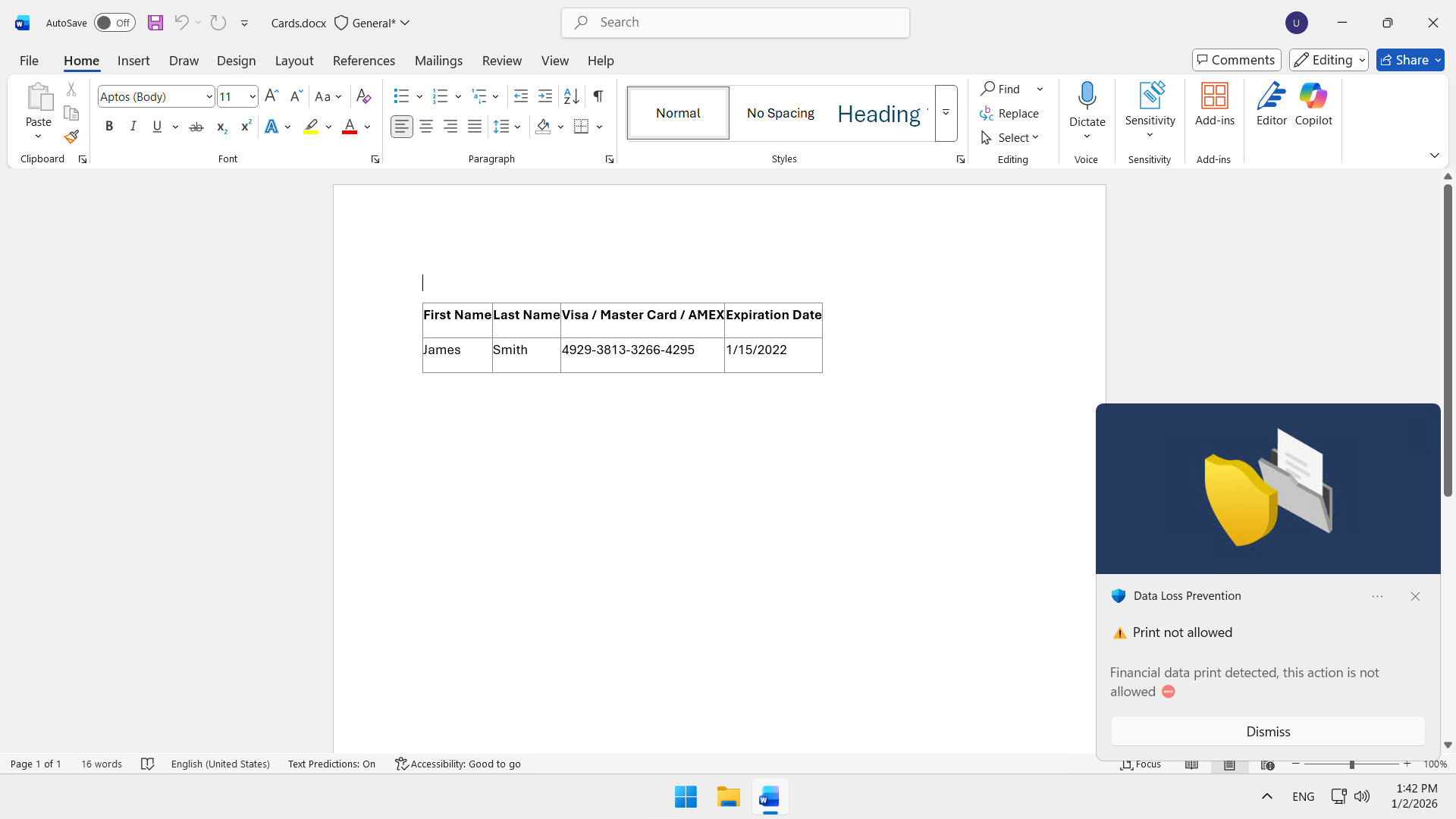
Step 4 : Receive the notification
If you have configured notifications, an email is sent to the designated people within the next few seconds.
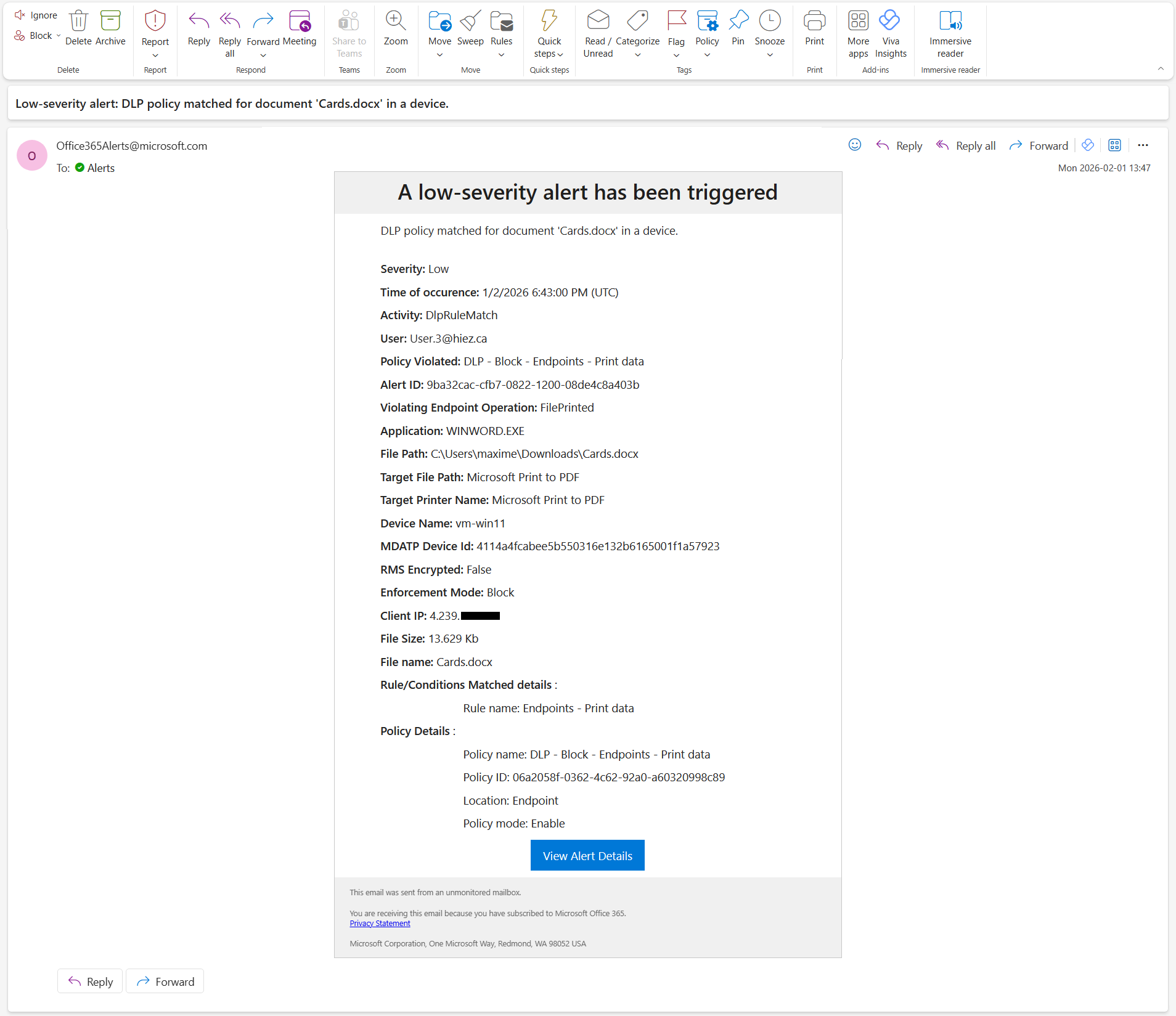
What if I want to allow / block certain printers ?
In the left menu, click Settings, then Data Loss Prevention.
Click Printer groups and add the target printer(s).
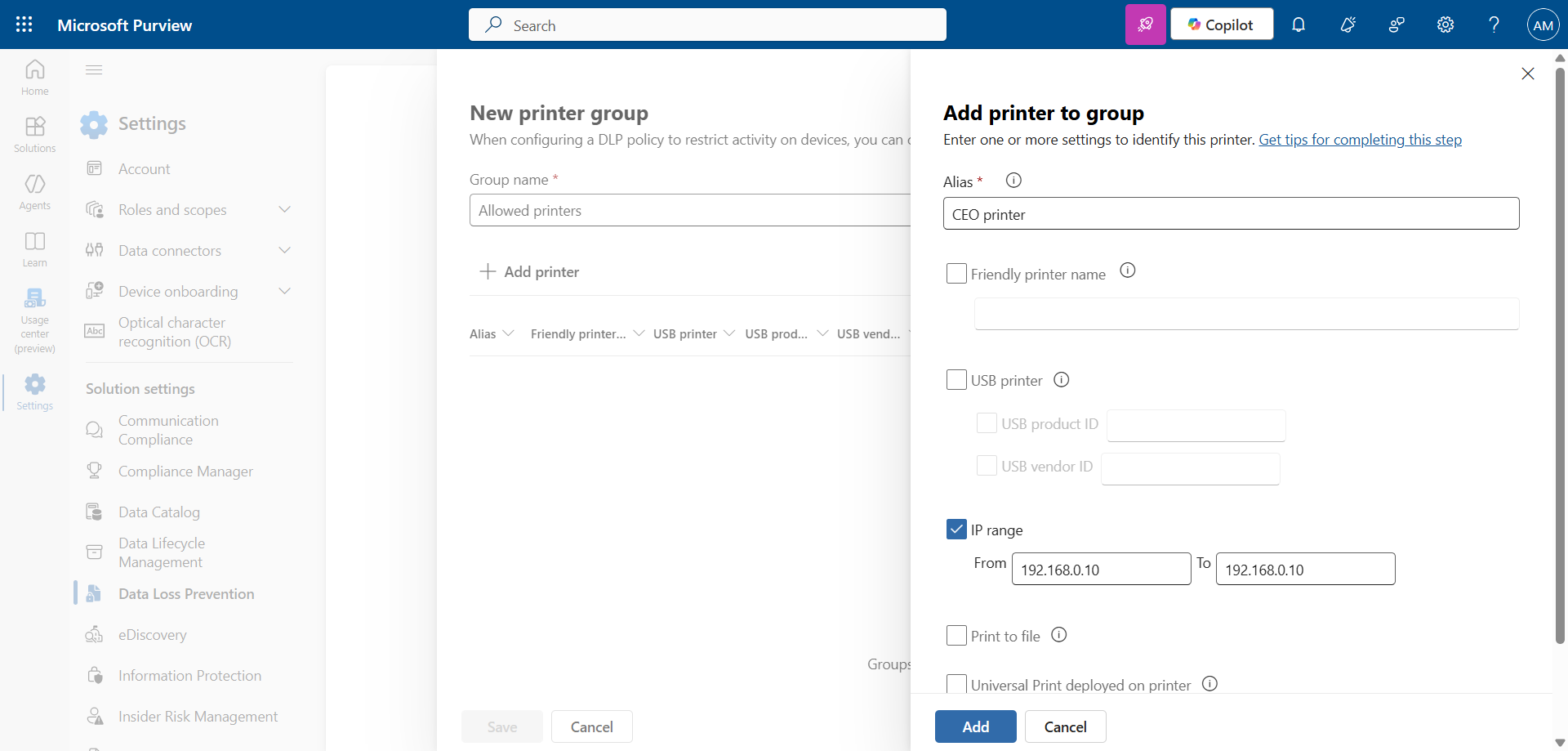
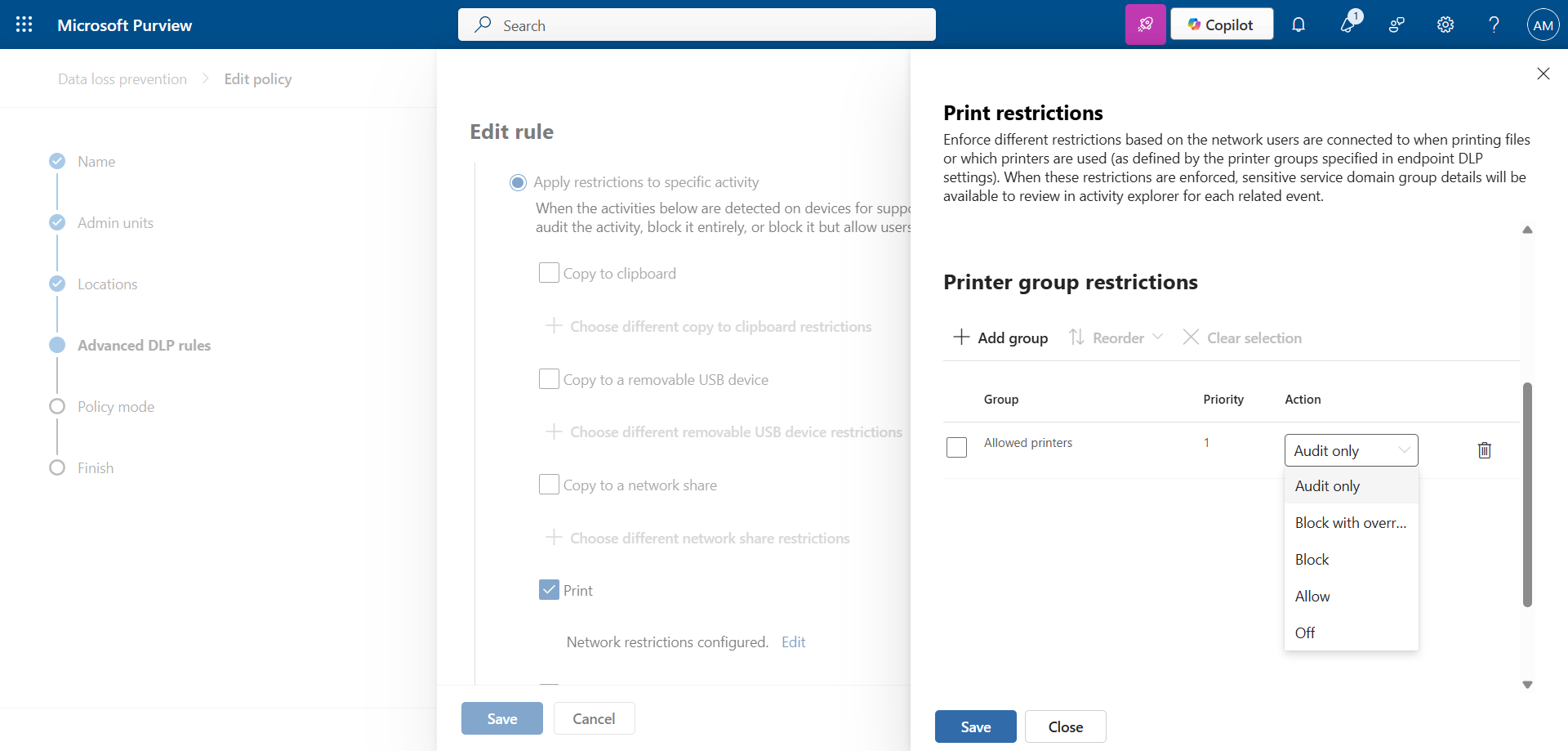
Edit the DLP policy by adding the printer group and the action to apply.
Conclusion
With Microsoft Purview DLP, organizations can automatically detect, monitor, and block unauthorized printing of critical data, such as credit card numbers or bank account information.
You now know how to enable DLP for printing with Purview.
Sources
Microsoft Learn - DLP and devices
Did you enjoy this post ? If you have any questions, comments or suggestions, please feel free to send me a message from the contact form.
Don’t forget to follow us and share this post.