Teams blurs and scans QR codes in messages
- Maxime Hiez
- Teams
- 29 Oct, 2026
Introduction
In Microsoft Teams, links shared in chats already go through Malicious URL protection. A QR code, however, arrives as an image. Microsoft has two separate protections for it, both on by default : blurring of QR code images sent by external users, with the announcement MC1470410 (roadmap item 570439), whose general availability, pushed back from mid-October, is rolling out in late October 2026 ; and detection of malicious QR codes, with the announcement MC1526651 (roadmap item 576198), whose general availability starts in early November 2026 and is due to finish in mid-November 2026.
Check the article on phishing detection in Teams conversations HERE.
Blurring of QR codes sent by external users
When an external user sends an image that contains a QR code, Teams blurs it by default. To view or scan the code, the recipient has to reveal the image explicitly by clicking Reveal QR code. They can do so if they trust the sender.
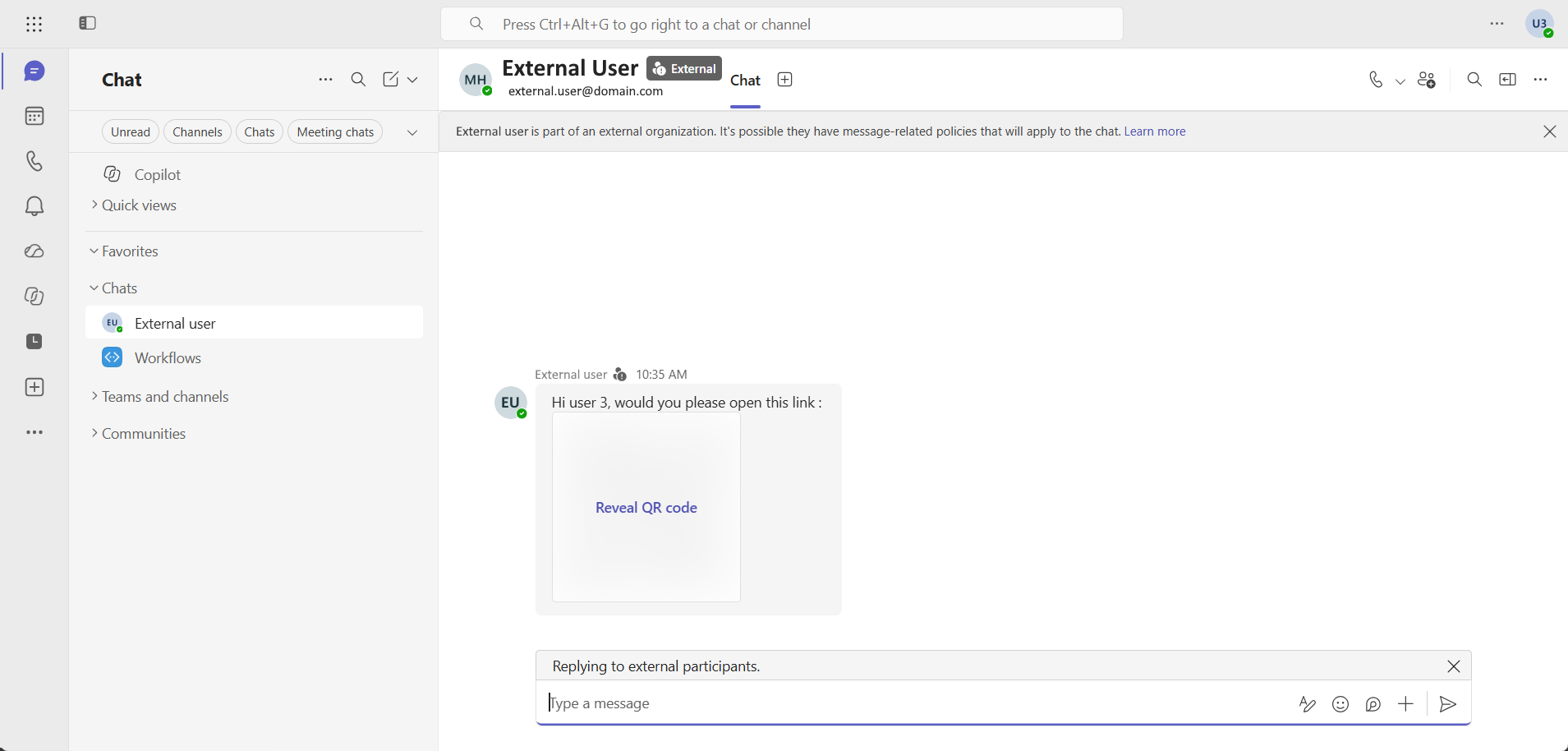
The blur is not a verdict : a blurred QR code doesn’t mean Teams judged it malicious. It’s a precaution applied to QR codes coming from outside. Those sent by internal users aren’t blurred, except for Teams users on mobile in China, where blurring also applies to internal senders.
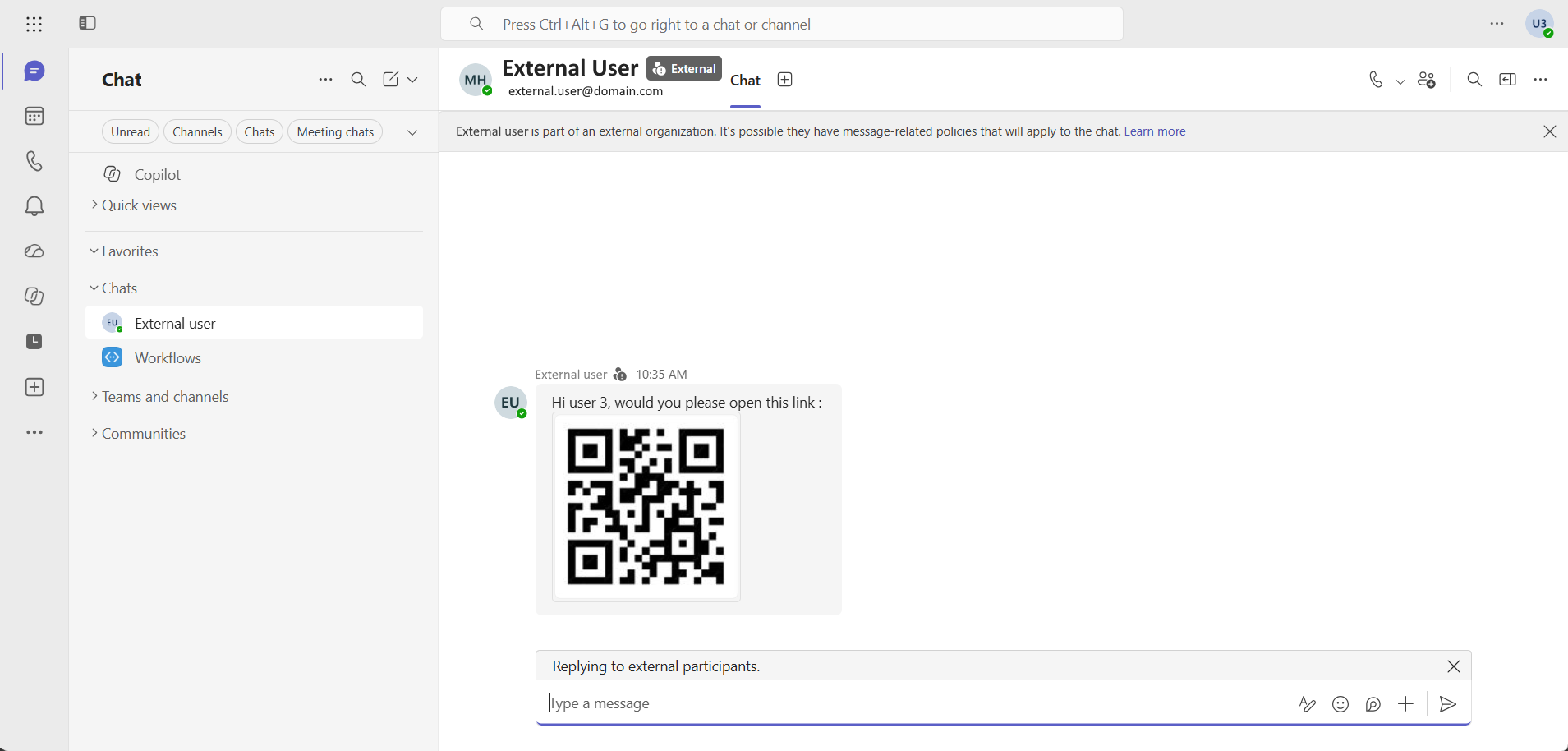
Blurring is supported on Android, iOS, Desktop, Mac and Web. No configuration or policy change is required to turn it on or off.
Detection of malicious QR codes
The second protection goes further : Teams decodes the QR codes in images embedded in messages (inline images) and evaluates their destination, in near real time according to the roadmap. It covers one-on-one chats, group chats, meeting chats and channels, and applies to both internal and external exchanges. The announcement only targets these inline images.
When a malicious QR code is detected, users see the warning “This message contains a link that might be harmful”.
Detection has no setting of its own : it depends on the existing Malicious URL protection setting, and the roadmap presents it as an extension of that protection to QR code attacks. The rollout goes straight to general availability, with no Targeted Release phase. No Microsoft Learn page describes the feature yet.
What administrators need to know
Neither announcement mentions a license or a compliance consideration. Malicious URL protection, which detection depends on, requires no additional license and is part of the baseline protection for all Teams users.
As for controls, blurring offers none. Detection is controlled indirectly through the Scan messages for unsafe URLs setting, in the Messaging safety section of the Microsoft Teams Admin Center, which maps to the UrlReputationCheck parameter of the Set-CsTeamsMessagingConfiguration cmdlet (“Enabled” by default, or “Disabled”). As of October 29, 2026, that cmdlet has no QR code-specific parameter.
That’s where to look. The setting is on by default, but Microsoft Learn describes it as built into the baseline protection of new tenants, while existing tenants that still show the setting can view or change it. Organizations where Malicious URL protection is turned on get QR code detection automatically. It’s therefore worth checking the setting’s value in existing tenants, especially those where an administrator may have changed it, with the following PowerShell command :
Connect-MicrosoftTeams

Get-CsTeamsMessagingConfiguration | Select-Object UrlReputationCheck
Microsoft recommends informing users and support of the warning’s arrival, making clear that blurring is a separate precaution, and updating the support documentation. Several points remain undocumented :
- External users : Neither announcement defines this term (external access, guests, personal Teams accounts).
- Detection reporting : The Security detections report in the Microsoft Teams Admin Center lists the Impersonation, Malicious URL and Weaponizable File types, with no QR code type, and nothing says whether a QR code detection shows up there as Malicious URL.
- Reporting a mistake : Nothing specifies whether the Report incorrect security detections option covers these warnings.
note
Conclusion
Blurring asks nothing of administrators, except to tell support that a blurred QR code from outside is not a verdict. Detection matters more : it also covers internal exchanges and relies on a setting that some existing tenants may have changed. Between now and early November 2026, the work comes down to two things, checking UrlReputationCheck and explaining to users the difference between a blur and a warning. What’s left is to wait for a dedicated Microsoft Learn page, which will need to say who sees the warning and whether detections show up in the Security detections report.
Sources
Microsoft 365 Roadmap - ID 570439
Microsoft 365 Roadmap - ID 576198
Microsoft Learn - QR code obscuring in Microsoft Teams
Microsoft Learn - Malicious URL protection in Teams
Microsoft Learn - Set-CsTeamsMessagingConfiguration
Microsoft Learn - Security detections report in Teams
Did you enjoy this post ? If you have any questions, comments or suggestions, please feel free to send me a message from the contact form.
Don’t forget to follow us and share this post.