Reporting security concerns in Teams meetings
- Maxime Hiez
- Teams
- 21 Aug, 2026
Introduction
Microsoft Teams already allows a suspicious message or call to be reported. Reporting now extends to meetings and group calls, with the MC1446794 announcement. The rollout started in August 2026 for tenants in Targeted Release and should be completed in October 2026 in general availability.
The goal is to cover a blind spot : until now, a participant facing a phishing attempt or an identity impersonation during a meeting had no way to report it from Teams.
What the user sees
Two entry points are added in meetings :
- During the meeting : The Report a concern option appears in the More (…) menu.
- In the meeting chat : The option is available from the header, for scheduled meetings as well as for Meet now meetings.
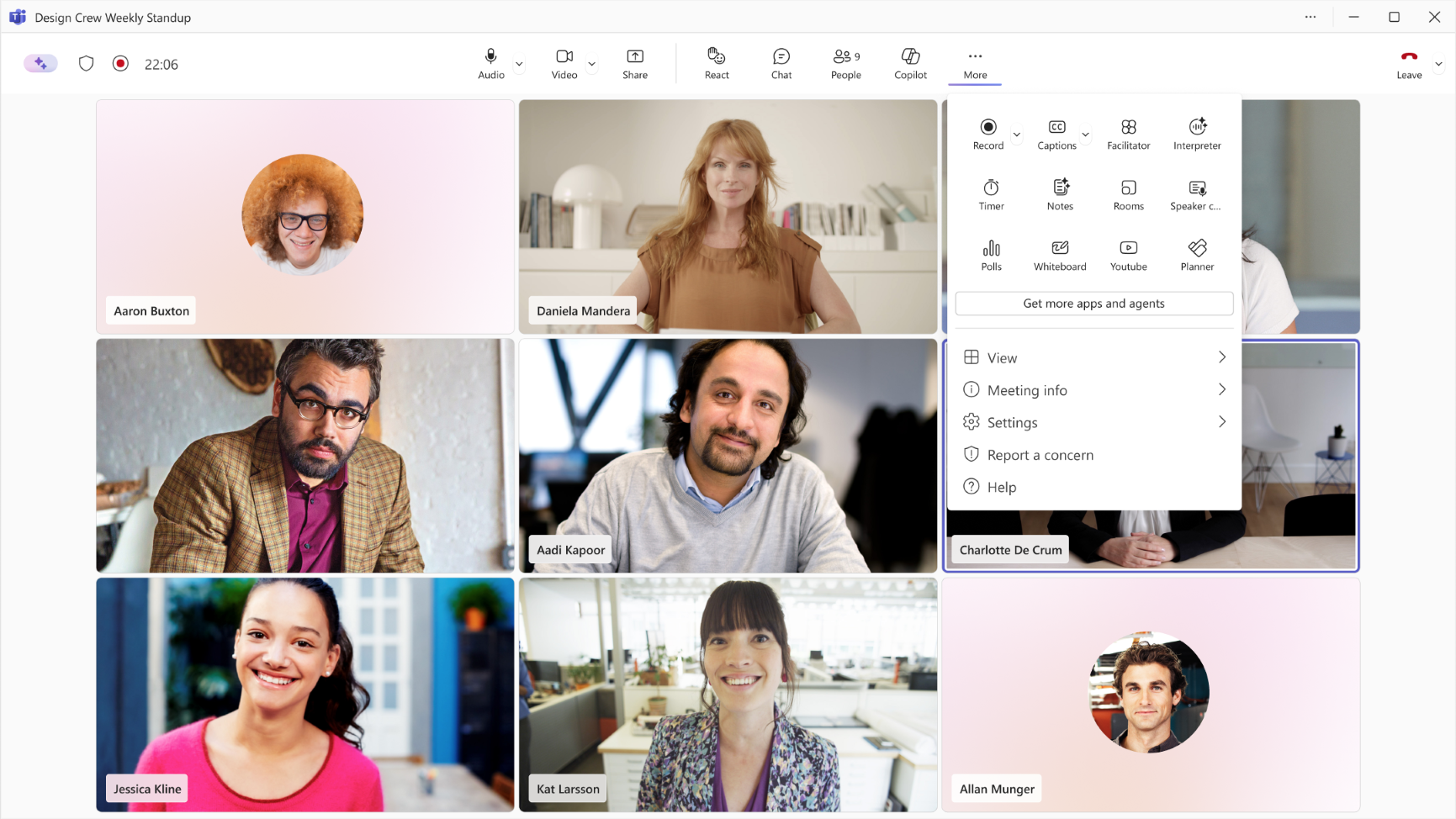
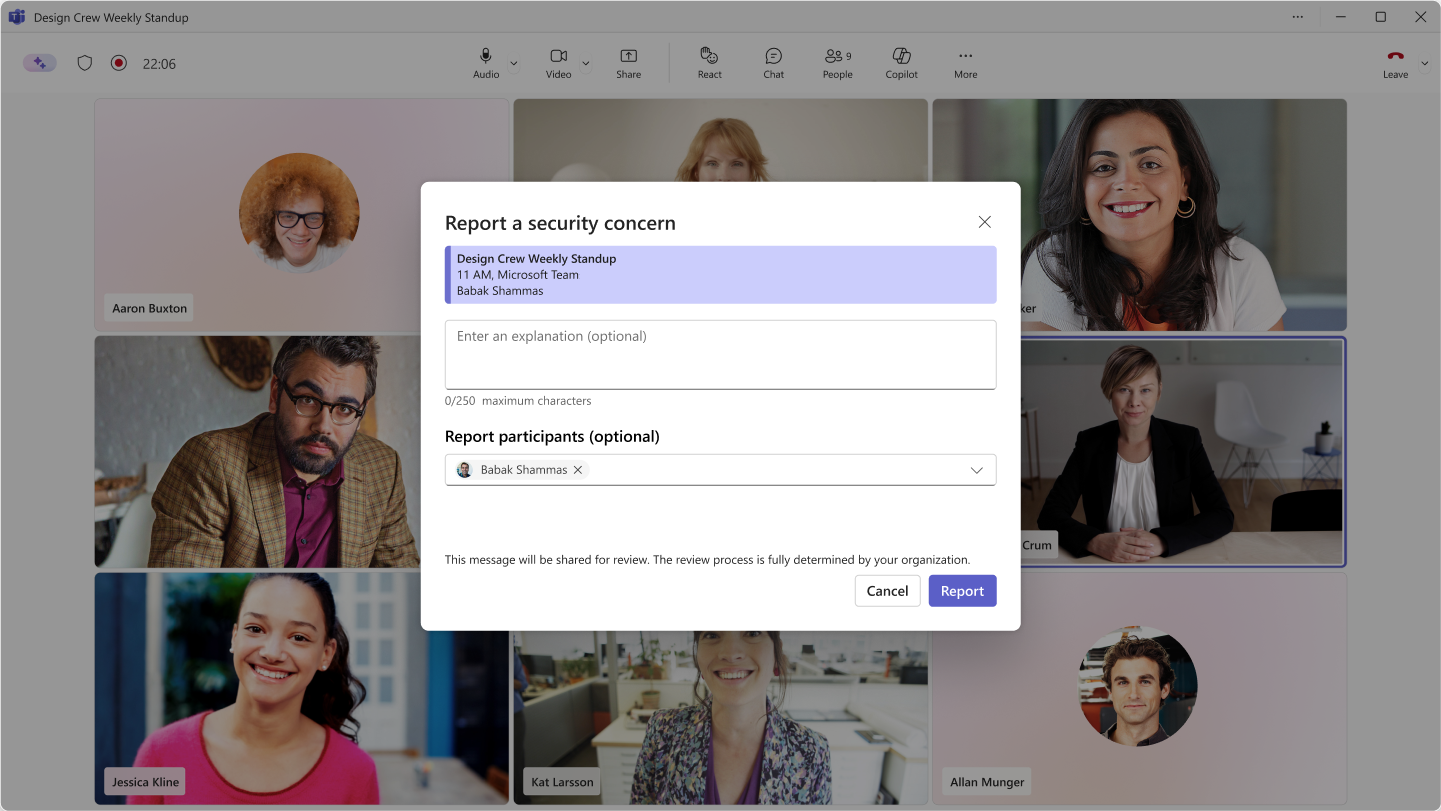
For group calls, reporting is done from the call history of the Teams client. In both cases, the user enters a short note describing the problem and can, optionally, designate the suspicious participants. The reasons covered are phishing, identity impersonation, social engineering and fraud attempts.
What the administrators see
The reports feed two locations :
- Microsoft Defender portal : Investigation & Response, then Submissions, and the User reported tab
- Microsoft Teams Admin Center : Analytics & Reports, then Protection reports, and User reported security submissions, still in preview, with data export
The feature requires Microsoft Defender for Office 365 Plan 1, Plan 2 or Microsoft Defender XDR. As for call reporting, two settings must be active for the reports to show up correctly : the one in the Microsoft Teams Admin Center and the one in the Defender portal. An existing tenant can have the second one disabled, so it is wise to check it before announcing the feature to the users.
A consistent set with the other protections
This announcement completes a series of measures released this year in Teams meetings, bot detection in the lobby, trust indicators on external participants and brand impersonation detection in calls. User reporting is the missing piece : it turns an incident experienced by a participant into data the security team can work with.
Check the article about bot protection in meetings HERE.
Conclusion
No action is required to benefit from the feature, but two checks are needed before the general availability of October 2026. First the cross activation between the Microsoft Teams Admin Center and the Defender portal, without which the reports don’t appear. Then the definition of a handling process on the security side, because a reporting channel nobody looks at protects nobody.
Sources
Microsoft Learn - User reported settings in Teams
Microsoft Learn - End user reporting for Teams Calling
Did you enjoy this post ? If you have any questions, comments or suggestions, please feel free to send me a message from the contact form.
Don’t forget to follow us and share this post.