Type something to search...
How to create Sensitivity Labels for emails in Purview

How to create Sensitivity Labels for emails in Purview


Introduction

Emails remain one of the primary vectors for information leaks in businesses. Whether it’s a message sent to the wrong recipient, an attachment forwarded without proper oversight, or sensitive content shared externally, the risks are very real and often involve human error. It is precisely to address these challenges that Microsoft Purview Sensitivity Labels play a key role in email protection. Far beyond a simple visual banner or manual classification, Sensitivity Labels allow you to manage email usage, apply encryption, restrict sharing, and educate users on appropriate confidentiality levels, all directly from within Outlook.


Prerequisites

Required licenses

  • Microsoft 365 Business Premium, Microsoft 365 E5.
  • Microsoft Purview Suite in addition to another license (E3, …).

Administrator role

  • An account with the Global Administrator or Compliance Administrator role to access the Microsoft Purview Portal.

Step 1 : Sign in to the Microsoft Purview Portal

Sign in to the Microsoft Purview Portal by opening your web browser to https://purview.microsoft.com.


Step 2 : Create a group

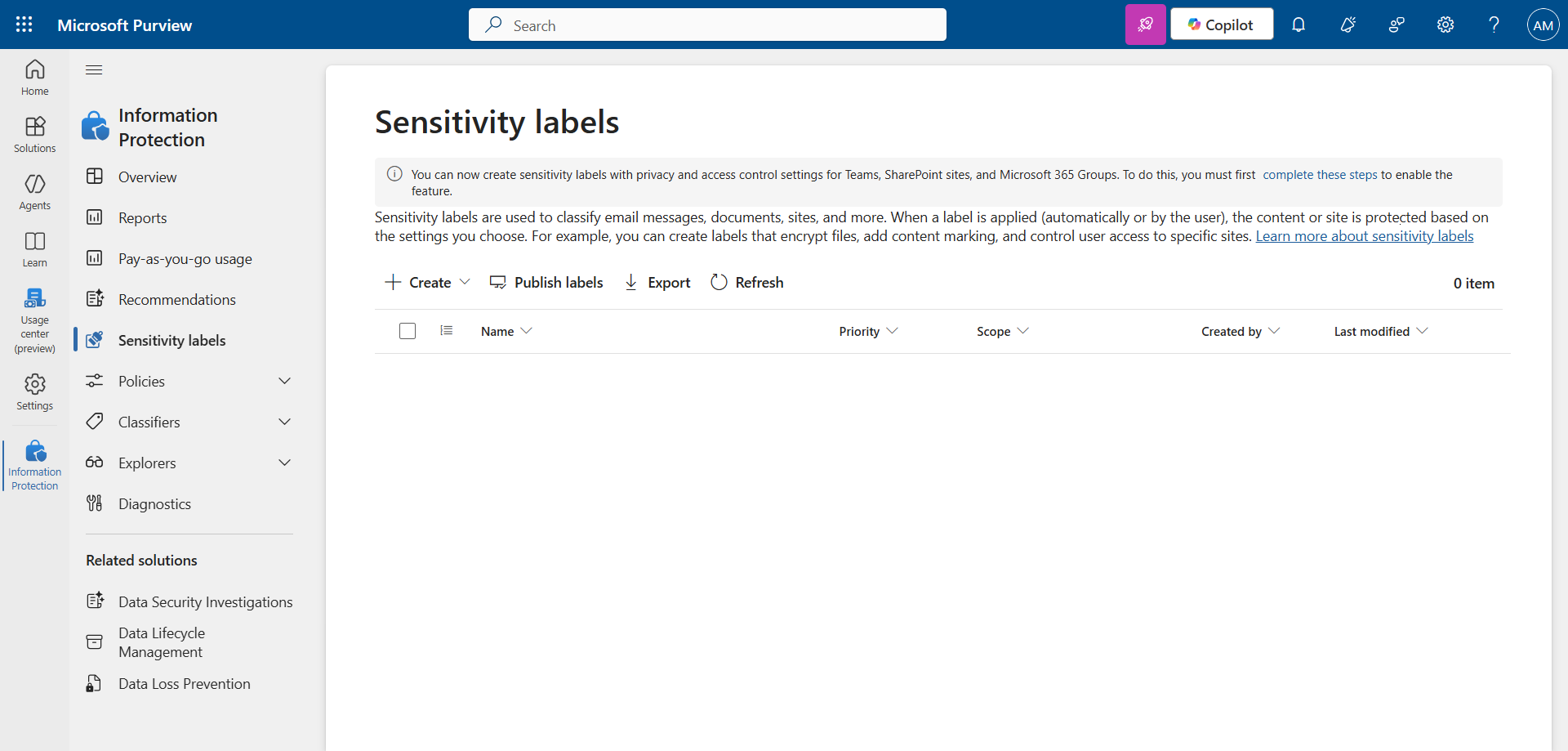
In the left menu, click Solutions, then Information Protection, and Sensitivity Labels.

Click Create, and Label group to create the group.
image

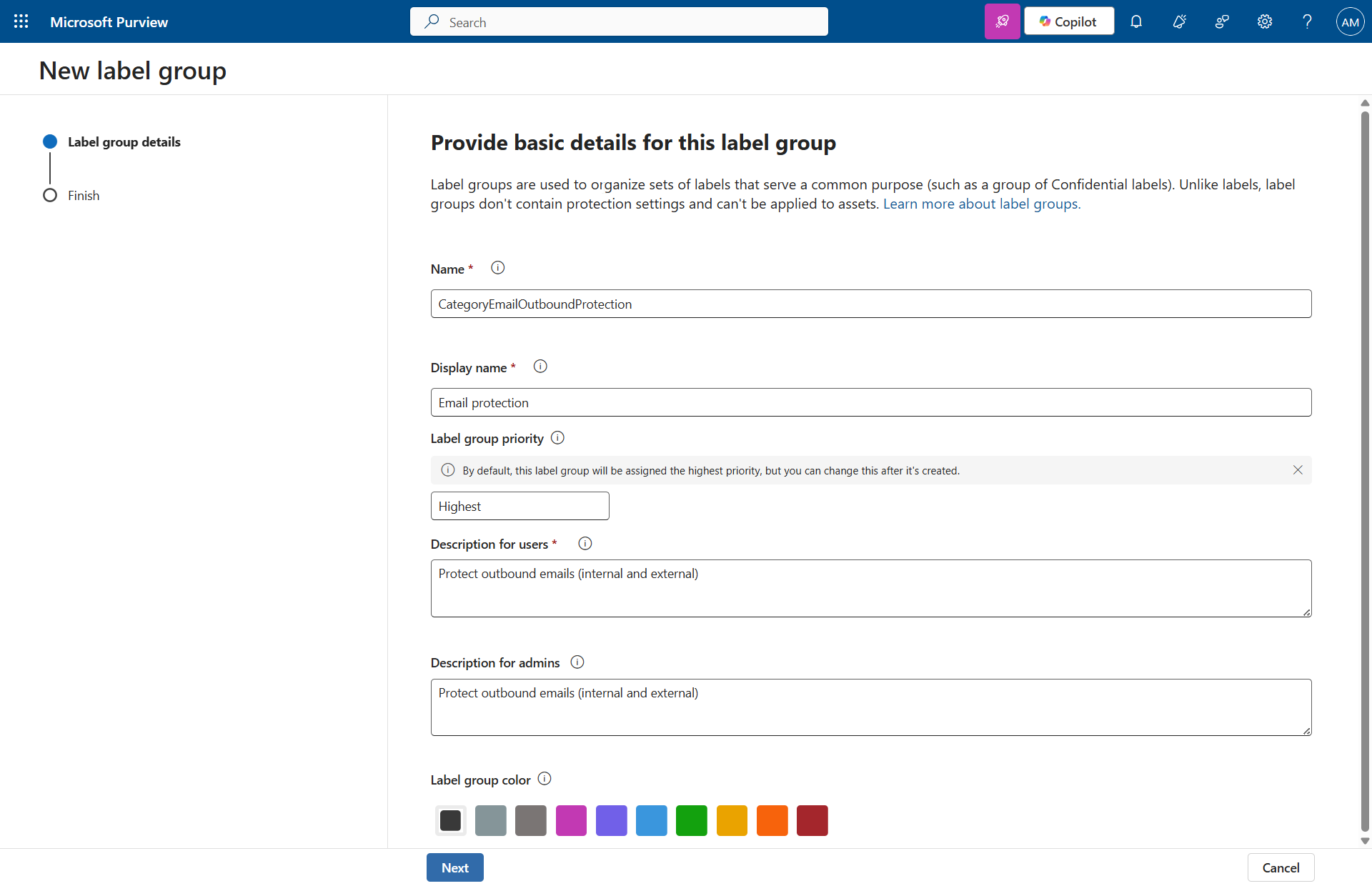
Set a name, a description, and a color.
image

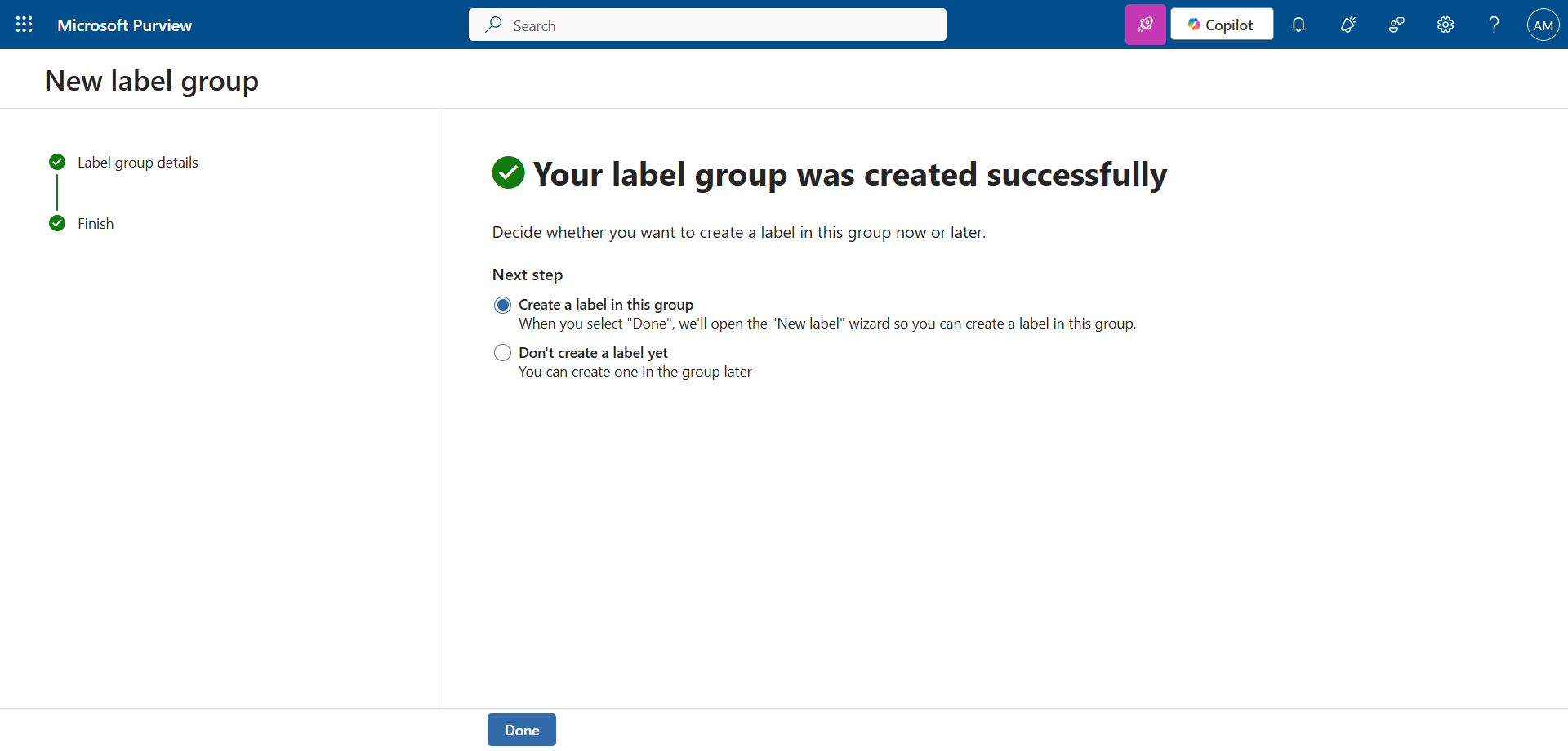
Choose (or not) to create a label in this group.
image


Step 3 : Create two Sensitivity Labels for emails

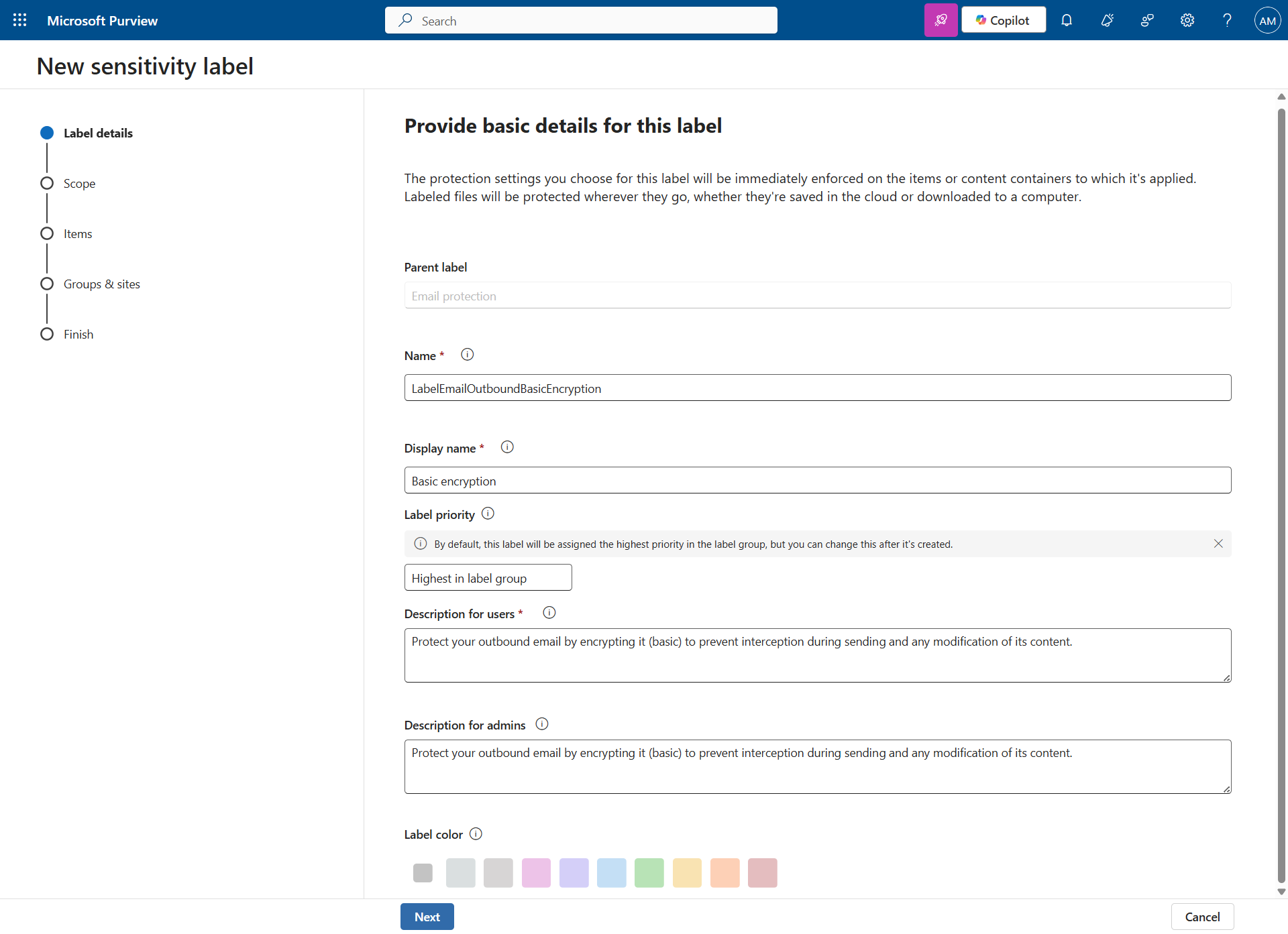
Set a name and a description.

image

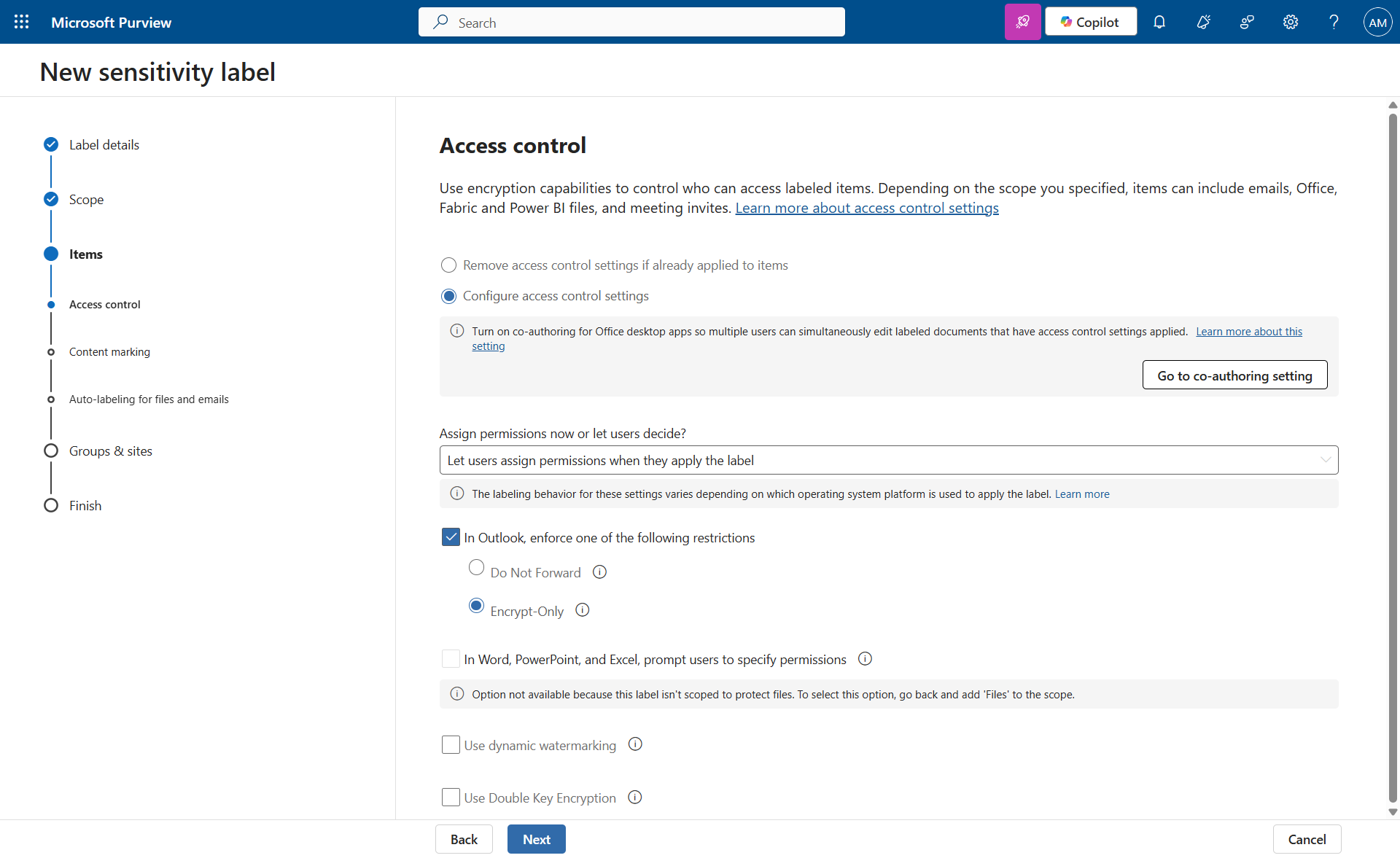
In my case, I decided to do basic encryption, and leave the choice of whether or not to apply it to the user.
image

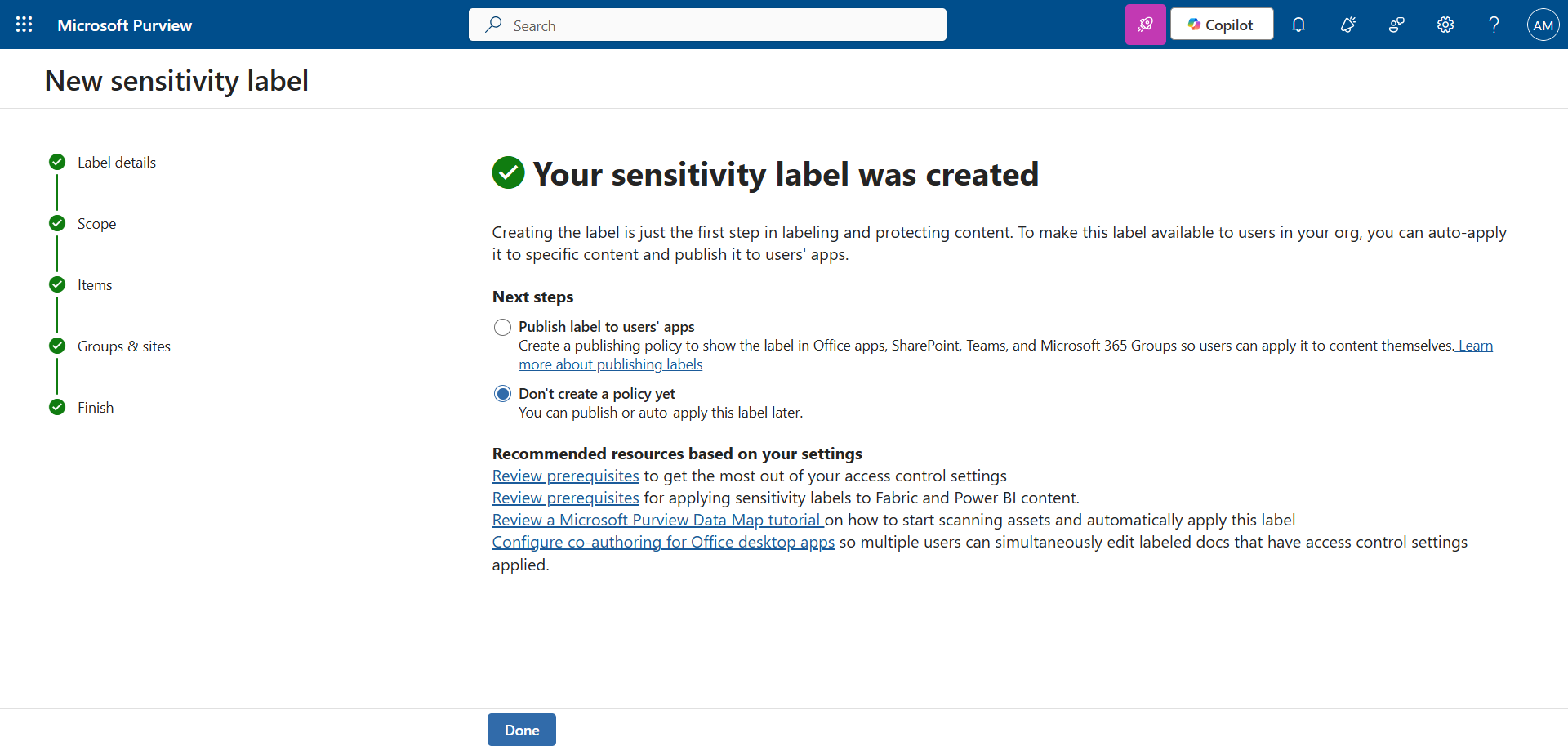
Don’t publish it just yet …

image

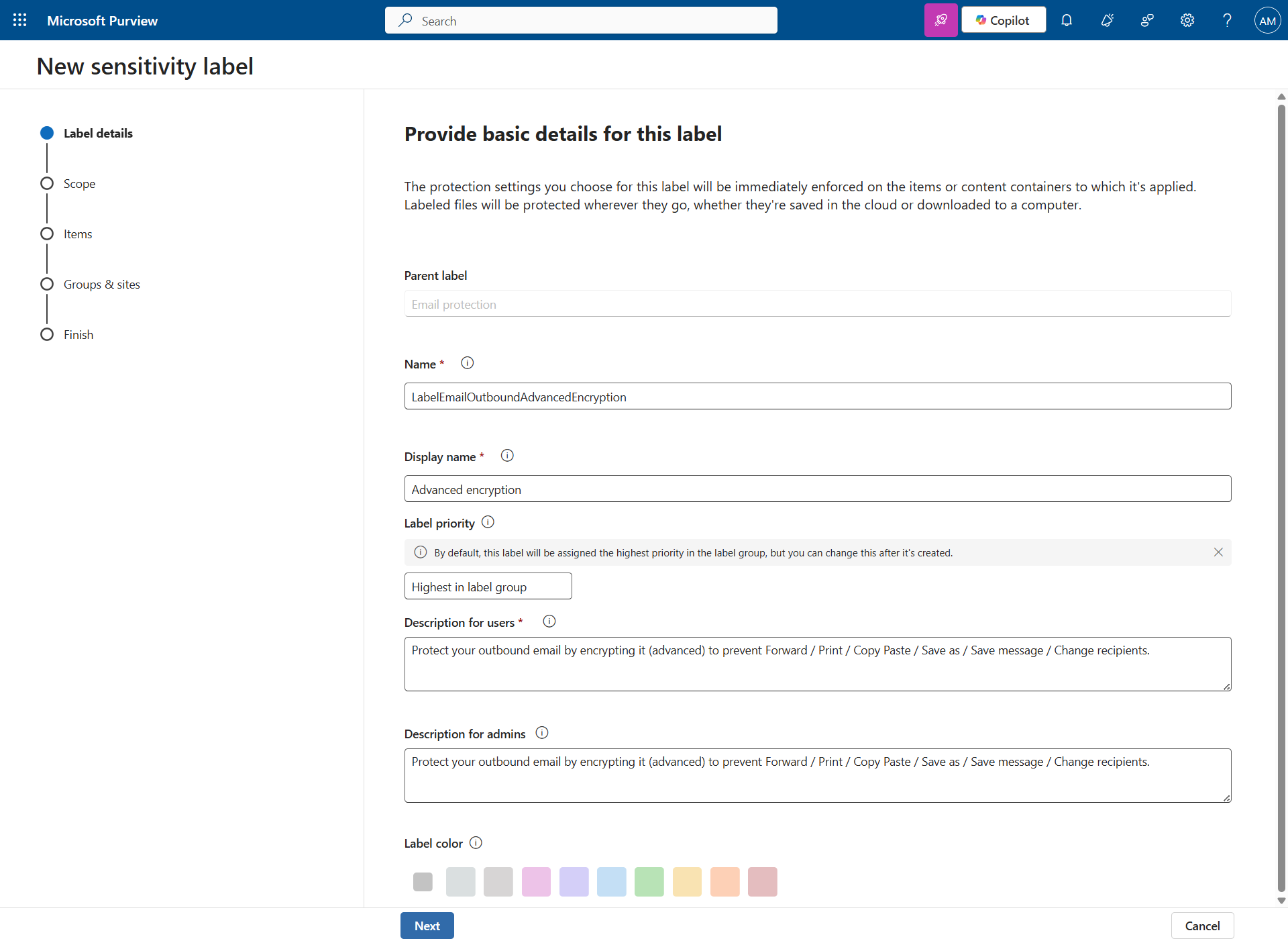
… and create a second label.

image

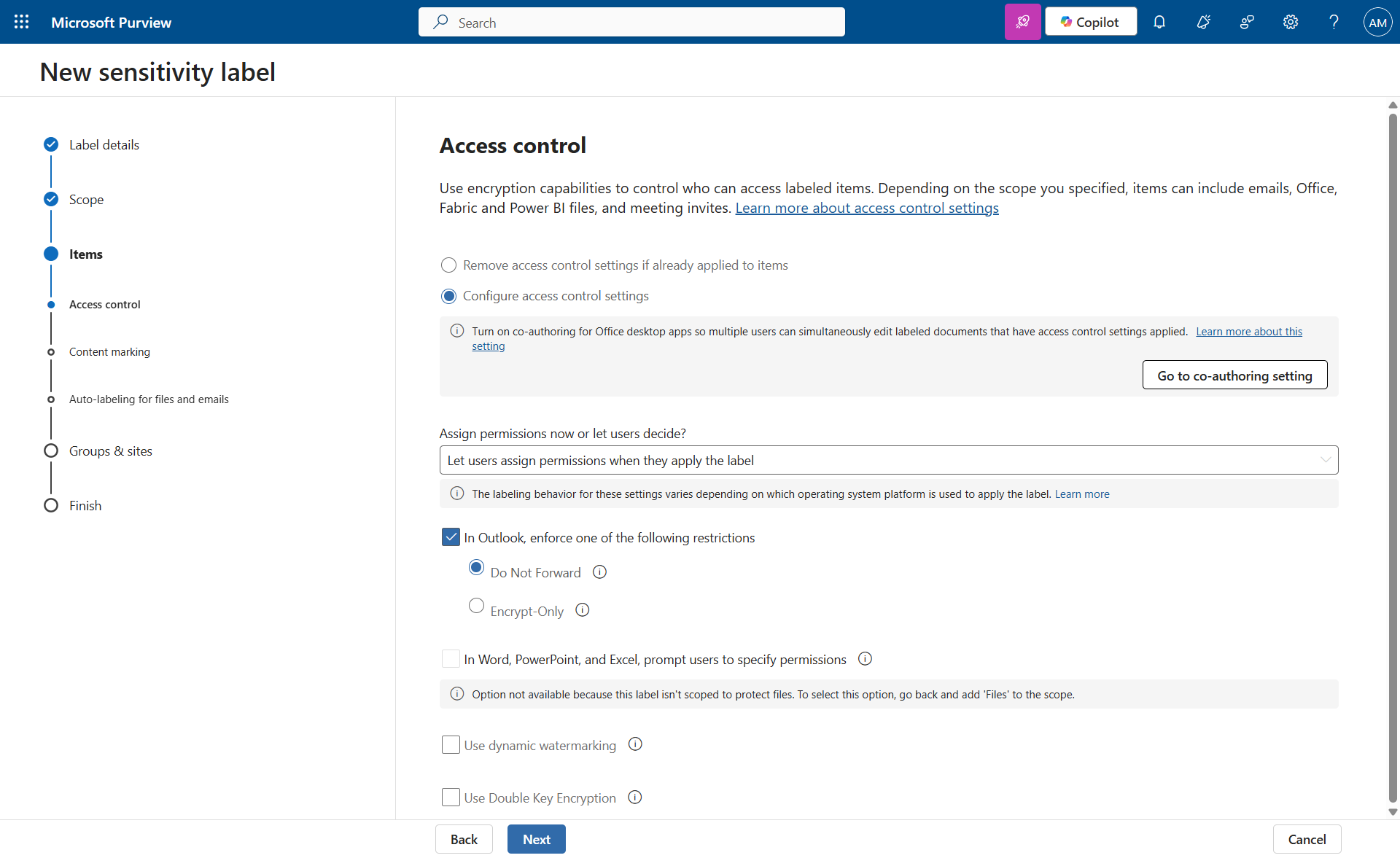
I decide to use advanced encryption, and leave the choice of whether or not to apply it to the user.
image

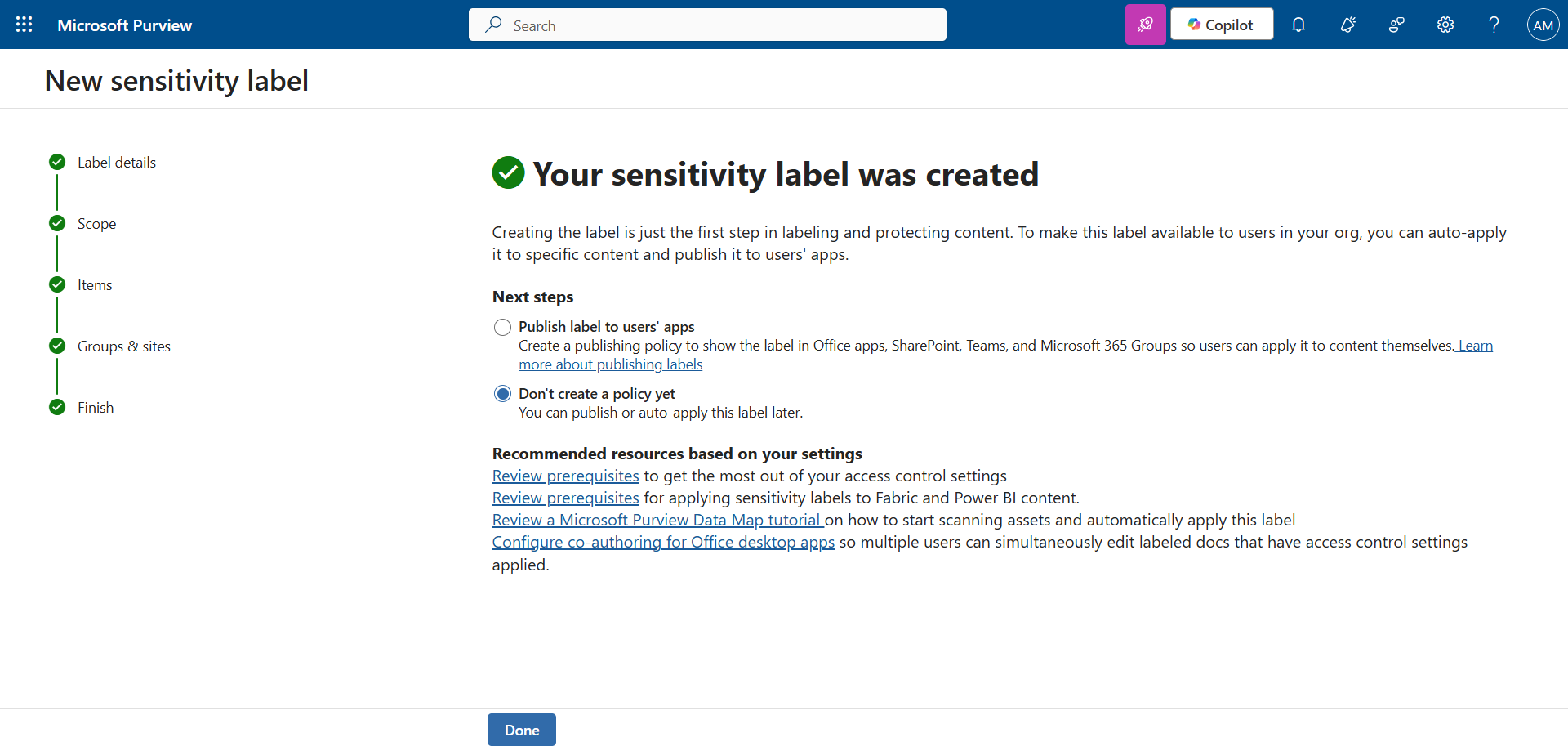
Again, don’t publish it right away.

image

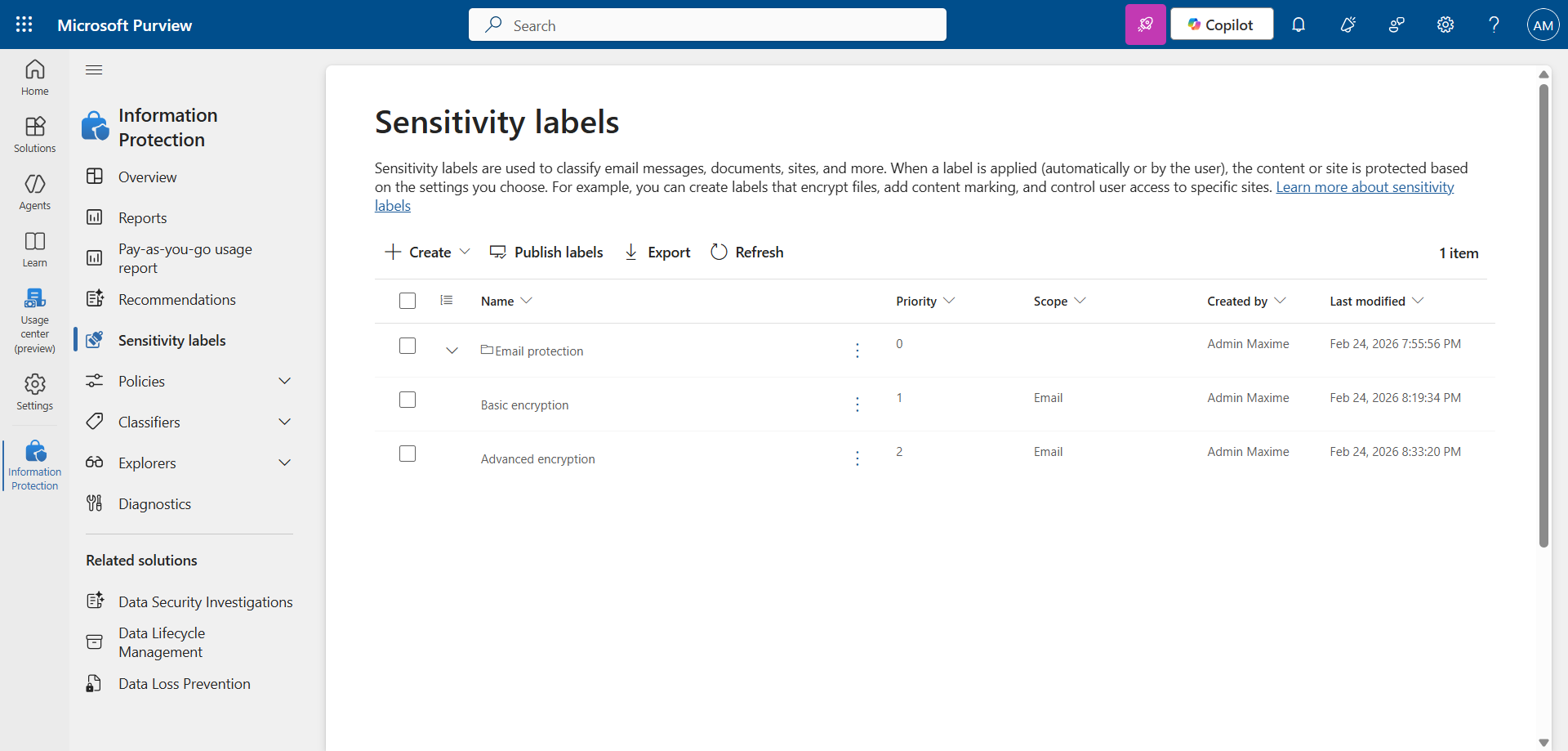
Your 2 Sensitivity Labels have now been created.
image


Step 4 : Publish the Sensitivity Labels

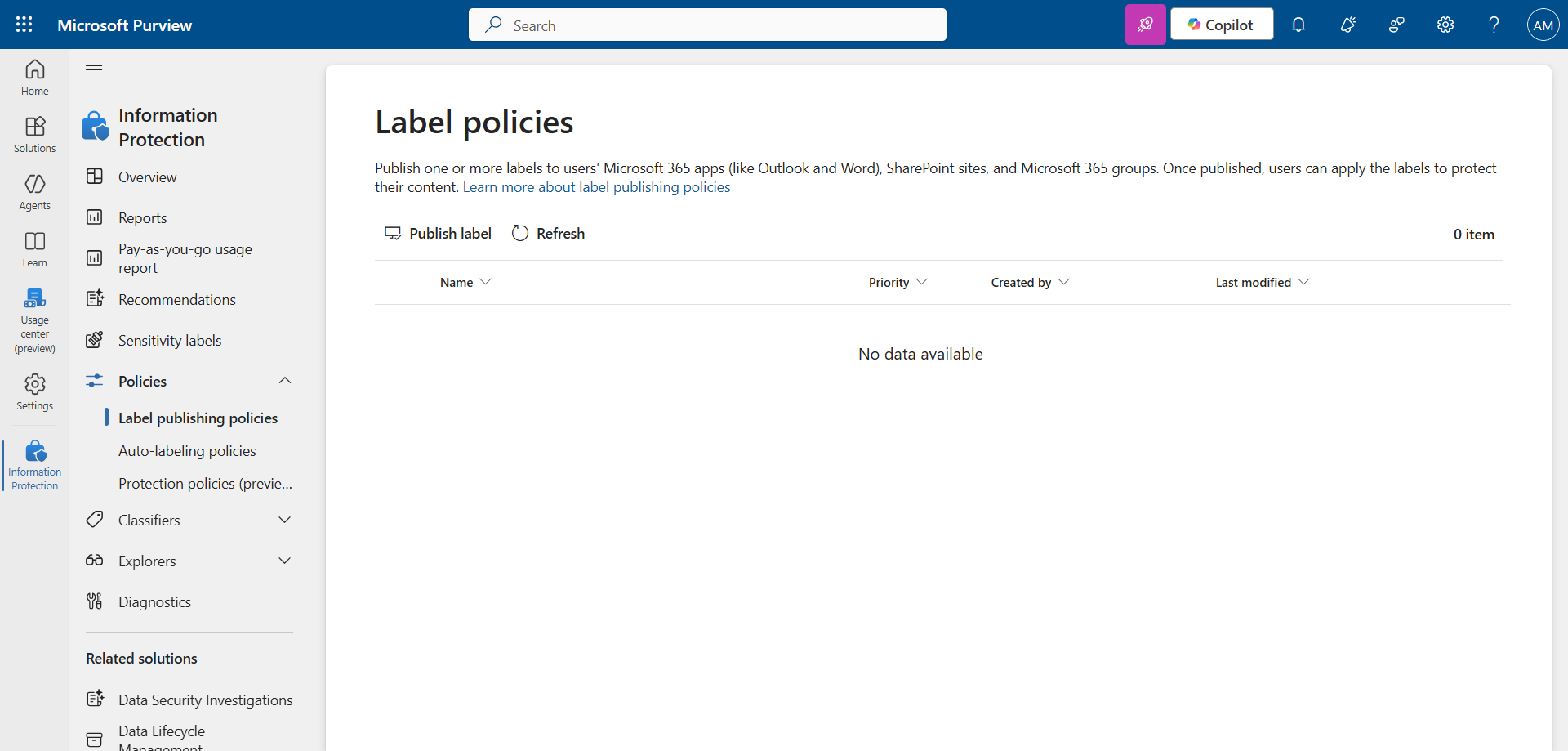
In the left menu, click Policies, then Label publishing policies.

Click Publish label to publish the Sensitivity Labels.
image

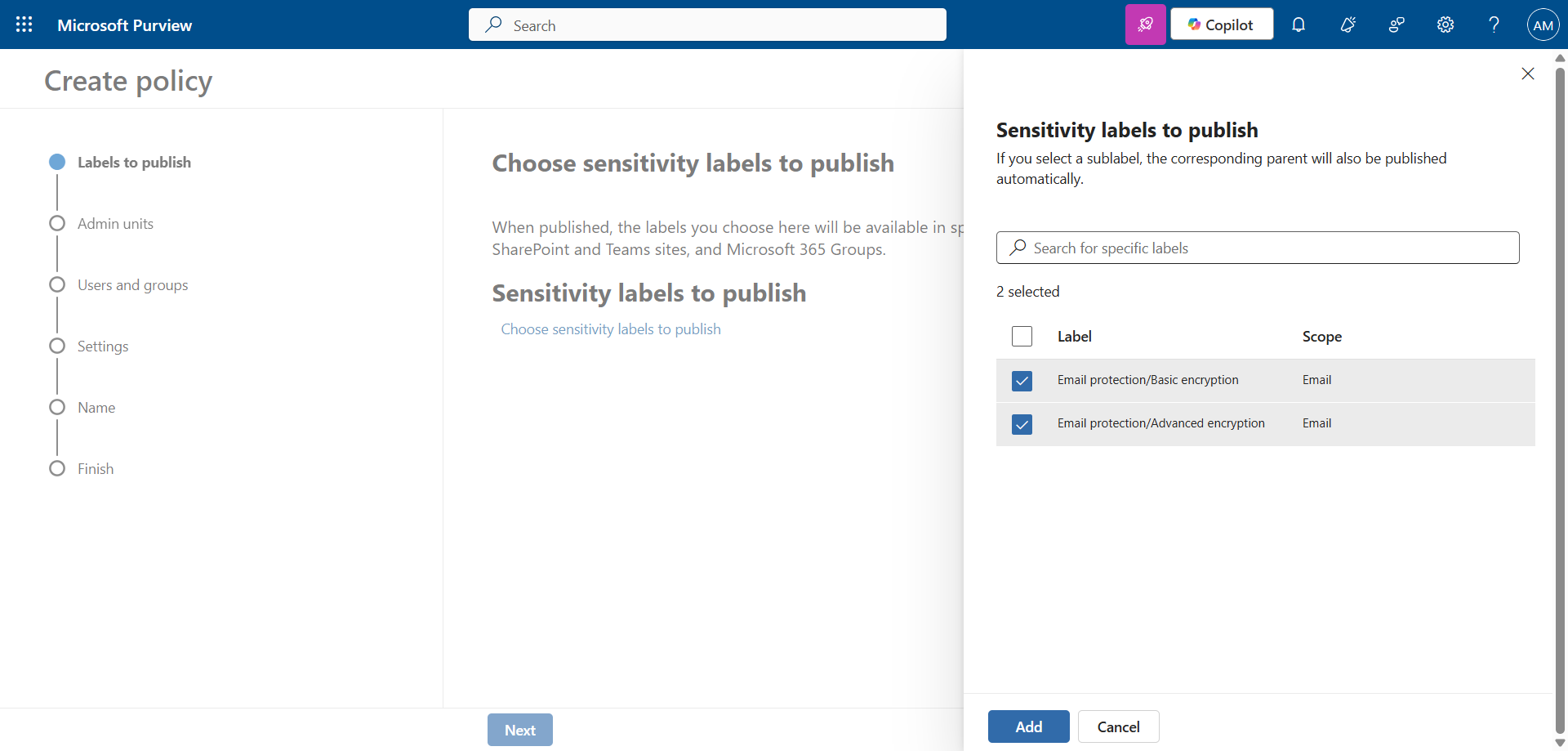
Choose the 2 labels created previously.
image

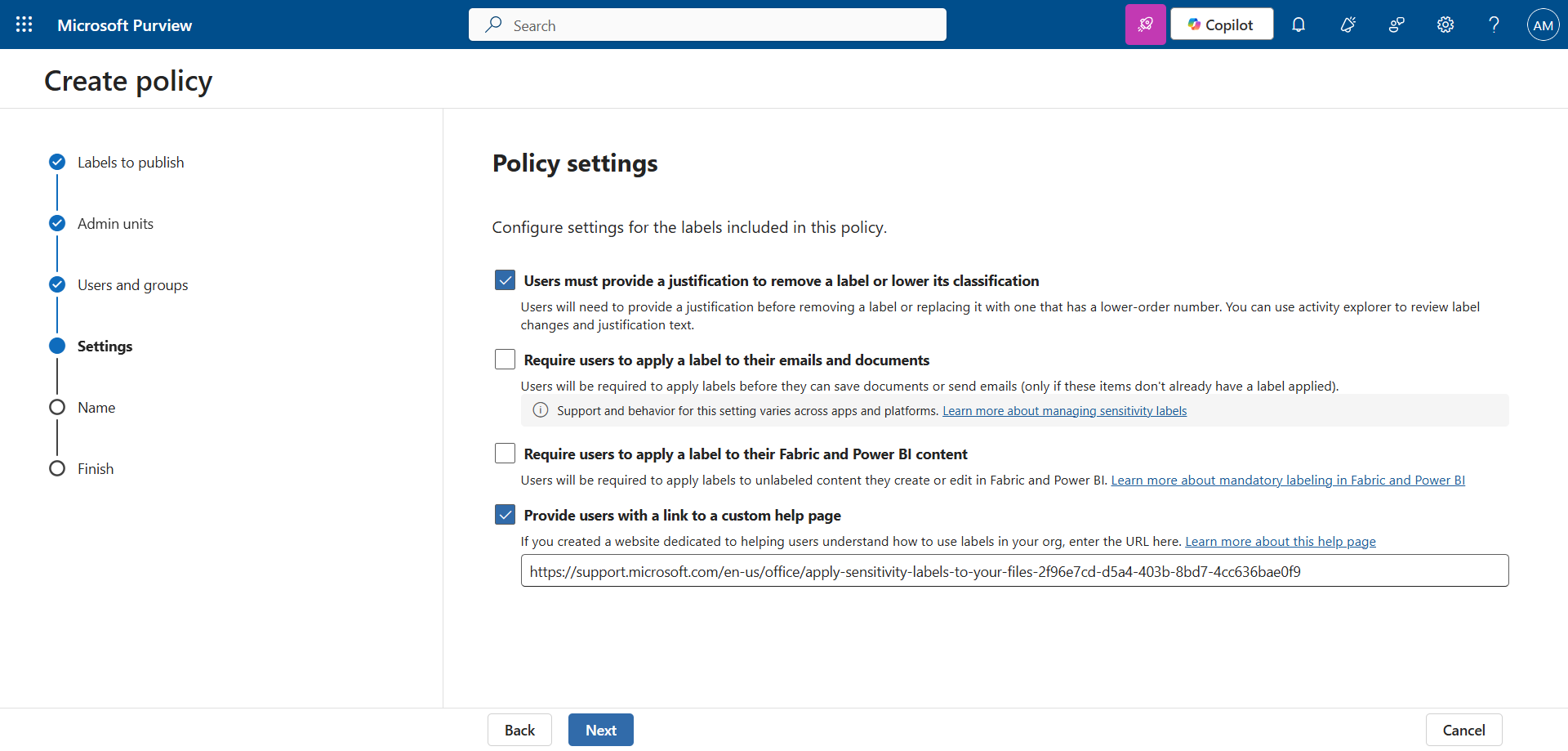
Check the box Users must provide a justification …. Optionally, you can check the other boxes as needed.
image

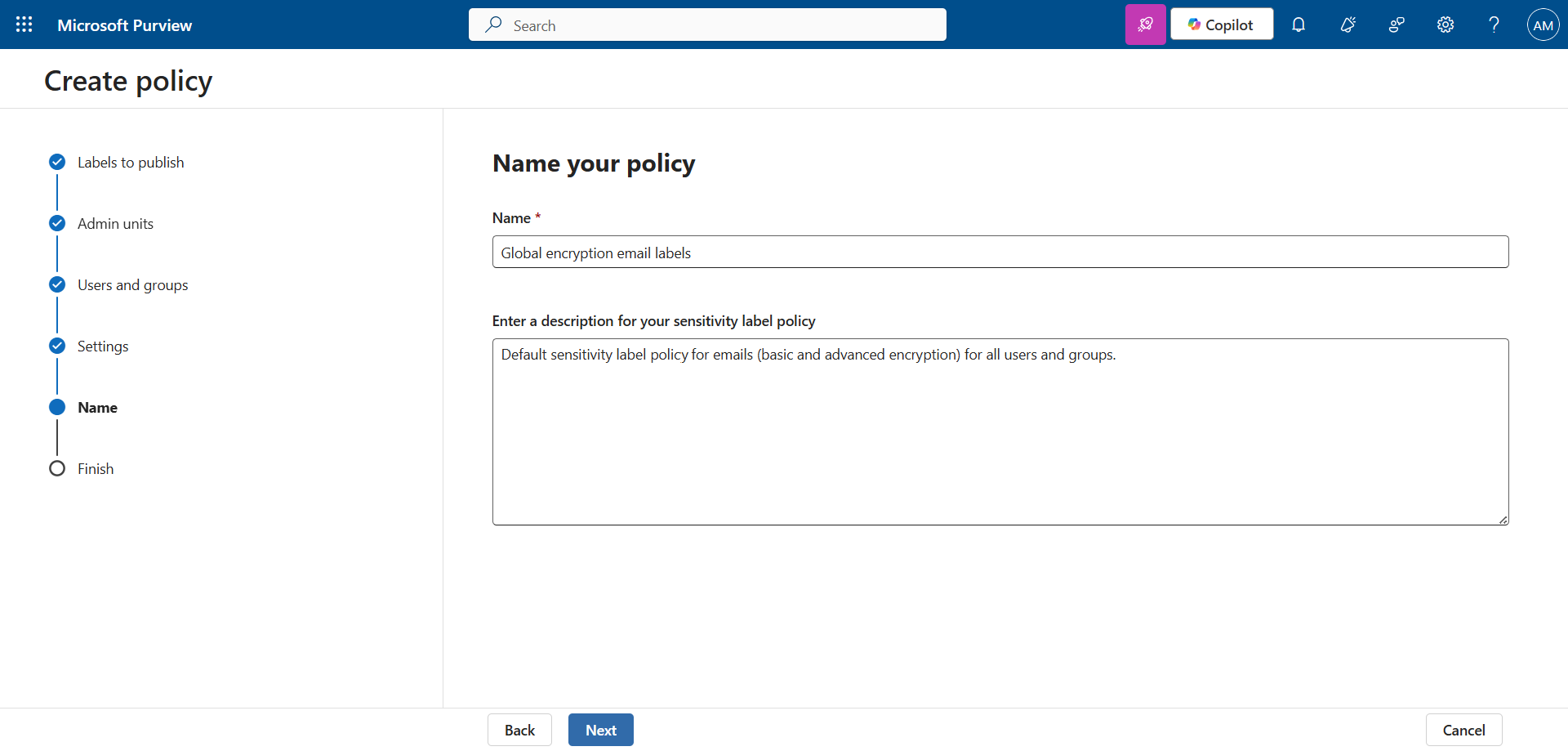
Set a name and description to validate the publication.
image

note

Sensitivity Labels can take up to 24 hours to become available.

Step 5 : Validate the result

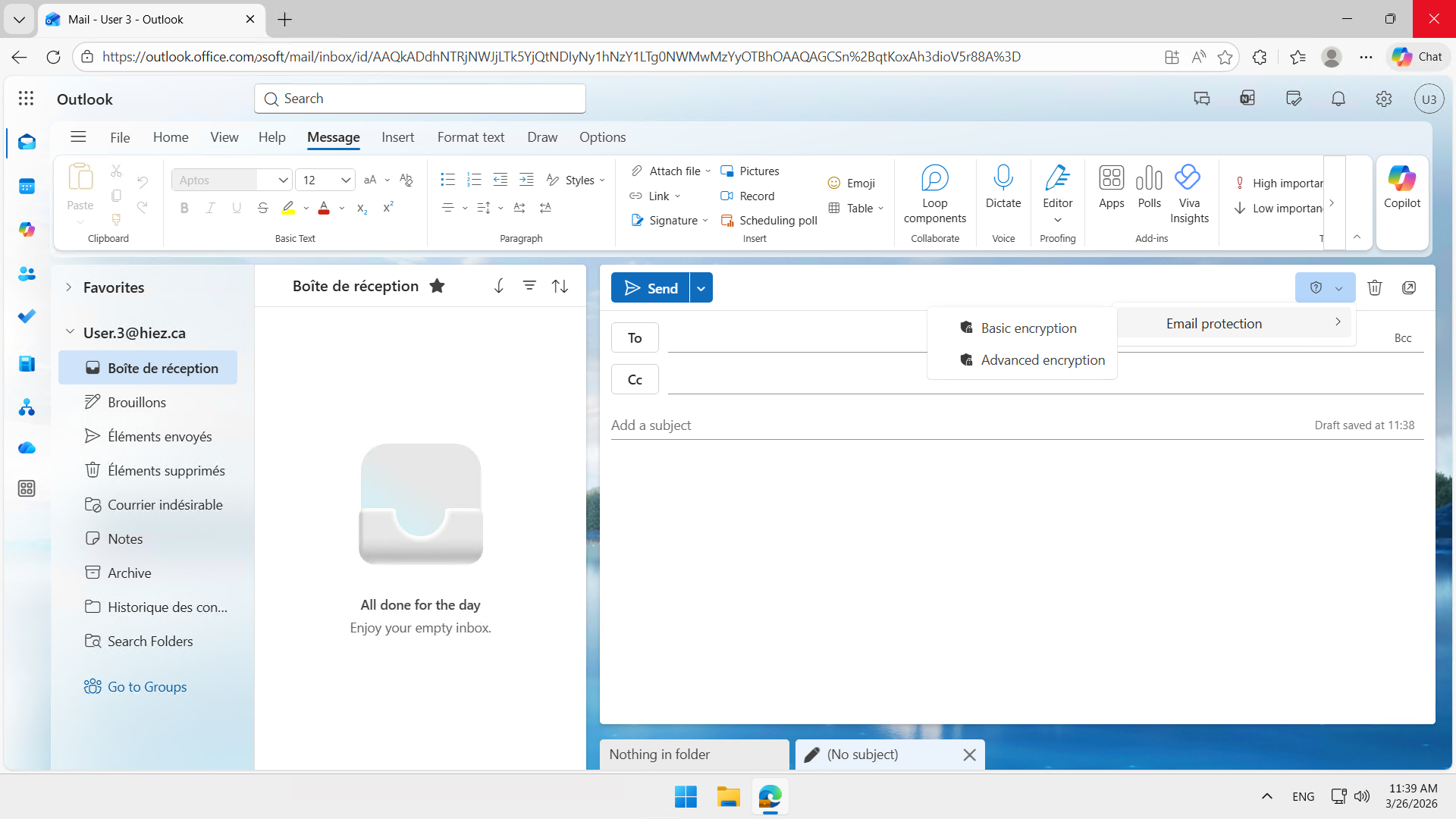
My Outlook client now has both Sensitivity Labels available.
image


So, what do we do with that now ?

By applying one of these Sensitivity Labels to your email, it will be encrypted according to the label you applied.

I will write an article soon to demonstrate the use and results.


Conclusion

Sensitivity Labels applied to emails allow you to protect information where errors most often occur : at the time of sending. By combining classification, encryption, and usage restrictions, they offer effective protection without impacting the user experience.

You now know how to create Sensitivity Labels for emails in Purview.


Sources

Microsoft Learn - Sensitivity Labels


Did you enjoy this post ? If you have any questions, comments or suggestions, please feel free to send me a message from the contact form.

Don’t forget to follow us and share this post.
Related Posts

Email verification of external Teams participants

Email verification of external Teams participants

Introduction Microsoft Teams Premium introduces a new feature to enhance the security and reliability of your meetings: email verification for external participants. This feature allows mee

Read More
How to activate Microsoft 365 Passkey in Entra ID

How to activate Microsoft 365 Passkey in Entra ID

Introduction Microsoft 365 Passkey is an authentication method that replaces passwords with more secure options like facial recognition, fingerprint, or a PIN.Prerequisites **<

Read More
How to sign in with Passkey to Microsoft 365

How to sign in with Passkey to Microsoft 365

Introduction Microsoft 365 Passkey is an authentication method that replaces passwords with more secure options like facial recognition, fingerprint, or a PIN.Prerequisites **<

Read More
How to enable LAPS on the MTR Admin account via Intune

How to enable LAPS on the MTR Admin account via Intune

Introduction Microsoft's LAPS (Local Administrator Password Solution) is a free tool designed to improve password security for local administrator accounts on workstations, servers and

Read More
Microsoft Purview for Azure Data Lake and Blob Storage

Microsoft Purview for Azure Data Lake and Blob Storage

Introduction Microsoft announced that Microsoft Purview protection policies for Azure Data Lake and Blob Storage are now available in all regions. This advancement allows organization

Read More
Impact analysis of Entra ID conditional access policies

Impact analysis of Entra ID conditional access policies

Introduction Conditional access in Entra is a security policy that allows administrators to control access to applications and resources based on specific conditions. These conditions can i

Read More
How to create a Windows local admin account via Intune LAPS

How to create a Windows local admin account via Intune LAPS

Introduction I wrote an article last February on how to replace the password of your MTR's local account using LAPS (Local Administrator Password Solution) in Intune. I concluded my article

Read More
New security approach for non-compliant emails

New security approach for non-compliant emails

Introduction Microsoft has announced a major update to Defender for Office 365 that strengthens email security by improving the handling of non-RFC compliant emails. This initiative is

Read More
Blocking screenshots during Teams meetings

Blocking screenshots during Teams meetings

Introduction Microsoft Teams continues to strengthen the privacy and security of online meetings. Starting in July 2025, a new feature will be rolled out to prevent screenshots during meeti

Read More
"Anti-Tampering" certification for Defender for Endpoint (2025)

"Anti-Tampering" certification for Defender for Endpoint (2025)

Introduction Microsoft recently announced that Microsoft Defender for Endpoint has successfully passed the 2025 anti-tampering tests conducted by AV-Comparatives, a recognized independe

Read More
How to enable DLP for Teams with Purview

How to enable DLP for Teams with Purview

Introduction In a context where sensitive data, particularly banking information, is increasingly circulating in collaborative tools, businesses must be extra vigilant to avoid accidental o

Read More
How to enable DLP for Outlook with Purview

How to enable DLP for Outlook with Purview

Introduction Last week, I showed you how to enable DLP for Teams with Microsoft Purview to prevent accidental or malicious data leaks (Data Loss Prevention). Purview is a comprehensive

Read More
Entra Private Access for Domain Controllers

Entra Private Access for Domain Controllers

Introduction Microsoft has announced the Public Preview of Microsoft Entra Private Access for Active Directory Domain Controllers, a major step forward in strengthening the security of

Read More
Sensitive content detection in Teams meetings

Sensitive content detection in Teams meetings

Introduction In a world where business interactions increasingly take place via video conferencing, the security of information shared in meetings is becoming a major issue. Microsoft is ad

Read More
How to activate Defender EDR in "Block Mode"

How to activate Defender EDR in "Block Mode"

Introduction In a context of constantly evolving cyber threats, antivirus solutions are no longer sufficient to effectively protect workstations. Microsoft Defender for Endpoint's *Block

Read More
How to enable DSPM for AI with Purview

How to enable DSPM for AI with Purview

Introduction With the rise of generative AI models, the phenomenon of Shadow AI (the use of artificial intelligence tools and services not approved or controlled by organizations) is incr

Read More
How to block a website URL in Edge with Defender

How to block a website URL in Edge with Defender

Introduction Web browsing is one of the most common attack vectors in business environments. To strengthen security, Microsoft Defender for Endpoint offers a powerful feature : blocking m

Read More
How to enable DLP for cloud storage with Purview

How to enable DLP for cloud storage with Purview

Introduction A few months ago, I showed you how to enable DLP for Outlook with Microsoft Purview to prevent accidental or malicious data leaks (Data Loss Prevention). Purview is a com

Read More
Blocking screen captures in Teams meetings

Blocking screen captures in Teams meetings

Introduction In a world where business interactions increasingly take place via video conferencing, the security of information shared in meetings is becoming a major issue. A simple screen

Read More
Extend Zero Trust to AI agent identities in Entra ID

Extend Zero Trust to AI agent identities in Entra ID

Introduction AI agents are becoming increasingly widespread in businesses (incident summaries, log analysis, flow execution, etc.), and it is crucial that their access is continuously evalu

Read More
How to enable DLP for printing with Purview

How to enable DLP for printing with Purview

Introduction A few weeks ago, I showed you how to enable DLP to prevent the copying of financial data to an external cloud storage solution using Microsoft Purview, in order to prevent

Read More
How to enable DLP for AI websites with Purview

How to enable DLP for AI websites with Purview

Introduction Last week, I showed you how to enable DLP to prevent printing of financial data using Microsoft Purview, in order to prevent accidental or malicious data leaks (*Data Loss

Read More
How to enable DLP for copy/paste with Purview

How to enable DLP for copy/paste with Purview

Introduction Last month, I showed you how to enable DLP to prevent financial data from being sent to an AI website using Microsoft Purview, in order to prevent accidental or malicious d

Read More
Purview Sensitivity Labels are coming to OneNote

Purview Sensitivity Labels are coming to OneNote

Introduction Good news for security and compliance teams, Sensitivity Labels are now General Availability in OneNote. This update finally allows you to apply the same classification a

Read More
How to block Teams calls and chats with Purview IB

How to block Teams calls and chats with Purview IB

Introduction Microsoft Purview's Information Barriers allow you to restrict communication and collaboration between specific user groups within a Microsoft 365 environment. Their prim
Read More
External MFA is now available in Entra ID

External MFA is now available in Entra ID

Introduction Microsoft has announced the General Availability of External MFA, in Microsoft Entra ID, formerly known as External Authentication Methods. This feature allows the use
Read More