External MFA is now available in Entra ID
- Maxime Hiez
- Entra ID
- 27 Mar, 2026
Introduction
Microsoft has announced the General Availability of External MFA, in Microsoft Entra ID, formerly known as External Authentication Methods. This feature allows the use of a third-party MFA provider for Entra ID authentication, either in addition to or as a replacement for native methods, without abandoning Entra as the control plane (policies, risks, conditional access), rather than having to create separate integrations.
Background
Until now, Microsoft Entra ID offered several MFA options :
- Microsoft Authenticator
- SMS / voice call
- FIDO2 / passkeys
- Integrated solutions via Conditional Access
However, integration with third-party MFA solutions remained limited and often complex to implement. Some organizations already use :
- Centralized MFA solutions
- Third-party identity providers
- Specific regulatory requirements
In these cases, having to maintain Entra MFA in parallel could pose a problem.
Principle of External MFA
The External MFA feature allows you to delegate the second authentication factor to an external provider, while retaining full policy evaluation (conditional access + risk assessment) on the Entra side. Users can choose an external method to meet an MFA requirement when logging in with their Microsoft 365 account.
Specifically :
- Entra ID handles primary authentication
- MFA is performed by an external system
- Entra trusts the MFA result
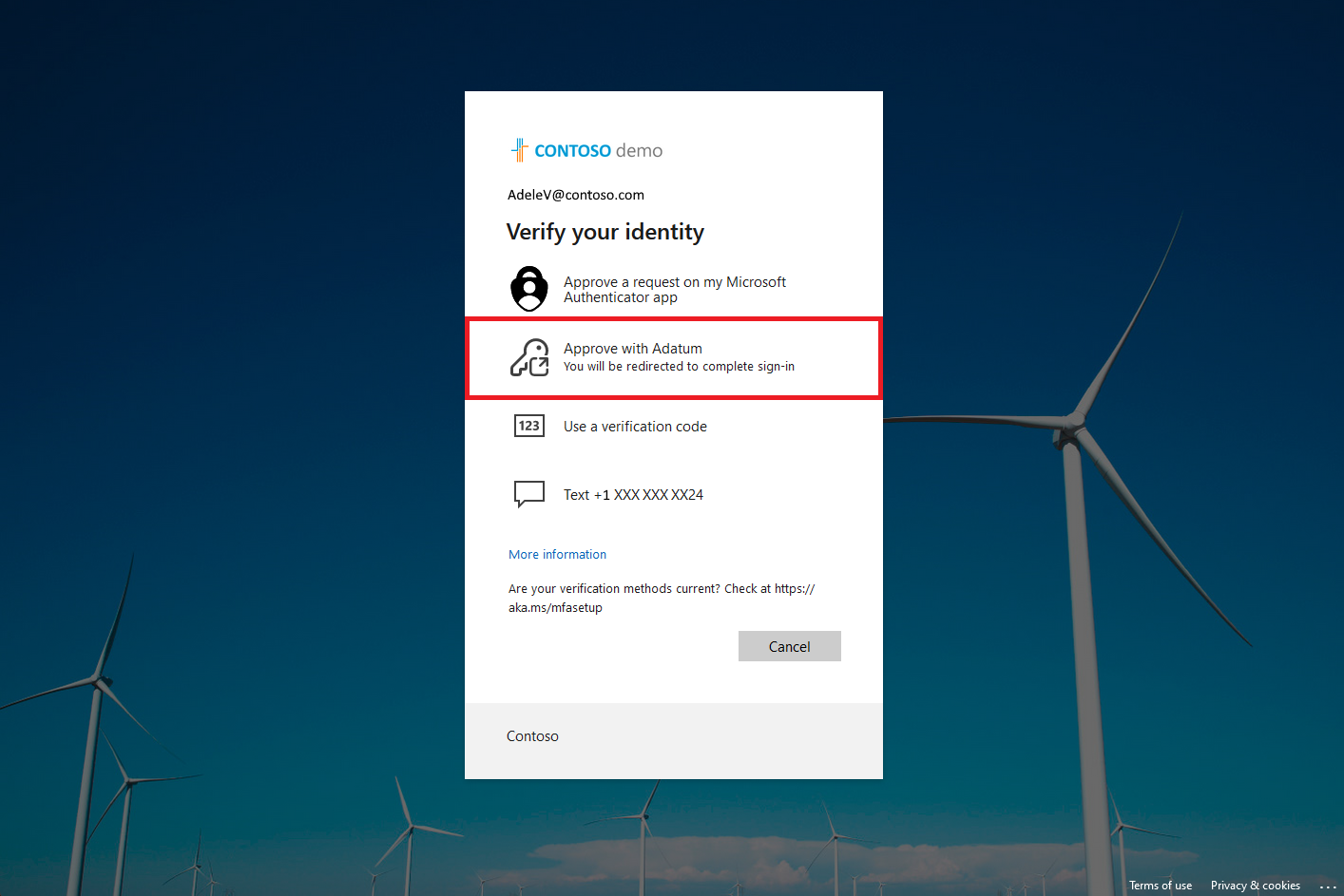
Principle of operation
The system operates according to the following steps :
- The user authenticates with Entra ID (1st factor)
- Entra evaluates the connection and redirects it to the external provider
- The provider applies MFA (2nd factor)
- A validation is sent back to Entra ID
- Access is granted if the MFA is validated
Therefore, MFA is no longer executed directly by Entra, but by a third-party service.
Integration with conditional access
External MFA integrates with conditional access policies. It is possible to :
- Require MFA
- Redirect to the external provider
- Apply conditions (location, device, risk, etc.)
This allows you to maintain centralized governance within Entra ID while outsourcing MFA.
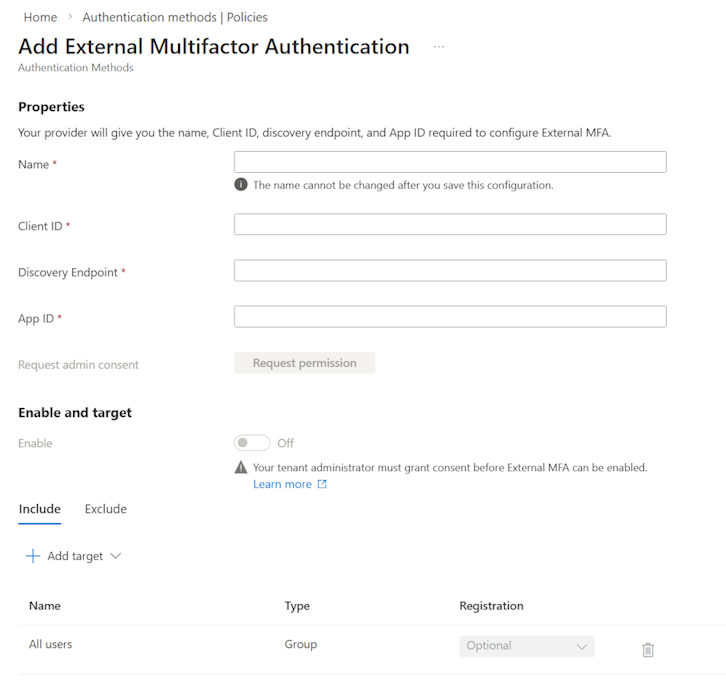
Migration from Custom Controls
External MFA replaces Custom Controls, which will be deprecated on September 30, 2026. Existing configurations will continue to function during the transition period. It is recommended to start configuring them now.
Best practices
Here’s a cautious and effective approach to deployment :
- Pilot with a small group (IT / security / power users) and authentication logs before expanding.
- Review your MFA policies : reduce MFA fatigue, use sign-in frequency intelligently, and avoid unnecessary prompts (phishing risk).
- Plan the Custom Controls migration before September 30, 2026, especially if you need to remain compliant with third-party MFA requirements.
- Document the user experience (method choices, potential errors if consent is missing, recovery process).
Required licenses
Setting up External MFA requires at a minimum a Microsoft Entra ID P1 license.
Conclusion
The General Availability of External MFA in Entra ID provides added flexibility in authentication management. It allows for the integration of existing MFA solutions while retaining Entra’s governance capabilities. However, it also introduces new dependencies and increased complexity. Its use should therefore be justified by specific needs and integrated into a well-managed architecture. For organizations that had invested in third-party MFA (for compliance or business requirements), this finally offers a clean alternative.
Sources
Microsoft Learn - External multifactor authentication method
Did you enjoy this post ? If you have any questions, comments or suggestions, please feel free to send me a message from the contact form.
Don’t forget to follow us and share this post.