Teams adds two protections for meetings and guests
- Maxime Hiez
- Teams
- 03 Nov, 2026
Introduction
In Microsoft Teams, a meeting or a guest invitation comes down to a simple question that users have to answer on their own : is this person really who they claim to be ? Two announcements published on October 29, 2026 tackle this. The first, MC1530615 (roadmap item 571297), will let users report a suspicious guest invitation when they decline it, with worldwide general availability starting in early November 2026. The second, MC1530613 (roadmap item 573157), will show warnings when impersonation is detected in a meeting, with a worldwide rollout planned from mid-December 2026.
Check the bot protection in meetings article HERE.
Reporting a suspicious guest invitation
When a user declines a guest invitation in Teams, they will be able to report it as suspicious. The report goes to admins, in the User reported security submissions report of the Microsoft Teams Admin Center, and to Microsoft for review. The feature is supported on Desktop, Mac and Web, but not on iOS or Android.
The rollout is worldwide, in general availability, from early to mid-November 2026. The roadmap shows the status In development (last modified September 16, 2026) and the Targeted Release tag, which item 573157 also carries.
What admins control for reporting
Control is handled by the Report a security concern setting in Messaging policies. Organizations that have already turned it on have nothing to do. The setting is on by default, applies per messaging policy and already governs reporting of messages and users : when it’s off, users can’t report messages or users.
Reports of external users already appear in the User reported security submissions report, User category, under Analytics & reports, Protection reports, then View reports. Guest invitations are not yet listed as a source in the report documentation. Reporting external users isn’t yet supported in Microsoft Defender, where only messages are. Nothing says whether invitation reports will surface there ; only the Microsoft Teams Admin Center and Microsoft are mentioned.
Impersonation protection in meetings
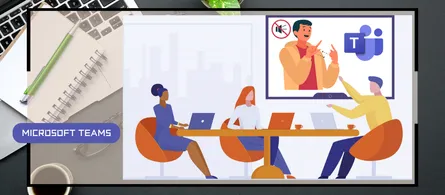
For the second announcement, Teams will show warnings and risk indicators when it detects a potential impersonation attempt by a meeting participant or organizer. Users can then judge whether the person is who they claim to be ; the roadmap speaks of helping to spot potentially deceptive participants.
It differs from reporting a meeting or a participant, described in the Microsoft Learn page on reporting a security concern in Teams meetings (in preview), a separate feature driven by the Allow users to report meetings policy.
No admin setting, policy or PowerShell parameter is named for impersonation. As of October 30, 2026, the sources therefore show no documented control, which doesn’t prove that none exists.
note
Availability and next steps
| Feature | Announcement | Worldwide rollout (GA) |
|---|---|---|
| Invitation reporting | MC1530615 | Early to mid-November 2026 |
| Impersonation protection | MC1530613 | Mid-December to late December 2026 |
For both items, the roadmap lists only the Worldwide (Standard Multi-Tenant) cloud and announces no preview phase.
No immediate action is required for impersonation protection, but it’s worth getting to know the new experience and informing users and security teams. Neither announcement specifies a license or price. The license prerequisites for the meeting reporting feature, tied to Defender for Office 365 or Defender XDR, concern a different feature ; nothing says they apply to these two announcements.
note
Conclusion
Guest invitation reporting is governed by a setting that many tenants already have : just check the value of Report a security concern in the messaging policies before early November 2026, then tell the support team that reports arrive in User reported security submissions. Impersonation protection is a matter of communication, since no control is documented : better to explain to users what a warning means before mid-December 2026. The license, any impersonation setting and the path of reports to Defender remain to be confirmed, and we’ll have to wait for the Microsoft Learn pages to settle them.
Sources
Microsoft 365 Roadmap - ID 571297
Microsoft 365 Roadmap - ID 573157
Microsoft Learn - End user reporting for security
Microsoft Learn - User reported security submissions report
Microsoft Learn - Report a security concern in Teams meetings
Microsoft Learn - User reported settings in Teams
Did you enjoy this post ? If you have any questions, comments or suggestions, please feel free to send me a message from the contact form.
Don’t forget to follow us and share this post.