
How to enable Claude AI as a model in Copilot
- Maxime Hiez
- Copilot , Tutorial
- 16 Feb, 2026
Introduction
Since its launch, Microsoft 365 Copilot has established itself as a cornerstone of enhanced enterprise productivity, leveraging advanced AI models to reason, analyze, and automate daily tasks. But one question frequently arose within organizations : what if a single model wasn’t enough to cover all business scenarios ? Microsoft provided a clear answer by announcing a major evolution of Copilot : expanding the choice of AI models. Microsoft 365 Copilot no longer relies on a monolithic approach but adopts a multi-model strategy, combining the latest models from OpenAI with new models from Anthropic, such as Claude Sonnet and Claude Opus. This openness allows businesses to select the AI engine best suited to their needs, whether for complex reasoning, in-depth search, or the creation of intelligent agents.
With this announcement, Microsoft affirms a strong vision: to deliver the best in AI innovation, without compromising on integration, governance, and user experience. The models are directly accessible within existing tools, including the Researcher agent and Copilot Studio, allowing teams to leverage differentiated AI capabilities while remaining within the Microsoft 365 workflow.
Prerequisites
Administrator role
- An account with the Global Administrator role to access the Microsoft 365 Admin Center.
Step 1 : Sign in to the Microsoft 365 Admin Center
Sign in to the Microsoft 365 Admin Center by opening your web browser to https://admin.cloud.microsoft.
Step 2 : Activate Claude AI as a model
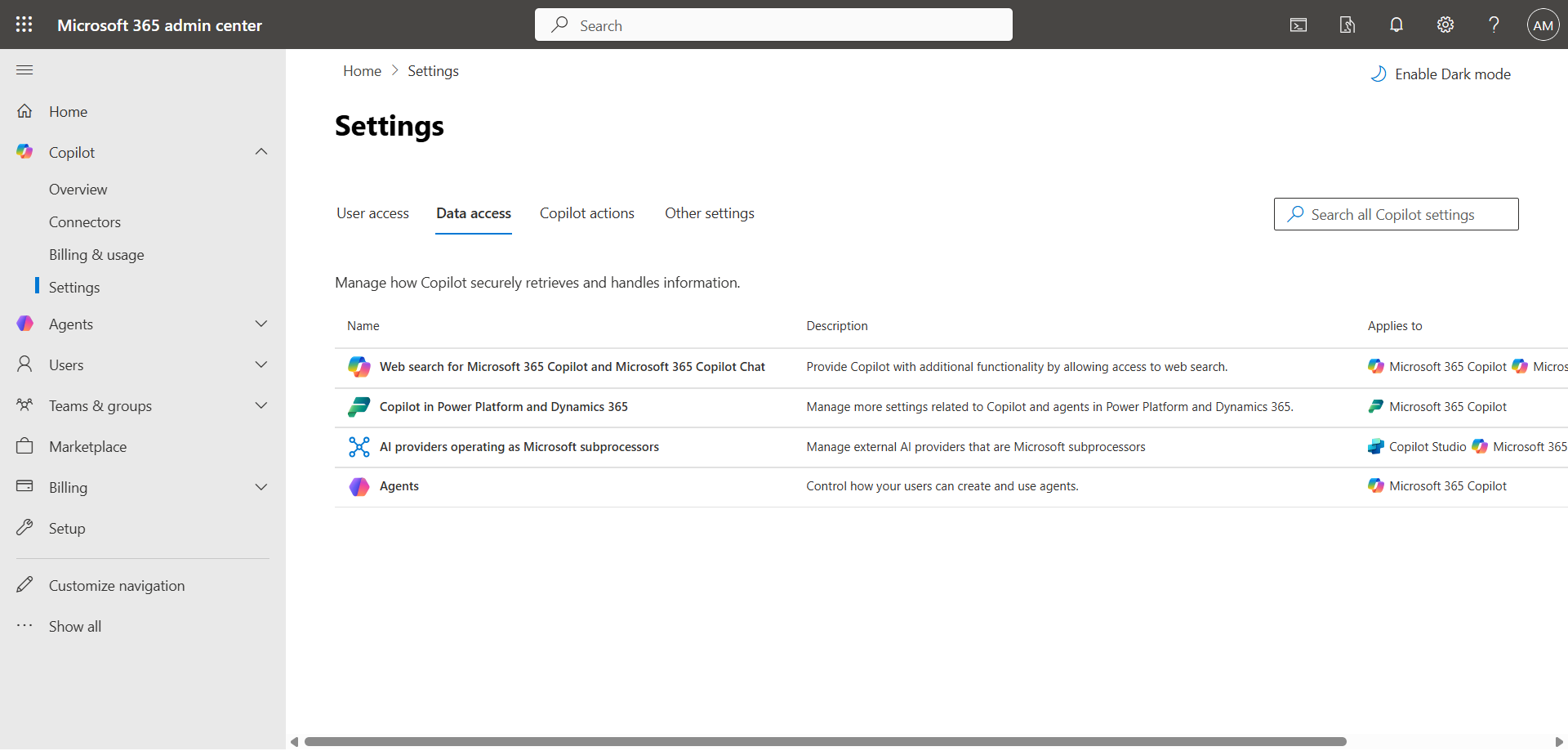
In the left menu, click Copilot, then Settings, and Data access.
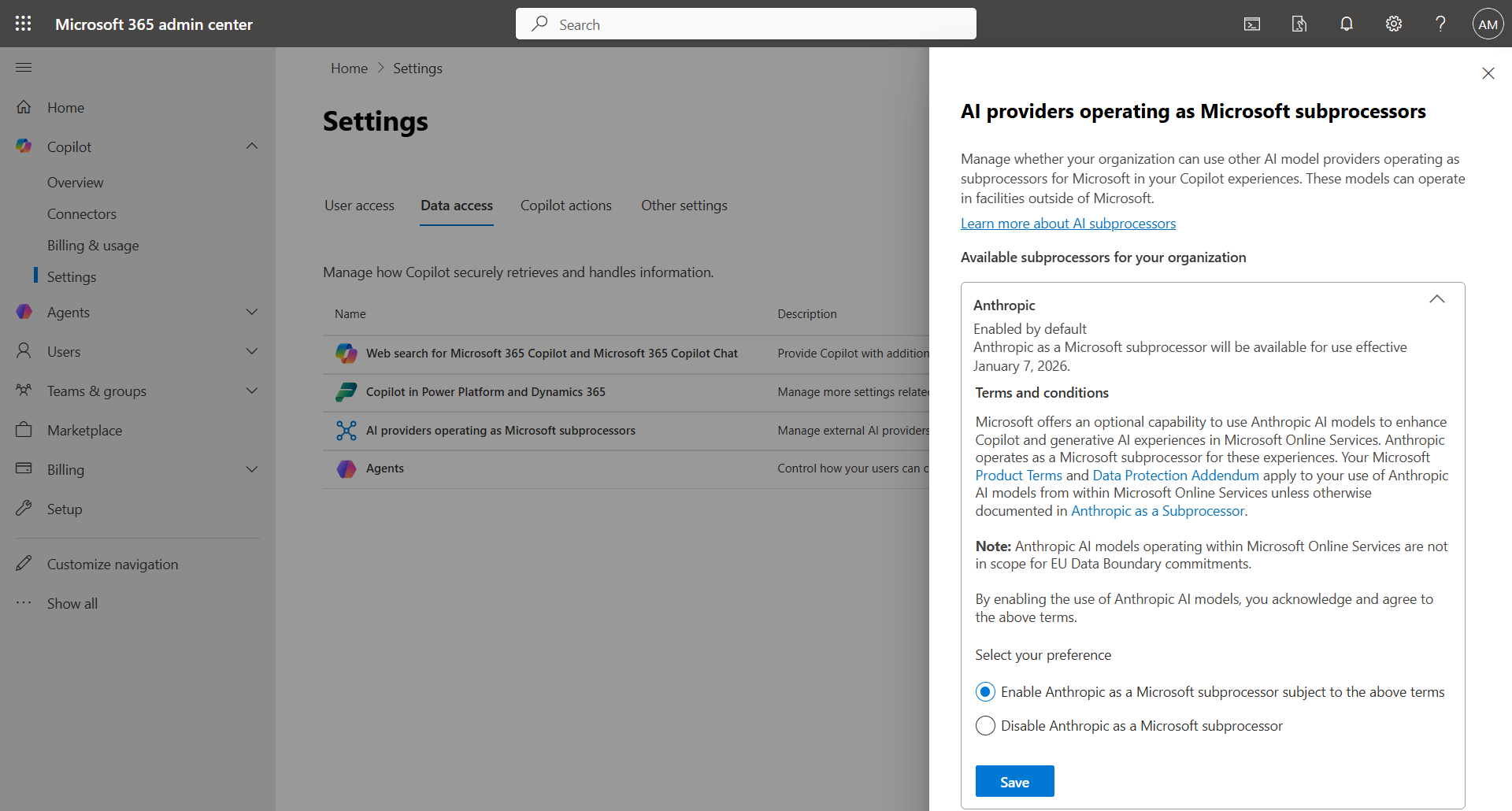
Click AI providers operating as Microsoft subprocessors, then choose the option Enable Anthropic as a Microsoft subprocessor subject to the above terms to enable Claude AI.
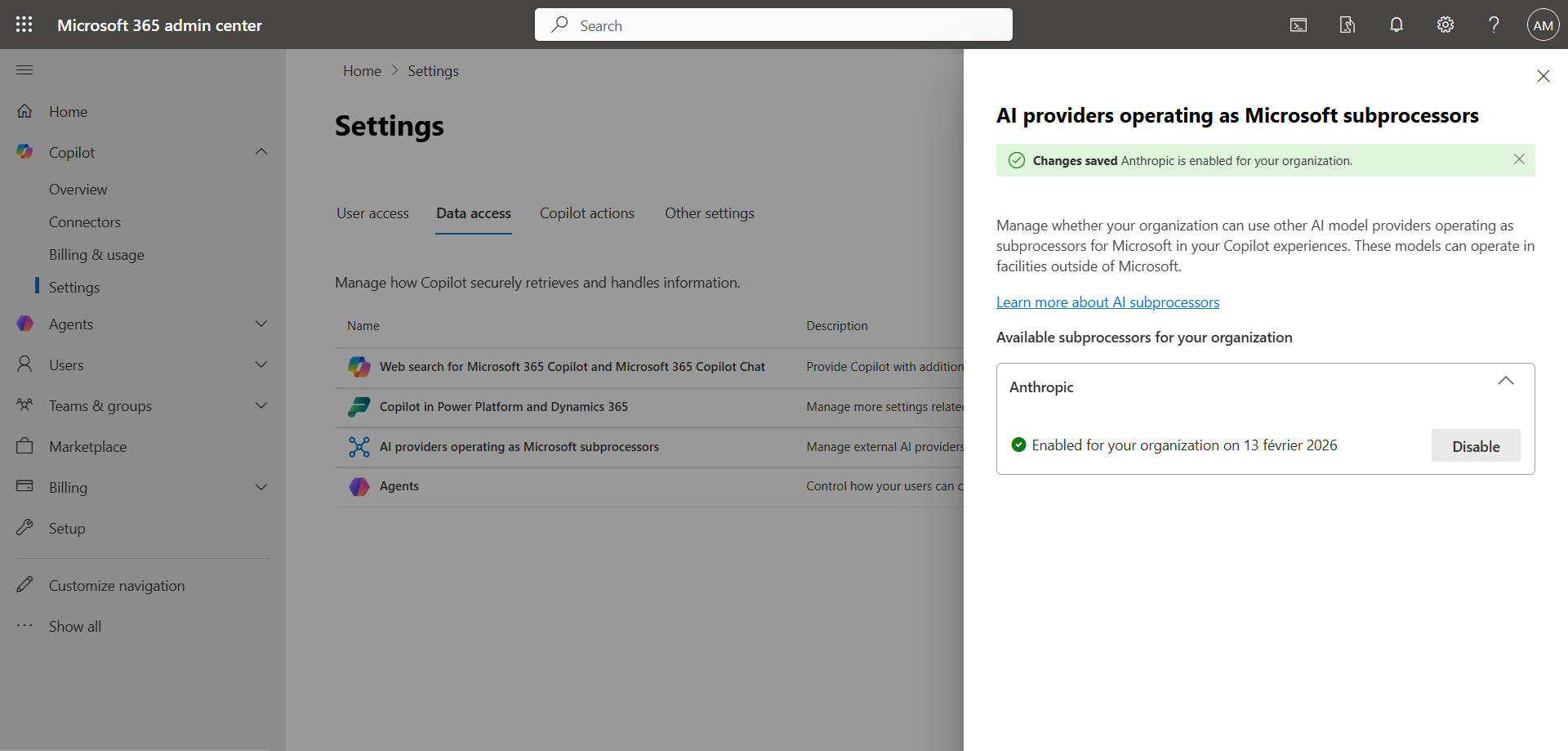
The configuration takes a few seconds.
Where is Claude available in M365 Copilot ?
- Agent Researcher : In-depth research tasks
- Word, Excel, and PowerPoint agents (via Copilot Studio / Frontier)
- Agent mode in Excel : Complex data analysis
- Copilot Studio : Creation of custom agents
Where is Claude not available ?
Claude models are currently not available in the general M365 Copilot Chat interface for common tasks such as creating PowerShell scripts, configuring Intune, etc.
Claude is limited to certain features :
- General Copilot Chat within the M365 application
- Copilot in Word/Excel/PowerPoint for common tasks
- Copilot in Outlook, Teams, etc.
- Scripting and common IT administration tasks
Conclusion
You now know how to enable Claude AI in Copilot.
Sources
Microsoft Learn - Anthropic in Copilot
Did you enjoy this post ? If you have any questions, comments or suggestions, please feel free to send me a message from the contact form.
Don’t forget to follow us and share this post.