Teams Phone Agent and Copilot Studio voice agents in Preview
- Maxime Hiez
- Teams , Copilot
- 04 Aug, 2026
Introduction
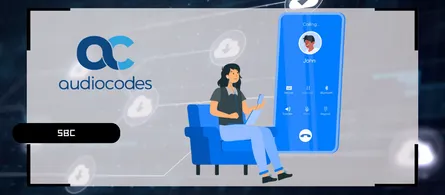
Microsoft Teams Auto Attendants have always relied on a fixed menu, where the caller listens to a list of options before pressing a key. Teams Phone Agent replaces that principle with a conversation, the agent understands the request spoken out loud and routes the call without any tree structure. Microsoft adds the Microsoft Copilot Studio integration on top, which allows custom business processes to be plugged in behind that same number. The whole thing is restricted to the Frontier program in Public Preview.
Teams Phone Agent, beyond the auto attendant
Teams Phone Agent extends the classic auto attendant with AI-driven conversations. It screens calls, answers common questions, handles appointments and directs the caller without a keypad menu. The goal is call deflection, the agent handles on its own whatever does not require human intervention.
Two native tools are provided :
- Appointment : Books and manages appointments directly during the call
- Questions and Answers : Answers recurring requests from a knowledge base
Two integration paths with Copilot Studio
Copilot Studio covers the scenarios those two tools cannot handle, for example billing, order tracking or stock checking. Two attachment models coexist and do not address the same need.
| Agents and queues | Direct dial | |
|---|---|---|
| Entry point | Behind a Teams Phone Agent, through a keypad key | Number dialed directly by the caller |
| Resource account | The one of the existing Teams Phone Agent | Dedicated resource account of type AI Agent |
| Use case | Escalation from a general-purpose AI reception | Line dedicated to a specific process |
In both cases, handing back to traditional telephony is done through Tags. A tag template defined in the Microsoft Teams Admin Center exposes destinations, call queue, auto attendant or named user, which the Copilot Studio agent then calls from a Topic whose trigger is User says a phrase.
Licensing, availability and limits
The licensing scope is cumulative and covers two distinct products :
- On the Teams side : The Auto Attendant and Call Queue foundation, the Teams Phone Agent license, and the Teams Phone Agent with Microsoft Copilot Studio license
- On the Copilot Studio side : A tenant license to run and publish the agents, and a user license to design them
Several limits are worth knowing before building a mockup. Quick setup mode does not allow a Teams Phone Agent to be configured, Advanced setup is mandatory. Announcements through an audio file or through typed text are not supported as a destination, neither is the Force listen option, and the greeting must be entered as text. Microsoft also recommends restricting each agent to the process it serves and validating the full journey before exposing a number.
note
Conclusion
Teams Phone Agent moves the auto attendant from a tree-based logic to a conversational one, and the Copilot Studio integration opens the door to real business processes rather than generic questions alone. The direct dial model, with its AI Agent resource account, is the most interesting one for dedicating a line to an identified process. The double constraint to keep in mind remains access to the Frontier program and the manual tenant enablement by Microsoft, which make the feature hard to test outside of that scope for now.
Sources
Microsoft Learn - Teams Phone Agent overview
Microsoft Learn - Copilot Studio voice agents with direct dial
Microsoft Demo - Teams Phone Agent
Did you enjoy this post ? If you have any questions, comments or suggestions, please feel free to send me a message from the contact form.
Don’t forget to follow us and share this post.