How to validate the new Teams Direct Routing certificates
- Maxime Hiez
- Audiocodes , Teams , Tutorial
- 24 Feb, 2026
Introduction
In December 2025, Microsoft published a message MC1213773 in the Message Center of the Microsoft 365 Admin Center, explaining that new certificates were required to maintain the Teams Direct Routing telephony service. Microsoft will begin implementing these changes in March 2026, and without these new certificates, the service will be discontinued.
Check the article from December 2025 HERE.
Prerequisites
Administrator role
- An administrator account to access the Audiocodes SBC.
Download the certificates
- The DigiCert Global Root CA certificate is downloadable via https://cacerts.digicert.com/DigiCertGlobalRootCA.crt.pem.
- The DigiCert Global Root G2 certificate is downloadable via https://cacerts.digicert.com/DigiCertGlobalRootG2.crt.pem.
- The DigiCert Global Root G3 certificate is downloadable via https://cacerts.digicert.com/DigiCertGlobalRootG3.crt.pem.
- The DigiCert TLS ECC P384 Root G5 certificate is downloadable via https://cacerts.digicert.com/DigiCertTLSECCP384RootG5.crt.pem.
- The DigiCert TLS RSA 4096 Root G5 certificate is downloadable via https://cacerts.digicert.com/DigiCertTLSRSA4096RootG5.crt.pem.
- The Microsoft ECC Root Certificate Authority 2017 certificate is downloadable via https://www.microsoft.com/pkiops/certs/Microsoft%20ECC%20Root%20Certificate%20Authority%202017.crt.
- The Microsoft RSA Root Certificate Authority 2017 certificate is downloadable via https://www.microsoft.com/pkiops/certs/Microsoft%20RSA%20Root%20Certificate%20Authority%202017.crt.
Others
- Schedule the installation during off-hours.
Step 1 : Log in to the SBC
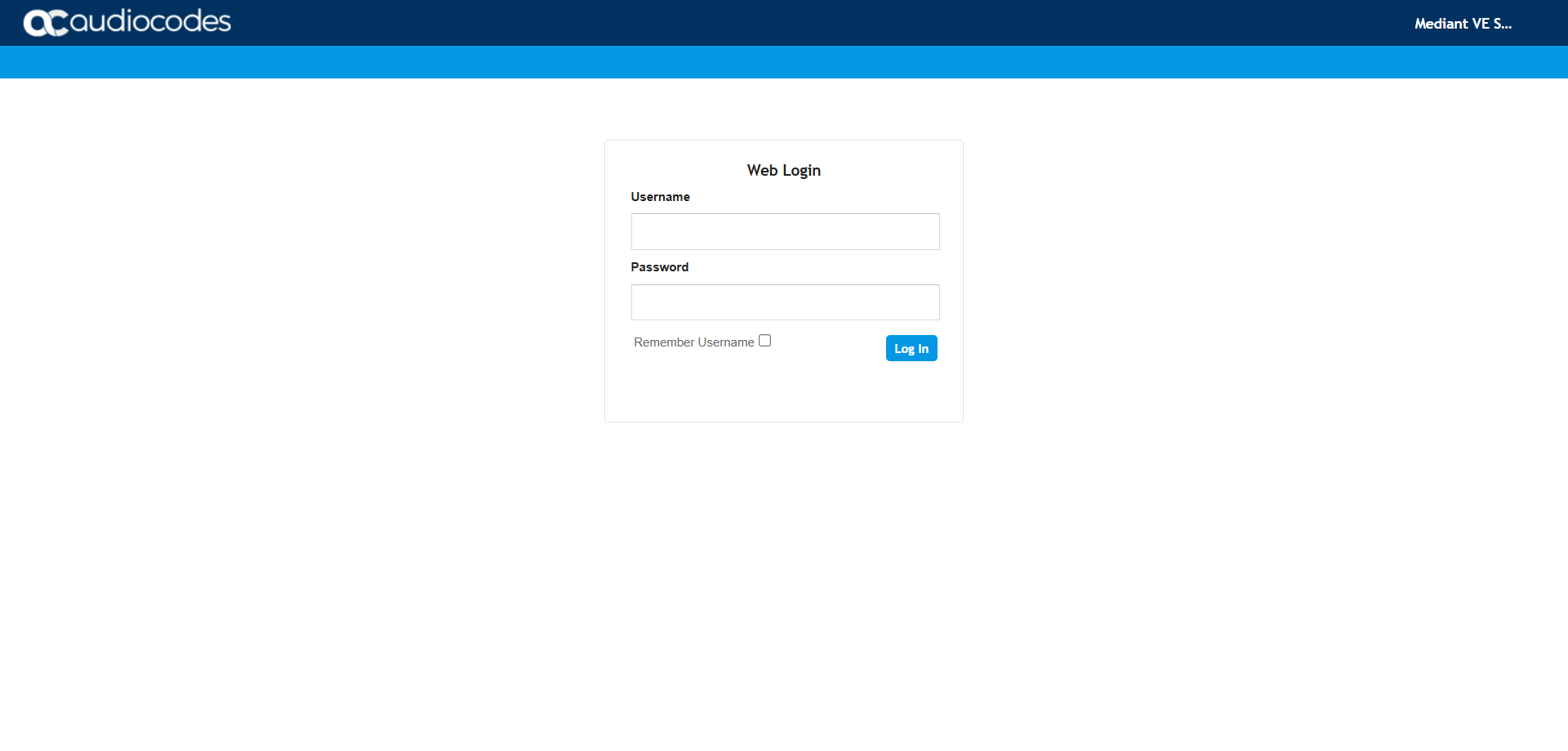
Connect to the SBC by opening your web browser to https://YOUR_IP_ADDRESS.
Step 2 : Import the certificate
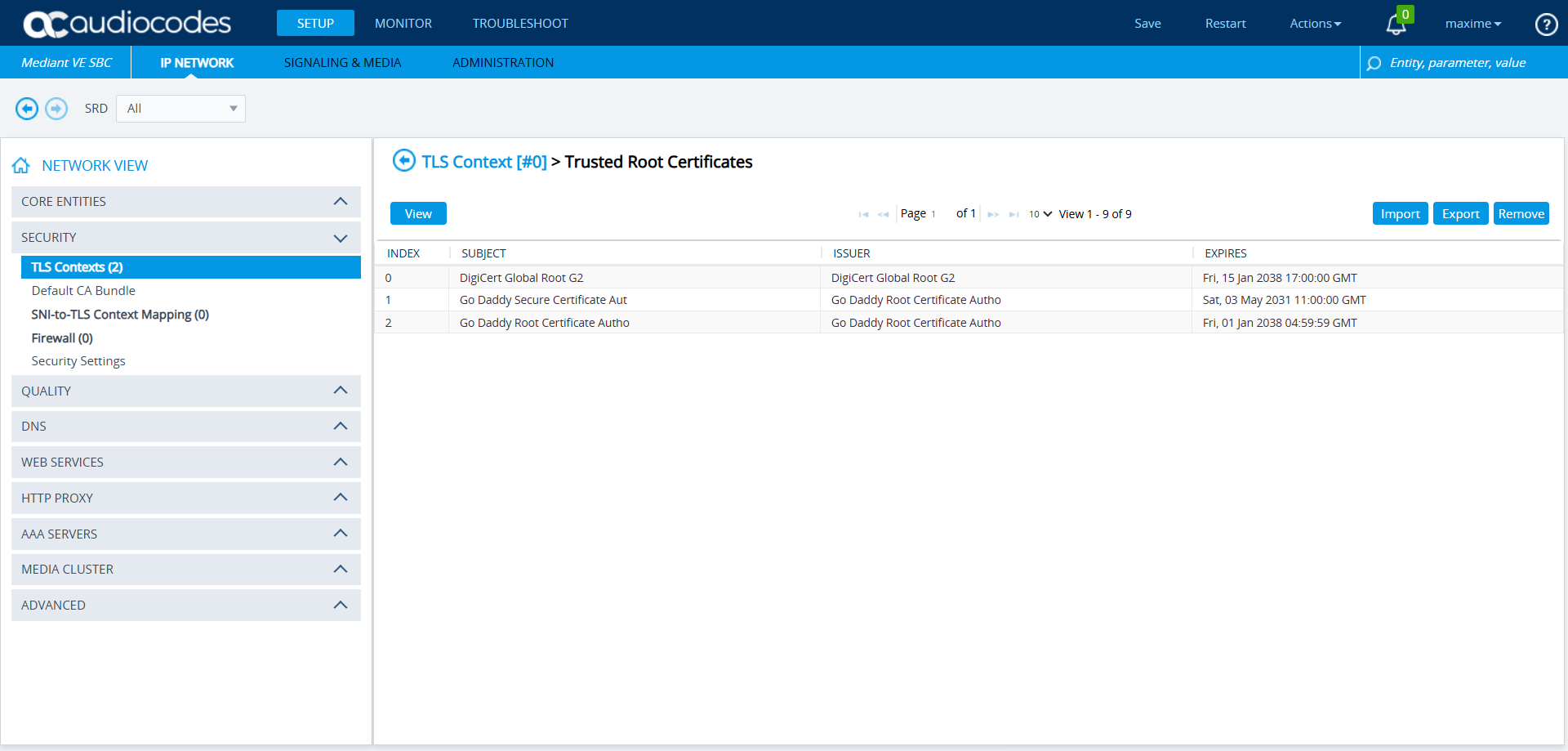
I already covered how to install the DigiCert Global Root G2 certificate in the January 2025 article, you can refer to it.
You should move from a list similar to the one below …
… to a list containing the new certificates.
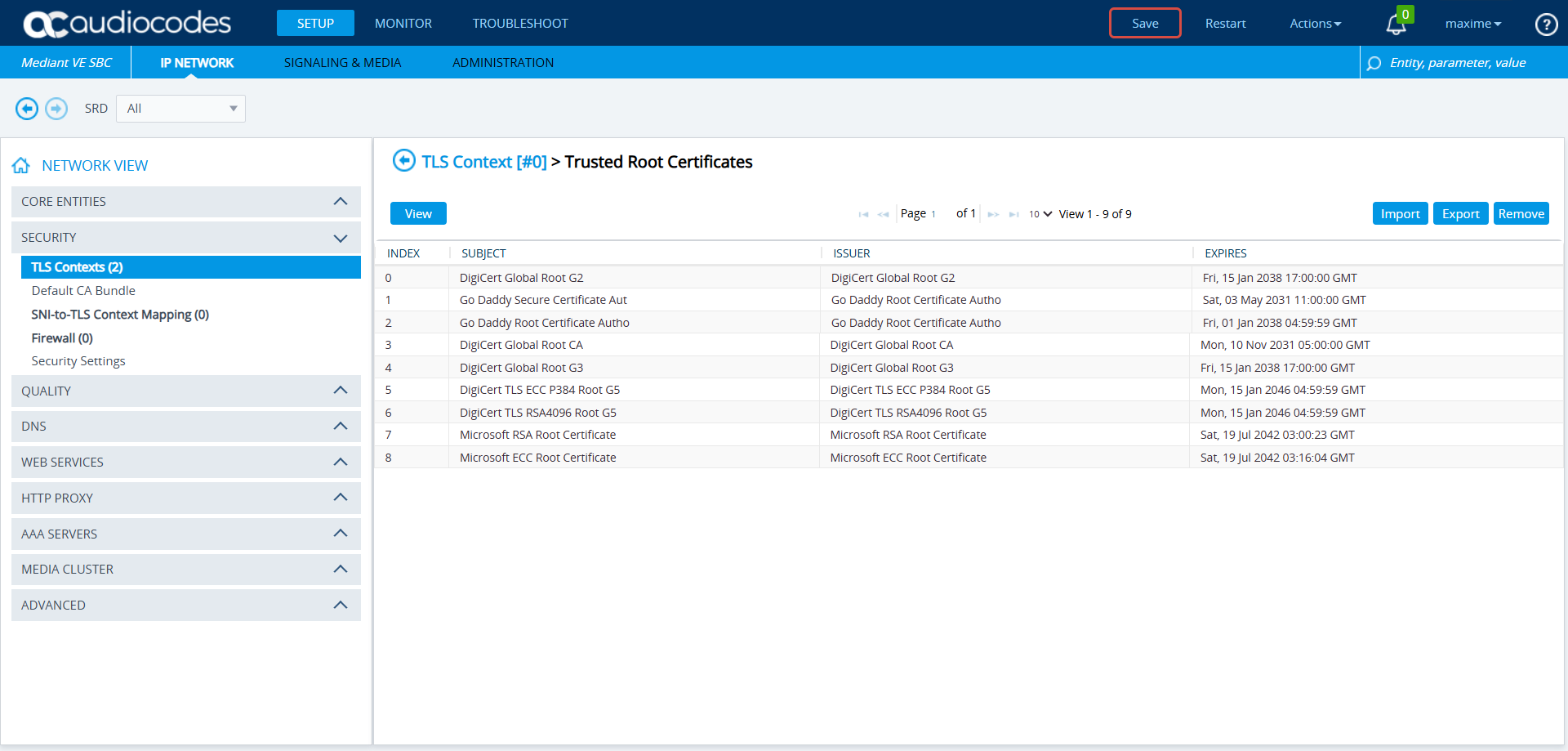
Note that I converted the Microsoft ECC Root Certificate Authority 2017 and Microsoft RSA Root Certificate Authority 2017 certificates from CRT to PEM so that I could import them into my SBC.
info
Step 3 : Enable the test proxy
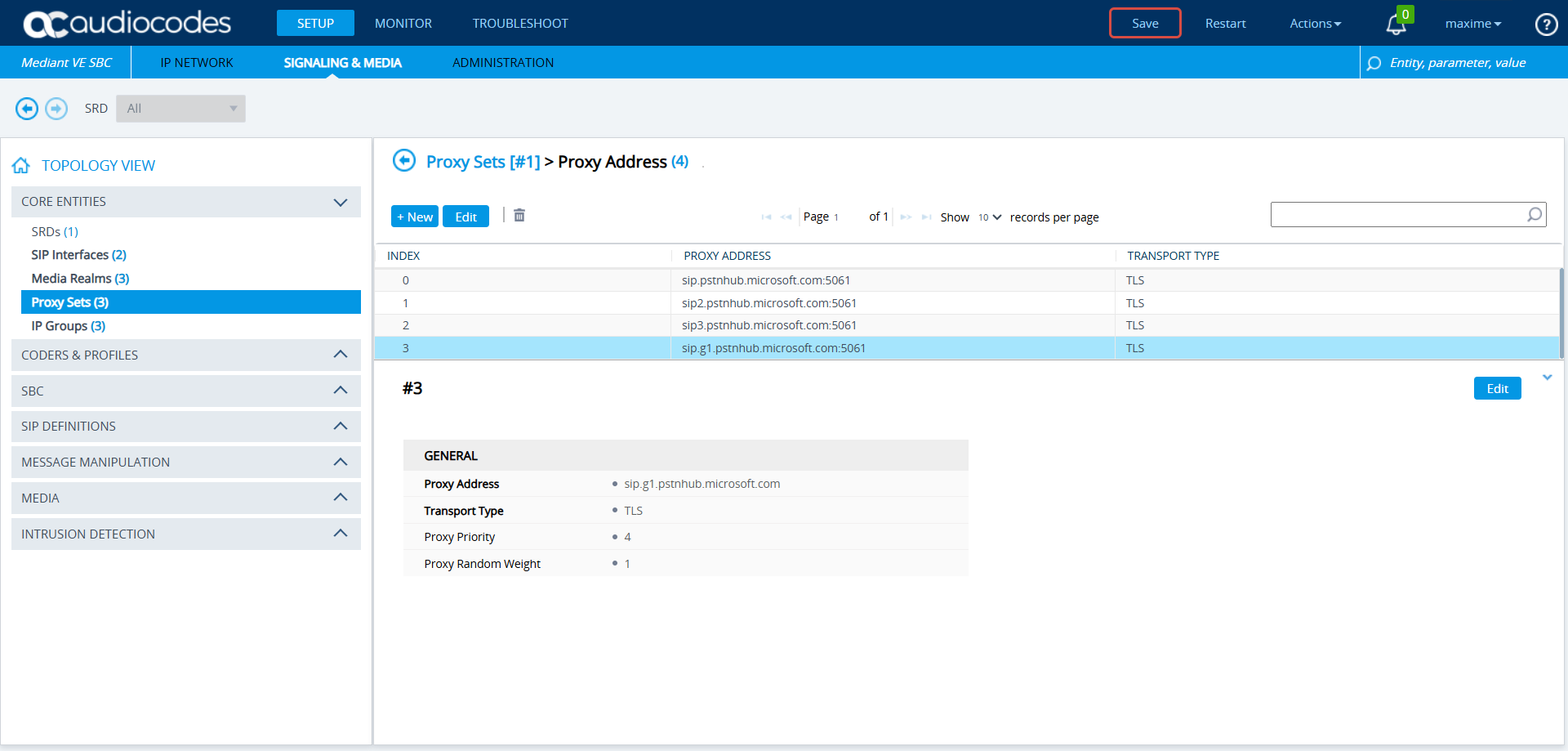
Click Setup, Signaling & Media, then Core Entities, and Proxy sets.
In the Teams proxy settings, add the test proxy sip.g1.pstnhub.microsoft.com:5061.
Step 4 : Validate the good connection
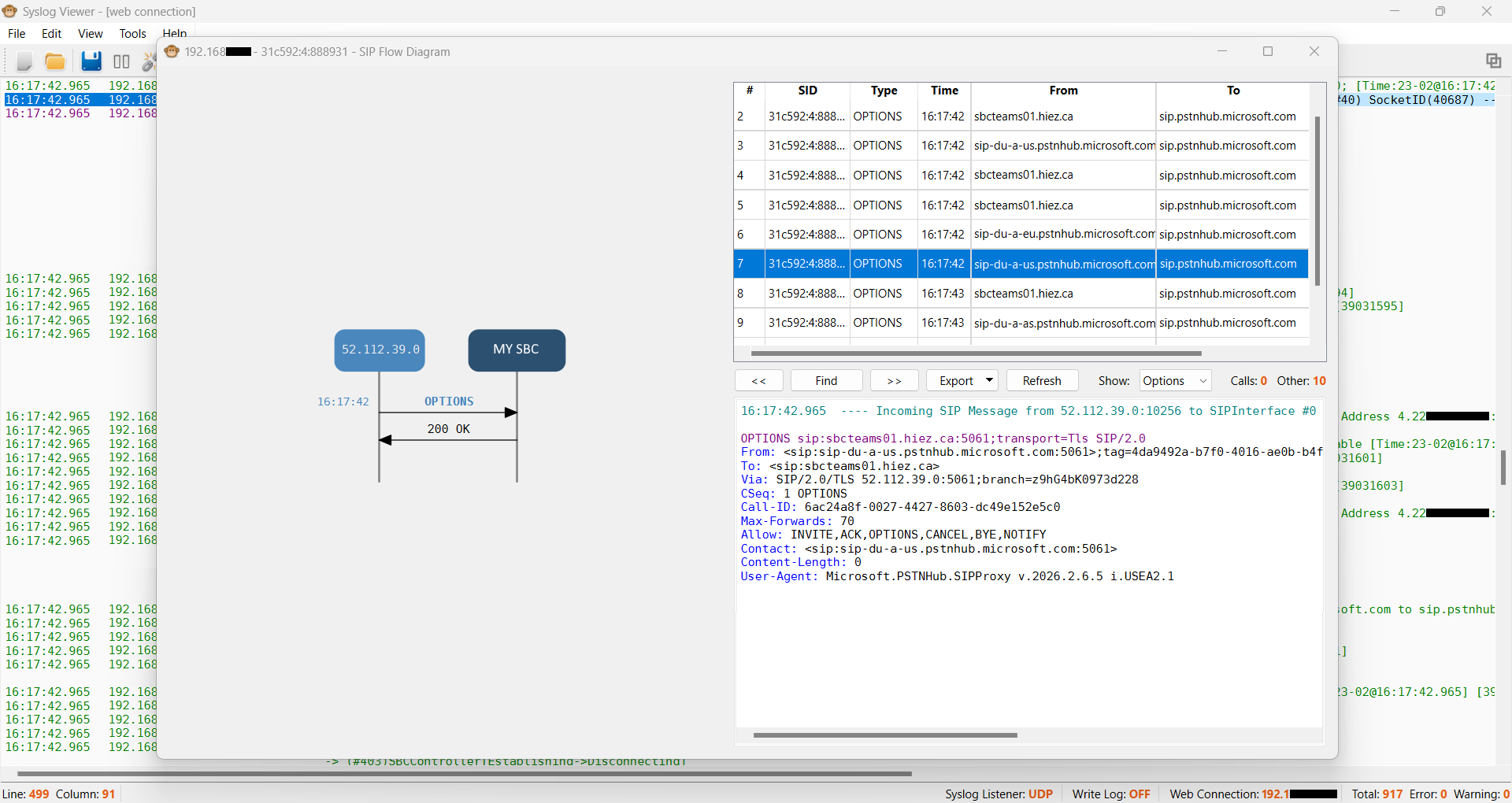
We can see in the Syslog capture of my Audiocodes SBC that the new proxy resolves to the IP address 52.112.39.0 and that my SIP Options are answered with a 200 OK from Microsoft.
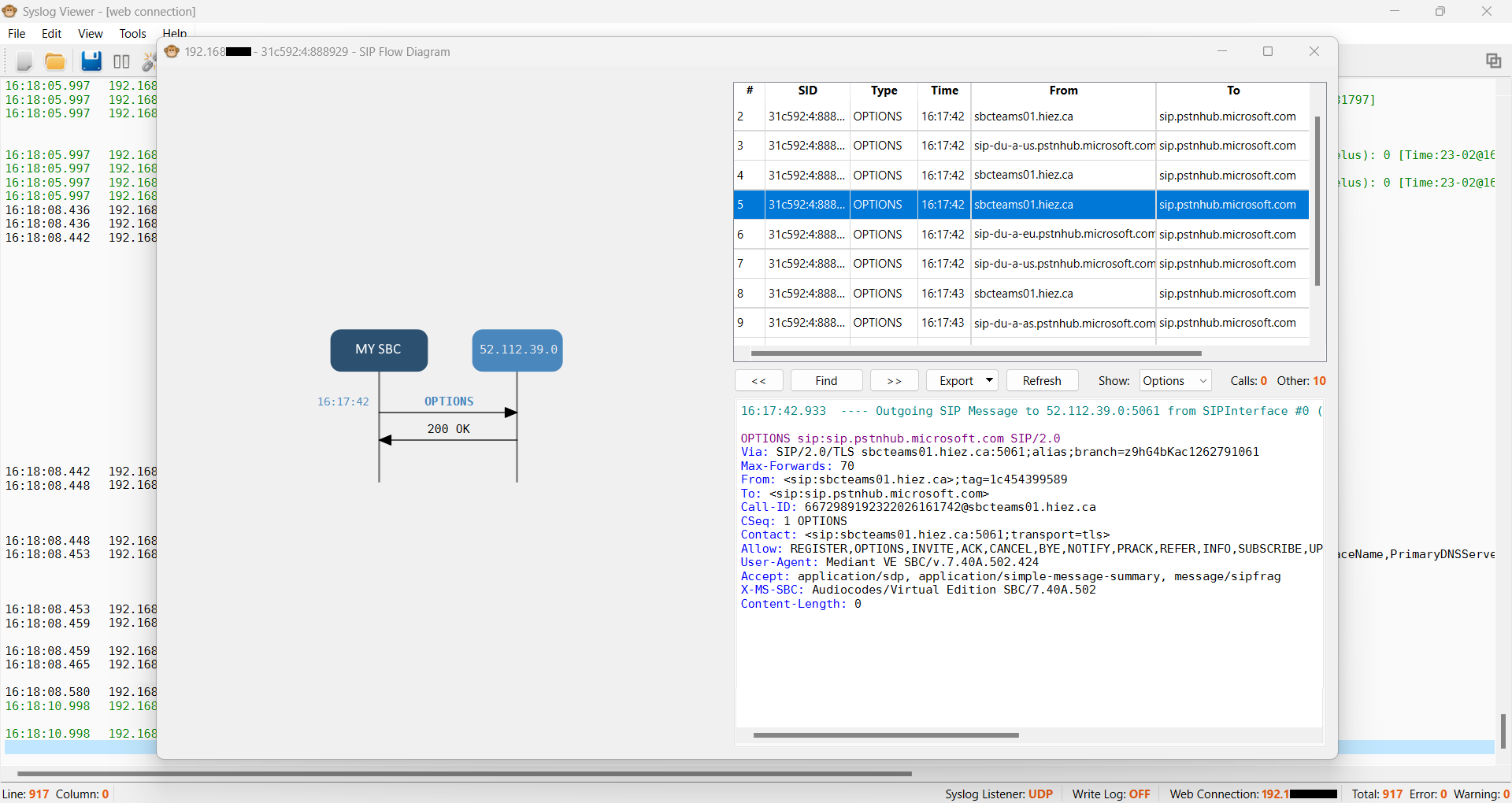
And that the SIP Options sent by Microsoft are answered by a 200 OK from my SBC.
Conclusion
You now know how to validate the correct installation of the new certificates for Teams Direct Routing telephony in an Audiocodes SBC.
Sources
Microsoft Learn - New certificates required
Microsoft Learn - Azure certificate authority details
Did you enjoy this post ? If you have any questions, comments or suggestions, please feel free to send me a message from the contact form.
Don’t forget to follow us and share this post.