Call Flow Visualizer for Auto Attendants in Teams
- Maxime Hiez
- Teams
- 15 Jul, 2026
Introduction
Microsoft introduced a call flow visualizer for Auto Attendants in the Microsoft Teams Admin Center, giving administrators a quick view of incoming call scenario configurations.
What is the Call Flow Visualizer ?
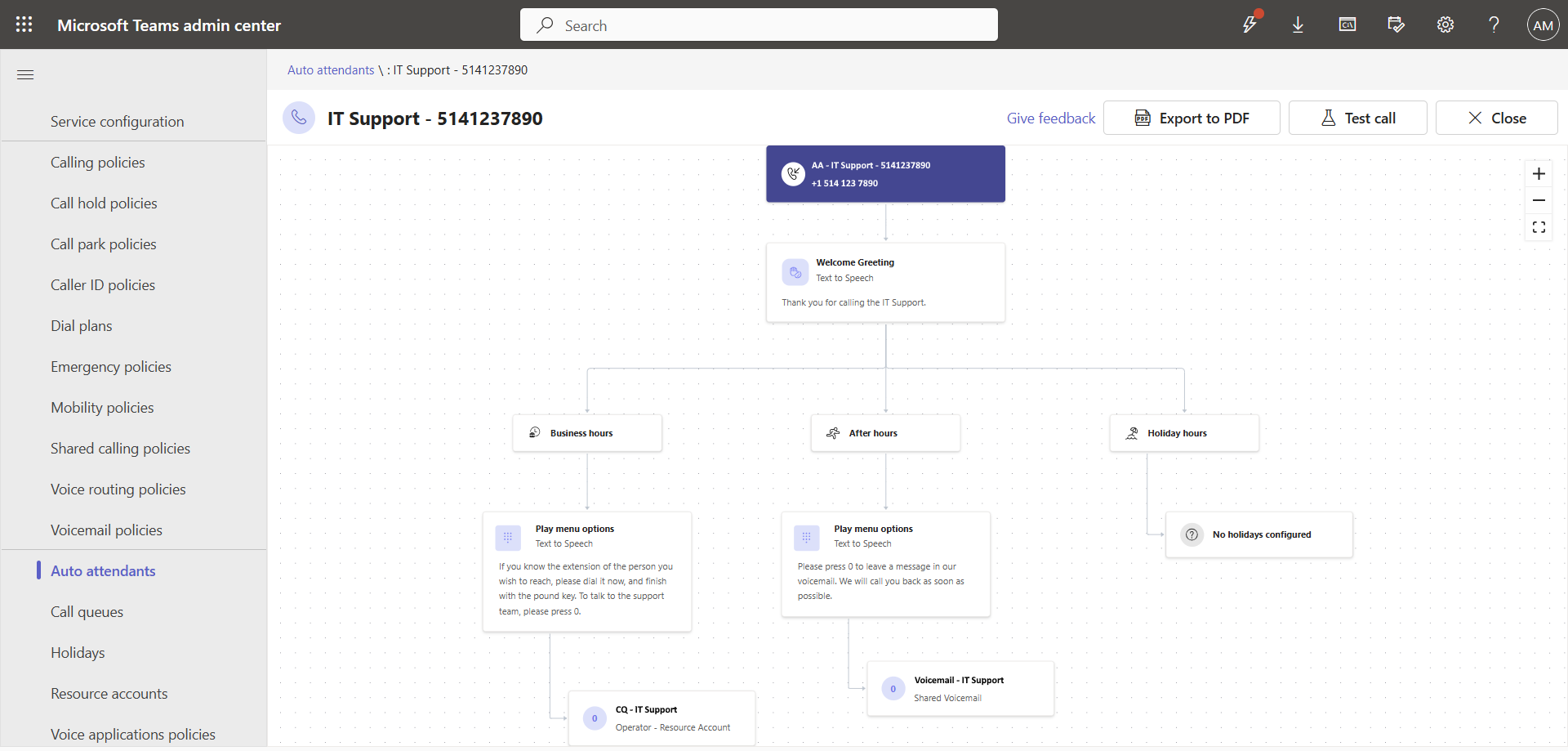
The call flow visualizer is an interactive tool built into the Microsoft Teams Admin Center. It generates a tree-like visual representation of call routing for Auto Attendants and voice agents (Teams Phone Agents), with zoom and pan controls to navigate complex configurations.
The visualizer displays upstream and downstream routing relationships in a unified view, including :
- Resource accounts : Assignments of resource accounts linked to the Auto Attendant
- Greetings : Greeting message configuration
- Business hours : Routing logic during business hours
- After hours : Routing paths outside of business hours
- Holidays : Call flow branches configured for holidays
How to access the visualizer ?
The feature is enabled by default, with no configuration required. To access it :
- Sign in to the Microsoft Teams Admin Center at https://admin.teams.microsoft.com.
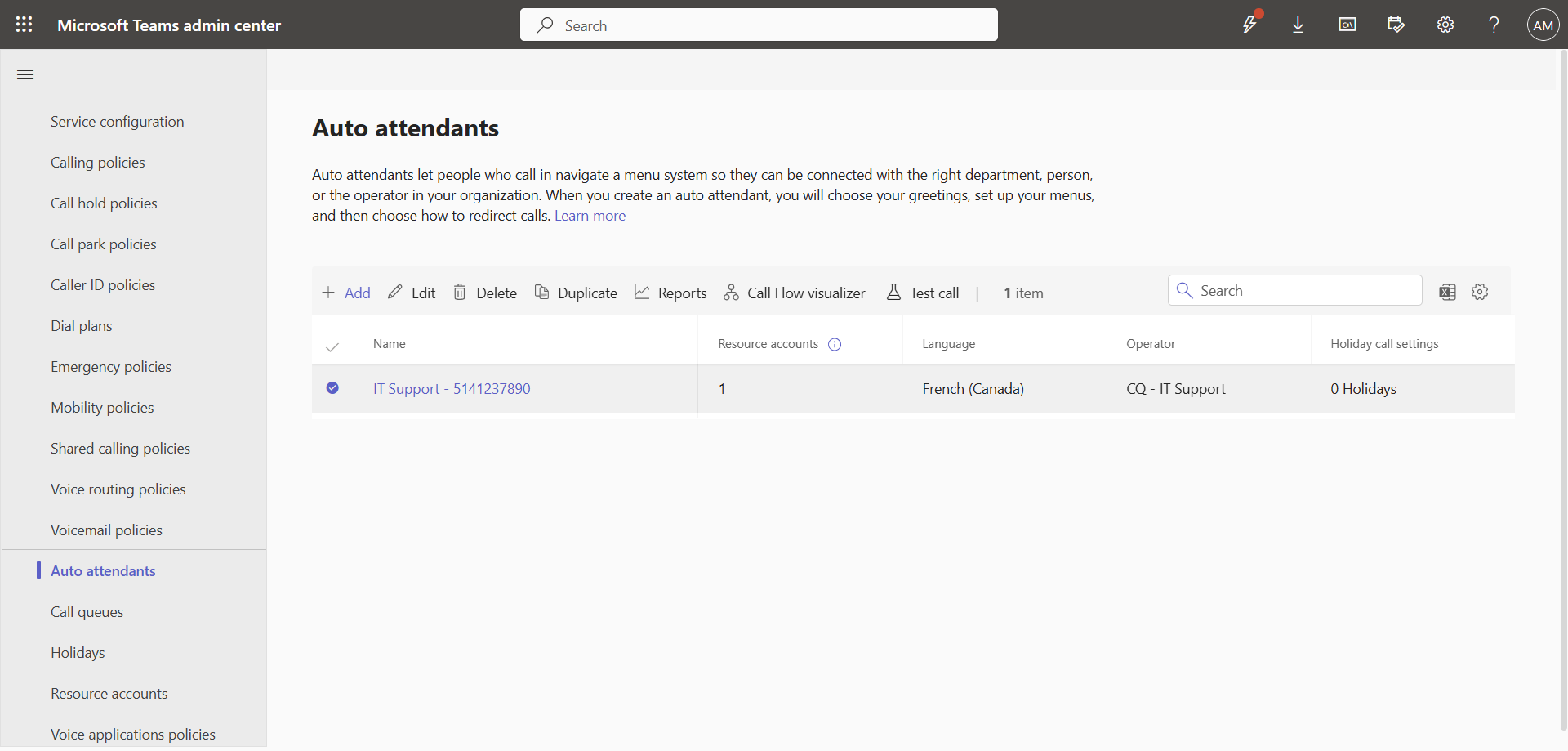
- In the left menu, click Voice, then Auto attendants.
- Select the menu you want to analyze and click the Call Flow visualizer option.
The interactive diagram appears and allows you to explore the call flow and export it to PDF.
Availability
The rollout was completed progressively by environment :
- Worldwide / GCC : Rollout completed in June 2026
- GCC High / DoD : Rollout expected between mid-August 2026 and mid-September 2026
Conclusion
The call flow visualizer simplifies the management and troubleshooting of complex Auto Attendants in the Microsoft Teams Admin Center. Analyzing and documenting call scenarios becomes much simpler with this new feature.
Sources
Microsoft Learn - Auto Attendant Setup
Did you enjoy this post ? If you have any questions, comments or suggestions, please feel free to send me a message from the contact form.
Don’t forget to follow us and share this post.