How to record Teams queue calls
- Maxime Hiez
- Teams , Tutorial
- 14 Aug, 2026
Introduction
Call recording in call queues was until now a limited feature in Microsoft Teams. Agents had to manually start the recording and the file was stored in their OneDrive. This was known as non-compliant recording. As soon as automatic recording was required, you had to use third party solutions such as Numonix, ASC Technologies and others. This was known as compliance recording.
Teams now has a native feature to record and transcribe inbound calls in call queues.
Prerequisites
Microsoft Teams telephony enabled
- A call queue configured with conference mode.
- Teams Queues App deployed.
Required licenses
- Microsoft Teams Premium.
Administrator role
- An account with the Global Administrator or Teams Administrator role to access the Microsoft Teams Admin Center.
Step 1 : Sign in to Microsoft Teams using PowerShell
Sign in to Microsoft Teams via the following PowerShell command :
Connect-MicrosoftTeamsStep 2 : Create the automatic recording template
Create the automatic recording template for the call queue via the following PowerShell command :
New-CsAutoRecordingTemplate -Name "IT Support - Recording" -Description "Recording policy for the IT Support call queue" -RecordingEnabled $true -TranscriptionEnabled $true -AgentViewPermission All -SharePointHostName "lab.sharepoint.com" -SharePointSiteName "IT Support" -RecordingDocumentOwner "14a3b2c4-46b5-3878-81d4-b9c8be63f8e1" -AutoRecordingAnnouncementTextToSpeechPrompt "This call will be automatically recorded for training purposes."info
Step 3 : Assign the template to the call queue
Assign the template to the call queue via the following PowerShell command :
Set-CsCallQueue -Identity e988ce9d-b140-bfa9-44ef-e92959522bf9 -AutoRecordingTemplateId b0908cc3-8d87-49a1-a25b-c5a7d76c2689tip
Validate the result
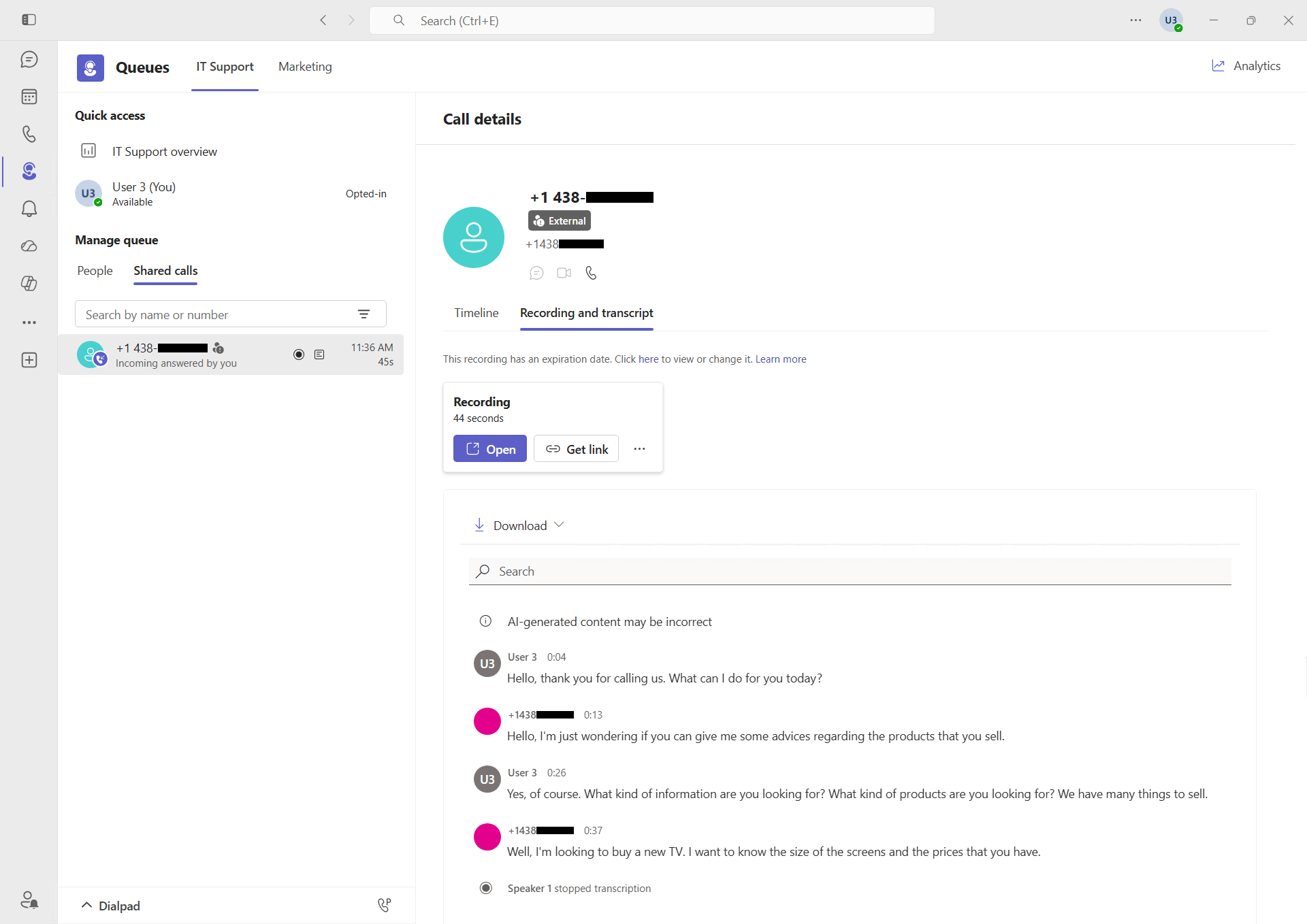
The result is visible after a few minutes ; the calls answered by the call queue are recorded in the SharePoint site configured in the template.
The recordings (and transcriptions) are accessible from the Teams Queues App.
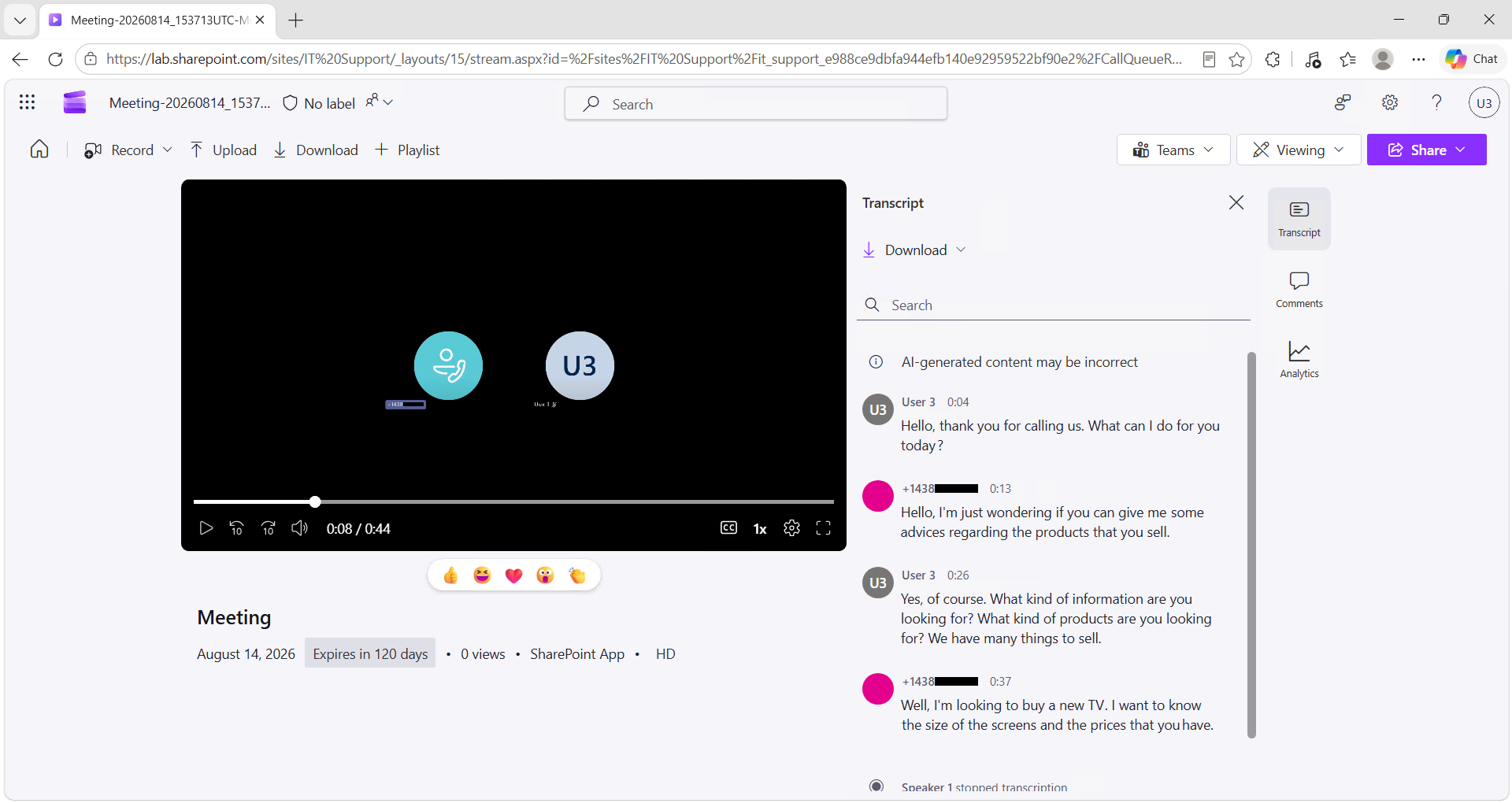
By clicking the Open button, it will also be accessible in the SharePoint site.
Conclusion
The feature can currently only be enabled via PowerShell, but as usual, it will be available through the Microsoft Teams Admin Center in the coming weeks.
You now know how to enable recording for the inbound calls of your Teams call queues.
Sources
Microsoft Learn - Automatic recording template for call queue
Microsoft Learn - New-CsAutoRecordingTemplate
Microsoft Learn - Compliance recording
Did you enjoy this post ? If you have any questions, comments or suggestions, please feel free to send me a message from the contact form.
Don’t forget to follow us and share this post.