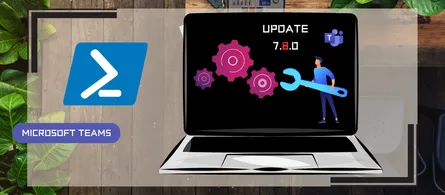
PowerShell Teams module updated to version 7.6.0
- Maxime Hiez
- Teams
- 26 Jan, 2026
Introduction
Microsoft recently released the new version 7.6.0 of the PowerShell module for Microsoft Teams.
Installation
You can check the version of the installed module via the following PowerShell command :
Get-InstalledModule -Name "MicrosoftTeams"You can install the MicrosoftTeams module via the following PowerShell command :
Install-Module -Name MicrosoftTeamsYou can update the MicrosoftTeams module via the following PowerShell command :
Update-Module MicrosoftTeamsWhat’s new ?
Version 7.6.0 includes the following updates :
- Releases Get-CsAiAgents cmdlet.
- Releases New-CsPhoneNumberBulkUpdateTagsOrder cmdlet.
- Releases [Get|Set|Remove]-CsPhoneNumberTenantConfiguration cmdlets.
- Releases [New|Get|Set|Remove]-CsAutoRecordingTemplate cmdlets.
- Adds AutoRecordingTemplateId parameter to [New|Set]-CsCallQueue cmdlets.
- Adds ResourceAccount parameter to [New|Set]-InboundBlockedNumberPattern cmdlets.
- Adds CallerNumber parameter to the [Get|Test]-CsEffectiveTenantDialPlan cmdlets.
- Adds LinksInTeams parameter to [Set|New]-CsTeamsMobilityPolicy cmdlets.
- Adds ReportCall parameter to [Set|New]-CsTeamsCallingPolicy cmdlets.
- Adds AllowMultipleScreenshare and PasscodeComplexity parameters to [Set|New]-CsTeamsMeetingPolicy cmdlets.
- Adds Registration parameter to [Set|New]-CsTeamsEventsPolicy cmdlets.
- Adds UserSettingsDefault parameter to [Set|New]-CsTeamsWorkLocationDetectionPolicy cmdlets.
- Adds ResourceAccount parameter to Test-InboundBlockedNumberPattern cmdlet.
- Adds AllowMultipleScreenshare parameter to Set-CsTeamsGuestMeetingConfiguration cmdlet.
Conclusion
Go update your Teams module for PowerShell to benefit from the latest updates and possible configurations.
Sources
Microsoft Learn - Release notes
Did you enjoy this post ? If you have any questions, comments or suggestions, please feel free to send me a message from the contact form.
Don’t forget to follow us and share this post.